Understanding how to use shotgun microphones effectively is essential for capturing high-quality audio in various recording environments. These microphones are designed to focus on sound sources from a distance, making them ideal for professional filmmaking, broadcasting, and outdoor recordings. Proper knowledge of their features, handling, and situational techniques can significantly enhance the clarity and precision of your audio recordings.
This guide provides comprehensive insights into selecting the right shotgun microphone, setting it up correctly, and applying best practices across different scenarios to ensure impeccable sound quality in your projects.
Introduction to Shotgun Microphones
Shotgun microphones are highly directional audio capturing devices designed to pick up sound predominantly from a specific source while minimizing ambient noise. Their unique long, cylindrical shape and supercardioid or hypercardioid polar patterns enable them to focus precisely on the intended sound, making them a staple in professional filming, broadcasting, and live event production.
The primary purpose of shotgun microphones is to provide clear, focused audio in environments where background noise can interfere with sound clarity. They are often employed in film and television production, documentary filmmaking, outdoor interviews, and theatrical recordings, especially when distance between the microphone and the subject is substantial or when environmental noise levels are high.
Comparison of Shotgun Microphones and Other Microphone Types
Understanding the distinctions between shotgun microphones and other common microphone types helps in selecting the appropriate equipment for specific recording scenarios. Below is a comparative table highlighting key differences:
| Feature | Shotgun Microphone | Handheld Microphone | Lapel (Lavalier) Microphone |
|---|---|---|---|
| Design | Long, cylindrical, highly directional | Compact, handheld, versatile | Small, clip-on, unobtrusive |
| Polar Pattern | Supercardioid or hypercardioid | ||
| Primary Use | Capturing distant or specific sources with minimal background noise | ||
| Environment | Studio, outdoor, film sets, live events | ||
| Sound Focus | Emphasizes sound directly in front, reduces off-axis noise | ||
| Mobility | Requires a stand or mount; less portable for handheld use | ||
| Suitability | Situations demanding precise directional focus and sound isolation |
Key Features of Shotgun Microphones
Shotgun microphones are distinguished by several key features that set them apart from handheld or lapel microphones, primarily related to their design and directional capabilities:
- Highly Directional Polar Pattern: Shotgun mics utilize supercardioid or hypercardioid polar patterns that enable them to concentrate sound pickup from a narrow front angle, effectively rejecting sound from the sides and rear.
- Long Interference Tube: The extended tube in shotgun microphones enhances their ability to focus on distant sound sources while suppressing off-axis noise, which is vital in outdoor or noisy environments.
- Focus on Distant Sound Sources: Unlike handheld or lapel mics that are better suited for close-up recording, shotgun microphones excel at capturing audio from a distance, often several meters away from the subject.
- Robust Build and Mounting Options: Designed to be mounted on booms, cameras, or stands, shotgun microphones are built to withstand various filming conditions and often include features like shock mounts and windshields for outdoor use.
- Variable Attenuation and Filters: Many shotgun microphones come with low-cut filters and attenuation settings to handle varying environmental noise levels, ensuring clearer audio in diverse conditions.
Types and Specifications of Shotgun Microphones
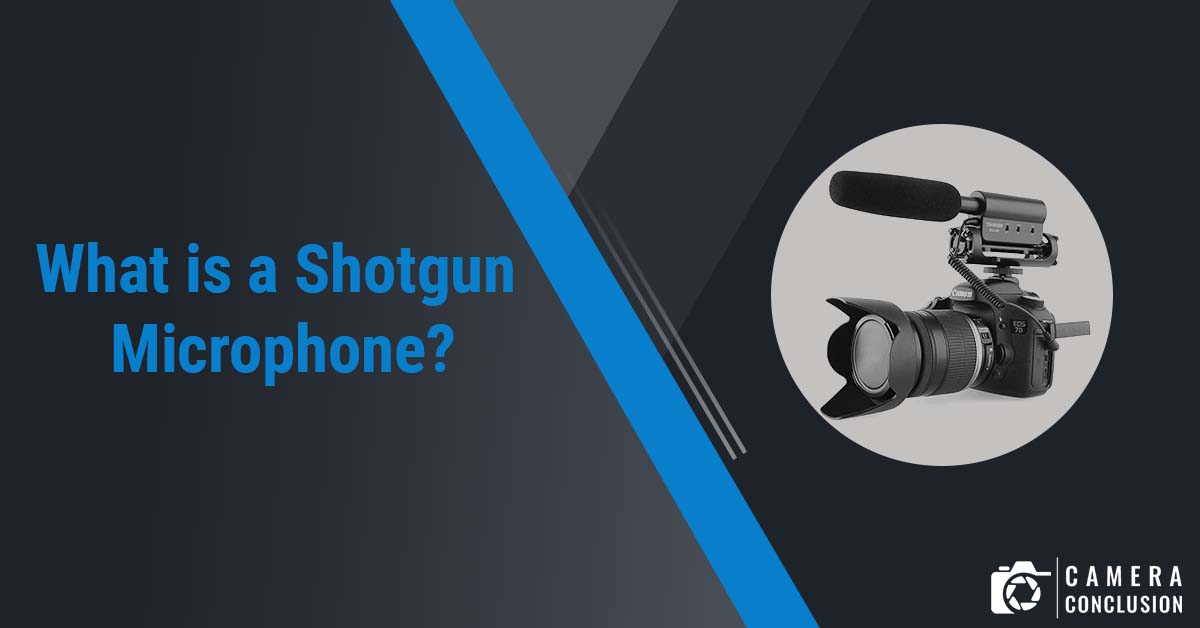
Understanding the various types of shotgun microphones and their technical specifications is essential for selecting the right equipment for specific recording scenarios. Each type offers unique characteristics that influence their performance, directionality, and suitability for different environments.
Shotgun microphones are specialized directional microphones designed to capture audio from a distance while minimizing ambient noise. They are widely used in film, television, broadcasting, and field recording due to their highly focused pickup pattern. The different types vary primarily based on their length, design, and polar pattern, which directly affect their sensitivity and directionality.
Types of Shotgun Microphones
Shotgun microphones can be classified based on their physical length, polar pattern, and intended application. The most common types include short, long, and super-directional shotgun microphones. Each type provides distinct advantages and is suited for specific recording environments.
- Short Shotgun Microphones: Typically ranging between 20-30 cm in length, these microphones are compact and lightweight, making them ideal for handheld use or situations requiring mobility. They often feature a hypercardioid or supercardioid polar pattern, providing good off-axis rejection while maintaining decent sensitivity.
- Long Shotgun Microphones: Ranging from 30-60 cm, these microphones offer increased directionality and a narrower pickup pattern. They are suitable for capturing distant sounds with higher focus and are commonly used in studio setups or outdoor filmmaking.
- Super-directional Shotgun Microphones: These microphones are designed with an extremely narrow polar pattern, often called supercardioid or hypercardioid, providing maximum off-axis noise rejection. They are used in situations where precise focus on the sound source is required, such as wildlife recording or broadcast environments.
Technical Specifications of Shotgun Microphones
Understanding key specifications helps in evaluating microphone performance and suitability for specific applications. The most relevant technical aspects include:
- Frequency Response: Indicates the range of frequencies the microphone can accurately capture. A flat response from approximately 40 Hz to 20 kHz is typical for high-quality shotgun microphones, ensuring natural sound reproduction.
- Polar Pattern: Defines the microphone’s sensitivity to sound from different directions. Shotgun microphones generally use hypercardioid or supercardioid patterns, with super-directional versions offering more precise focus.
- Maximum SPL: The maximum sound pressure level the microphone can handle without distortion. Higher SPL ratings are preferable for recording loud sources.
- Impedance and Sensitivity: Lower impedance generally results in better noise rejection and signal clarity. Sensitivity determines how effectively the microphone converts sound into an electrical signal.
- Weight and Length: Physical dimensions impact portability and ease of handling, especially for handheld applications or mounting in tight spaces.
Examples of Popular Shotgun Microphone Models and Applications
Several models have achieved recognition for their performance and reliability across various recording scenarios. Examples include:
- Sennheiser MKH 416: A short, super-directional shotgun microphone renowned for its clarity, low noise, and robustness. It is widely used in film production, broadcasting, and outdoor field recording.
- Rode NTG3: A long shotgun microphone featuring excellent off-axis rejection and high sensitivity. Ideal for outdoor filmmaking, documentary work, and studio applications.
- Audio-Technica AT897: A short shotgun microphone suitable for ENG (Electronic News Gathering), video production, and field recording, offering a good balance between size and performance.
Methods to Select the Appropriate Shotgun Microphone
Choosing the right shotgun microphone depends on the specific recording needs, environment, and budget. Consider the following factors:
Application Environment: For outdoor, high-noise environments, a super-directional shotgun like the MKH 416 is preferable due to its superior off-axis rejection. For indoor, close-mic situations, a shorter shotgun may suffice.
Distance from Sound Source: Longer shotgun microphones provide greater reach and focus, making them ideal for distant subjects. Shorter microphones are better suited for close-up recording or handheld use.
Size and Portability: For handheld or mobile applications, compact models like the Rode NTG3 or AT897 are advantageous. Larger, long shotgun mics are generally used on booms or mounted setups.
Budget and Compatibility: High-end models like the Sennheiser MKH 416 offer exceptional performance but come at a higher cost. Budget-friendly options still deliver reliable results for amateur or semi-professional projects.
Proper Handling and Setup of Shotgun Microphones
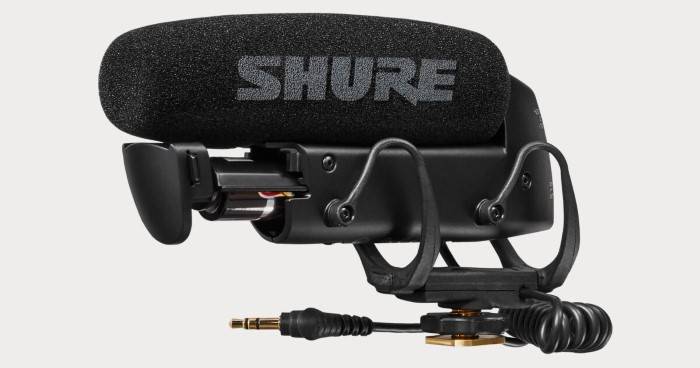
Achieving optimal audio quality with shotgun microphones depends significantly on proper handling and precise setup procedures. Ensuring that the microphone is mounted correctly, positioned accurately, and protected from common issues like handling noise is essential for professional sound recording, whether in film production, broadcasting, or field reporting. This section offers a comprehensive guide to correctly handling and setting up shotgun microphones to maximize their performance and durability.
Proper handling and setup practices not only enhance sound clarity but also prolong the lifespan of the equipment. Attention to detail during installation and positioning minimizes noise interference, captures focused audio, and ensures the microphone performs reliably across various environments and devices.
Mounting a Shotgun Microphone on Various Devices
Secure and stable mounting is fundamental for effective sound capture and to prevent damage during operation. The mounting procedure varies depending on the device—such as cameras, boom poles, or handheld rigs—and requires adherence to specific steps for safety and optimal performance.
- Select an appropriate mounting device: Use a shock mount or a standard mounting bracket compatible with the microphone’s size and weight. Shock mounts are highly recommended for reducing handling noise.
- Attach the microphone to the mounting device: Align the microphone’s mounting thread or adapter with the corresponding socket on the shock mount or bracket. Screw or lock the connection securely, ensuring there is no looseness that could cause vibrations or misalignment.
- Secure the assembly to the device: If mounting on a camera, attach the shock mount or bracket to the camera’s hot shoe or mounting plate. For boom poles or handheld rigs, use clamps or threaded connectors designed for the device.
- Connect the audio cable: Plug the microphone’s output connector into the camera or audio recorder, ensuring a tight fit to prevent accidental disconnections or signal loss.
For different devices, such as DSLR cameras or professional camcorders, ensure compatibility of mounting accessories and confirm that the connection ports match the microphone’s output type (XLR, 3.5mm jack, etc.).
Positioning and Angling the Microphone for Optimal Sound Capture
Correct positioning and angling are critical for capturing clear, focused audio while minimizing unwanted ambient noise. The goal is to direct the microphone’s lobes toward the sound source and avoid capturing extraneous sounds.
Follow these best practices to achieve ideal placement:
- Align with the sound source: Point the microphone’s interference tube directly toward the subject to maximize directional sensitivity. The typical orientation is with the microphone’s longer axis aligned horizontally or vertically depending on the source’s position.
- Maintain an appropriate distance: Position the microphone about 1 to 3 feet from the subject, adjusting based on the environment and desired sound pickup. Closer placement results in a more direct sound with less room ambiance.
- Angle to reduce off-axis noise: Slightly tilt the microphone if necessary to minimize off-axis sound pickup, such as wind or handling noise, especially in outdoor environments.
- Monitor with headphones: Continuously listen during setup to ensure the positioning captures the desired audio and suppresses unwanted sounds.
Using Shock Mounts and Windshields Effectively
Shock mounts and windshields are vital accessories that significantly improve recording quality by reducing handling noise and wind interference. Proper use of these tools ensures clearer audio and equipment longevity.
Implement these procedures for maximum benefit:
- Installing shock mounts: Attach the microphone securely within the shock mount, ensuring the suspension system is properly engaged. Adjust the mount to keep the microphone steady and centered, avoiding any slack or imbalance that might cause vibrations.
- Applying windshields: Place a foam windscreen over the microphone capsule for indoor or calm outdoor environments. For windy outdoor conditions, use a furry or fluffy “dead cat” windshield over the foam to effectively disperse airflow and reduce wind noise.
- Securing accessories: Ensure that windshields are snug and fitted properly without applying excessive pressure, which could distort the microphone’s capsule or damage the equipment.
Preventing Handling Noise and Common Setup Issues
Handling noise, such as vibrations transmitted through the mounting or inadvertent contact with the microphone, can severely degrade sound quality. Awareness and preventative measures are essential during setup.
Follow these practices:
- Use shock mounts: Always mount the microphone within a shock mount to isolate it from physical vibrations caused by movement or handling.
- Minimize contact: Avoid touching the microphone or its cable during recording sessions. Use cable clips or ties to secure loose cables and prevent accidental tugging.
- Set gain levels carefully: Adjust audio input levels to prevent clipping and distortion, which can also be caused by sudden handling impacts.
- Test before recording: Perform a brief test recording to check for unwanted noise or vibrations. Make adjustments to positioning, mounting, or accessories as needed.
Consistent adherence to these handling and setup procedures ensures that shotgun microphones deliver their best performance, providing clear, focused audio for professional applications in diverse environments.
Techniques for Using Shotgun Microphones in Different Scenarios
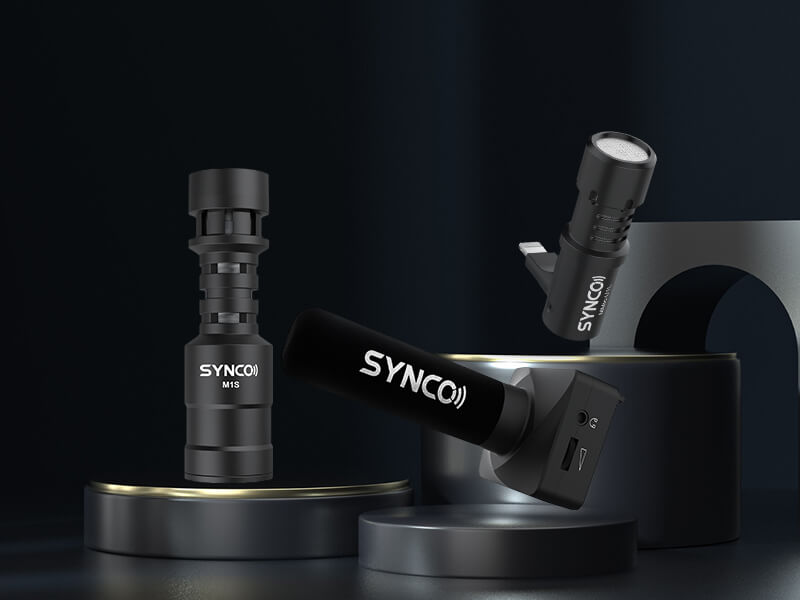
Effective utilization of shotgun microphones requires understanding the context and environment in which they are employed. Whether filming outdoors or indoors, adjusting your technique appropriately ensures optimal audio quality. Mastery of these methods enhances clarity, reduces unwanted noise, and adapts to diverse filming conditions.
Implementing proper techniques involves considerations such as wind protection during outdoor shoots, minimizing echo in enclosed spaces, capturing dialogue with clarity in broadcast environments, and adjusting microphone directionality to suit shot compositions. Each scenario demands specific handling and setup strategies to achieve professional results.
Outdoor Filming with Wind Protection Techniques
Outdoor environments pose unique challenges, particularly wind noise, which can severely degrade audio quality. Employing effective wind protection methods is essential for capturing clean, intelligible sound. These techniques not only improve audio clarity but also preserve the natural ambiance of outdoor scenes.
- Use Rycote or Deadcat Windshields: Attach furry windshields designed for shotgun microphones to deflect wind and reduce turbulence noise. Ensure the windshield covers the entire microphone capsule for maximum effectiveness.
- Positioning the Microphone Correctly: Keep the microphone as close to the sound source as possible without entering the frame. Slightly angling the microphone downward can help shield it from direct wind exposure.
- Use a Boom Pole for Optimal Placement: Mount the shotgun microphone on a boom pole held just above or outside the frame to maintain proximity to the subject while avoiding wind interference.
- Choose Appropriate Shooting Times: When possible, schedule outdoor shoots during calmer weather conditions. Early mornings or late evenings often offer reduced wind activity.
- Supplement with Wind Reduction Techniques: Use windbreaks, such as portable screens or natural barriers, to shield the microphone from gusts and turbulence.
Indoor Recording to Minimize Echo and Background Noise
Indoor environments typically introduce issues such as echo, reverberation, and ambient sounds, which can compromise dialogue clarity. Implementing effective techniques to minimize these effects is critical for professional-quality audio recordings.
Strategies for indoor recording focus on acoustic treatment, proper microphone placement, and background noise management. These methods help create a controlled environment where the shotgun microphone can operate at its best.
- Choose the Right Location: Select a room with minimal reflective surfaces. Use soft furnishings, curtains, or acoustic panels to absorb sound reflections and reduce echo.
- Position the Microphone Close to the Subject: Place the shotgun microphone just out of the camera frame, aiming directly at the speaker’s mouth to maximize direct sound pickup and minimize room ambiance.
- Control Background Noise: Turn off or mute unnecessary electronic devices, close windows and doors, and isolate the recording area from external noise sources.
- Use Acoustic Treatments: Employ portable acoustic panels, diffusers, or blankets to further dampen sound reflections and improve audio clarity.
- Implement Sound Absorbing Barriers: Place temporary barriers or foam wedges around reflective surfaces to prevent sound waves from bouncing directly into the microphone.
Procedures for Capturing Dialogue in Film or Broadcast Environments
Clear and consistent dialogue capture is fundamental in both film and broadcast production. Following structured procedures ensures reliable audio quality, reduces retakes, and maintains production efficiency. These procedures encompass microphone placement, monitoring, and environmental considerations.
- Microphone Placement: Position the shotgun microphone approximately 6 to 12 inches from the actor’s mouth, slightly above and angled downward, ensuring the actor’s speech remains within the microphone’s optimal pickup pattern.
- Use a Shock Mount: Secure the microphone in a shock mount to prevent handling noise from reaching the microphone capsule, especially when using handheld or boom setups.
- Monitor Audio Continuously: Employ headphones to listen to the audio feed in real-time, catching issues like background noise, plosives, or handling noise immediately.
- Adjust Microphone Directionality: Fine-tune the orientation of the shotgun microphone to focus solely on the dialogue, avoiding off-axis noise and minimizing ambient sounds.
- Implement Consistent Levels: Set and maintain proper audio gain levels, avoiding clipping or under-recording, and adjusting for variations in dialogue volume.
- Record Room Tone: Capture ambient sound or room tone separately to assist in post-production editing, ensuring seamless audio transitions and noise reduction.
Adjusting Microphone Directionality for Different Shot Compositions
Shotgun microphones typically feature highly directional polar patterns, such as supercardioid or hypercardioid, which can be adjusted to suit various shot compositions. Proper adjustment ensures maximum focus on the subject while minimizing unwanted sounds from the environment.
Understanding how to manipulate the microphone’s aim and angle is vital for achieving optimal sound capture in different filming configurations. This control allows filmmakers and audio technicians to tailor the microphone’s pickup pattern to match specific shot requirements.
- Align the Microphone with the Subject’s Mouth: For close-up dialogue, aim the microphone directly at the speaker’s mouth, maintaining a consistent angle to capture clear speech.
- Use the Interchangeable Lenses or Mounts (if available): Some shotgun microphones come with accessories that alter their polar pattern. Select the appropriate configuration based on the environment and shot composition.
- Adjust the Aiming Angle for Wide Shots: In wider frames, slightly off-axis placement can help gather sound from multiple subjects or cover a broader area while maintaining directionality.
- Consider Shot Composition and Camera Angles: When the camera moves or reframes, re-aim the microphone to ensure it remains focused on the primary sound source, avoiding off-axis noise pickup.
- Maintain Consistent Aim During Movement: For dynamic shots with camera movement, use a boom operator or a stabilized mount to keep the microphone correctly aimed, ensuring continuous audio quality.
Audio Quality Optimization and Troubleshooting
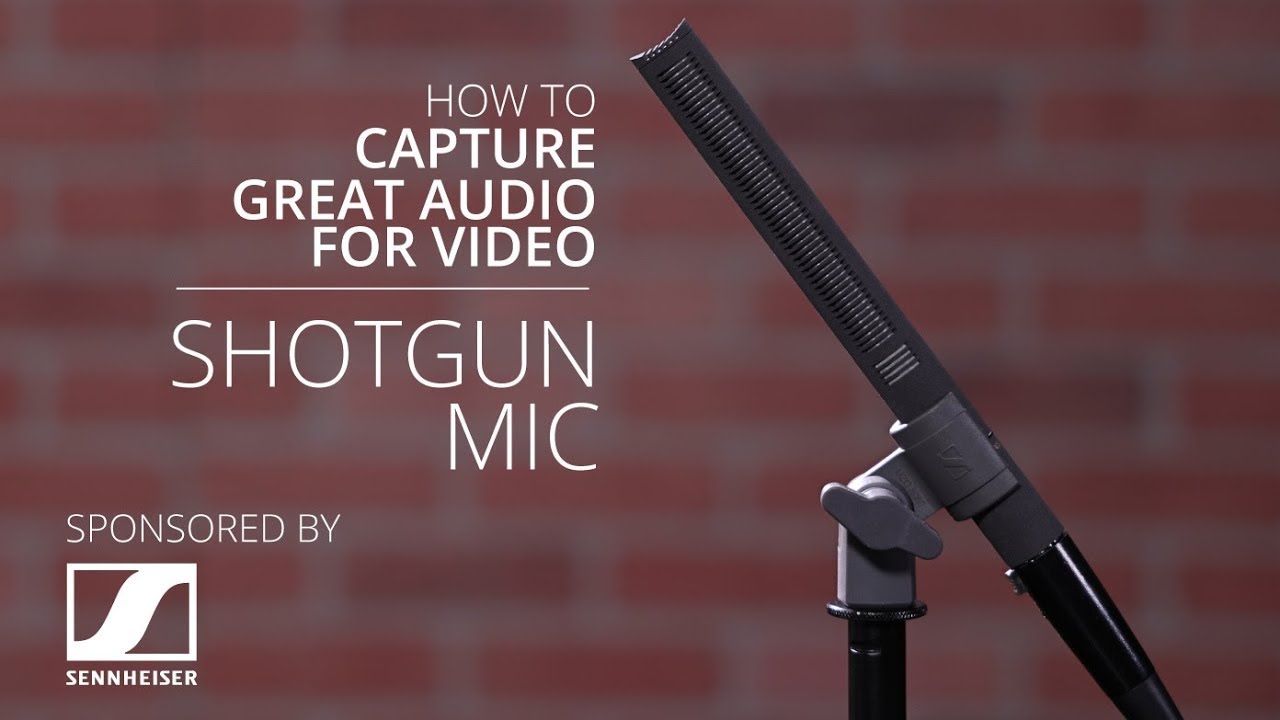
Achieving high-quality audio recordings with shotgun microphones requires meticulous attention to detail, from proper setup to ongoing maintenance. This section focuses on methods to maximize audio clarity, reduce unwanted noise, and troubleshoot common issues that may arise during recording sessions. Implementing these strategies ensures professional-sounding results and minimizes disruptions caused by technical problems.
Understanding and addressing typical challenges such as interference, low volume, or distortion is essential for maintaining optimal audio performance. Regular maintenance and calibration of the microphone help sustain consistent quality over time, preventing issues before they affect recordings. Proper troubleshooting techniques allow users to quickly identify problems and apply effective solutions, ensuring smooth and efficient recording workflows.
Methods for Maximizing Audio Clarity and Reducing Unwanted Noise
Optimizing audio quality with shotgun microphones involves both environmental controls and technical adjustments. First, select a quiet recording environment, preferably with sound-absorbing materials such as foam panels or curtains, to minimize ambient noise and reverberation. Position the microphone close to the sound source, usually within one to three meters, to enhance direct sound pickup and reduce background noise.
Use windshields or foam covers to shield the microphone from wind noise or plosive sounds, which can cause distortion. Adjust the microphone’s polar pattern settings, if available, to focus on the desired sound source and reject off-axis noise. Employ proper gain staging by setting the input levels on your recording device or mixer to avoid clipping, which causes distortion, while ensuring the volume is sufficiently strong for clear recording.
“The key to high-quality audio is controlling the environment, positioning the microphone correctly, and fine-tuning technical parameters to suit the scenario.”
Utilize filters such as high-pass filters to eliminate low-frequency rumble or handling noise that may be picked up during recording. Employ pop filters to reduce plosive sounds and ensure consistent audio clarity. Regularly monitor audio levels with headphones during recording to catch issues early and make real-time adjustments, preventing post-production corrections.
Troubleshooting Common Problems
Despite careful setup, issues can still occur that affect audio quality. Recognizing and addressing these problems promptly maintains recording integrity. Below is a troubleshooting table highlighting common issues, their potential causes, and practical solutions:
| Issue | Potential Cause | Solution |
|---|---|---|
| Interference or static noise | Electromagnetic interference from nearby electronic devices or loose cables | Move cables away from power sources, ensure all connections are secure, and switch off unnecessary electronic devices |
| Low audio volume | Incorrect gain settings or damaged microphone element | Increase input gain gradually, check cable connections, and test microphone with another device to verify functionality |
| Distortion or clipping | Overdriven input levels or damaged components | Reduce gain levels, reposition the microphone further from the sound source, and inspect for physical damage |
| Handling noise or vibrations | Unstable microphone mount or improper handling | Use shock mounts or tripod stands, and handle microphones gently to prevent unwanted noise |
| Unequal sound pickup or phase issues | Microphone misalignment or defective wiring | Reorient the microphone for optimal coverage, check wiring connections, and ensure correct polarity |
Simple Maintenance and Calibration Procedures
Maintaining your shotgun microphone is crucial for consistent performance. Regular cleaning involves gently removing dust and debris from the microphone grille with a soft brush or compressed air. Avoid using liquids or harsh chemicals that might damage the sensitive components.
Calibration ensures the microphone accurately captures sound levels across different environments. Most professional microphones have built-in calibration features or require specialized equipment for precise adjustment. For basic calibration, compare the microphone’s response to a known sound source, such as a calibrated reference tone, and adjust input levels accordingly. Periodically checking the microphone’s physical condition and replacing worn-out cables or mounts prolongs its lifespan and ensures reliable operation.
Accessories and Additional Equipment
Enhancing the performance and versatility of shotgun microphones often relies on the proper selection and use of accessories. These supplementary tools not only improve sound quality but also facilitate ease of handling, protection, and adaptability across different recording environments. Understanding the array of available accessories and how to choose the right ones is essential for professionals seeking optimal results.
From sturdy mounting options to protective windshields and reliable cabling, each accessory plays a pivotal role in ensuring a seamless recording experience. Properly assembled, a complete setup can significantly elevate the quality of audio captured, whether filming in a bustling outdoor scene or recording in a controlled studio environment.
Essential Accessories for Shotgun Microphones
When working with shotgun microphones, certain accessories are fundamental to achieve high-quality recordings and safeguard equipment. These include boompoles for precise positioning, windshields to minimize wind noise, and durable cables to ensure reliable signal transmission. Selecting the appropriate accessories enhances both the durability and functionality of the microphone setup.
- Boom Poles: Extendable poles that allow for flexible positioning of the microphone, maintaining optimal distance and angle from the sound source.
- Windshields and Windscreens: Foam covers and furry “dead cats” that protect the microphone capsule from wind interference and environmental noise.
- Cables and Connectors: High-quality, shielded XLR or TRS cables that reduce electromagnetic interference and ensure a clean signal chain.
- Shock Mounts: Devices that isolate the microphone from handling noise and vibrations, preserving audio clarity.
Comparative Table of Accessories and Their Benefits
Choosing the right accessories depends on factors such as environment, recording distance, and budget. The table below summarizes common accessories, their primary benefits, and ideal use cases:
| Accessory | Benefits | Ideal Use |
|---|---|---|
| Boom Pole | Allows flexible positioning; reduces handling noise; extends microphone reach | Outdoor shoots, interviews, film sets requiring mobility |
| Windshield (Furry or Foam) | Reduces wind noise; improves recording quality outdoors | Outdoor field recording, documentary filming |
| Cables (XLR/TRS) | Reliable signal transfer; minimizes interference; durable construction | Any professional recording setup; long-distance applications |
| Shock Mount | Isolates microphone from vibrations; preserves audio clarity | Studio recording, on-camera use, dynamic environments |
Best Practices for Selecting Compatible Accessories
Ensuring compatibility between accessories and your shotgun microphone is critical for optimal performance. Consider the following guidelines:
- Match the connector type: Confirm that cables and mounts are compatible with your microphone’s connector (e.g., XLR or 3.5mm).
- Check diameter and mounting threads: Use shock mounts and mounts that fit the microphone’s diameter and thread specifications.
- Evaluate environmental needs: Choose windshields suited for the typical outdoor conditions you encounter, such as furry “dead cats” for strong winds or foam covers for mild environments.
- Ensure durability and quality: Select accessories from reputable brands to prevent equipment failure during critical shoots.
Assembling a Complete Professional Recording Setup
A professional shotgun microphone setup involves more than just the microphone itself. Proper assembly ensures high-quality audio capture and ease of operation. Follow these steps:
- Begin by selecting a suitable boom pole, ensuring it is lightweight yet sturdy enough to support your microphone.
- Attach the shock mount securely to the boom pole or camera rig, providing vibration isolation.
- Mount the shotgun microphone onto the shock mount, verifying stability and alignment.
- Connect the microphone to the recording device using high-quality, appropriately matched cables, ensuring secure and stable connections.
- Apply the windshield or windscreen to the microphone to prevent wind noise during outdoor recordings.
- Adjust the microphone orientation to face the sound source directly, minimizing off-axis noise.
- Test the setup in the environment, making necessary adjustments to positioning and cable management for optimal sound quality.
Regular maintenance and inspection of accessories, along with correct assembly, contribute significantly to achieving professional-level audio recordings in various scenarios.
Outcome Summary
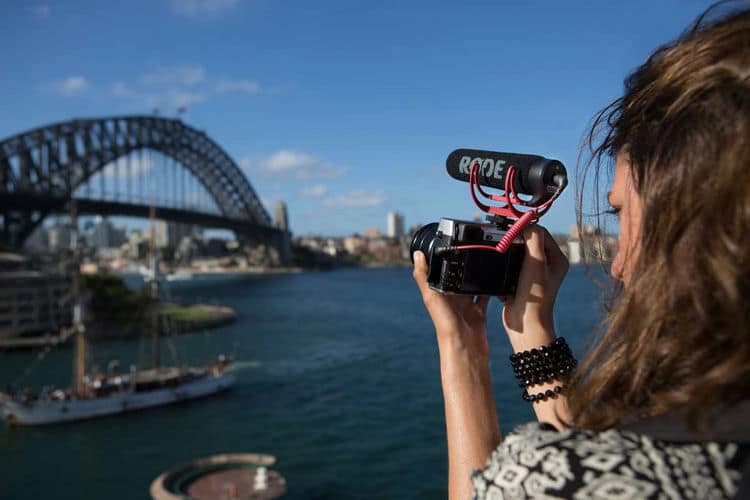
Mastering how to use shotgun microphones opens up new possibilities for achieving professional-grade audio. By understanding their types, proper handling, and optimal usage techniques, you can greatly improve your recording outcomes. Continued attention to maintenance and appropriate accessories will further ensure reliable performance and excellent sound quality in all your audio endeavors.