Mastering how to use lavalier microphones opens up a world of professional-quality audio recording across various settings. Whether for interviews, performances, or broadcasting, understanding their proper application ensures your sound is crisp, reliable, and unobtrusive.
This guide explores the fundamentals of lavalier microphones, including their types, connection methods, positioning techniques, and maintenance tips. Equipped with this knowledge, you can enhance your audio quality and achieve seamless recordings in any environment.
Introduction to Lavalier Microphones
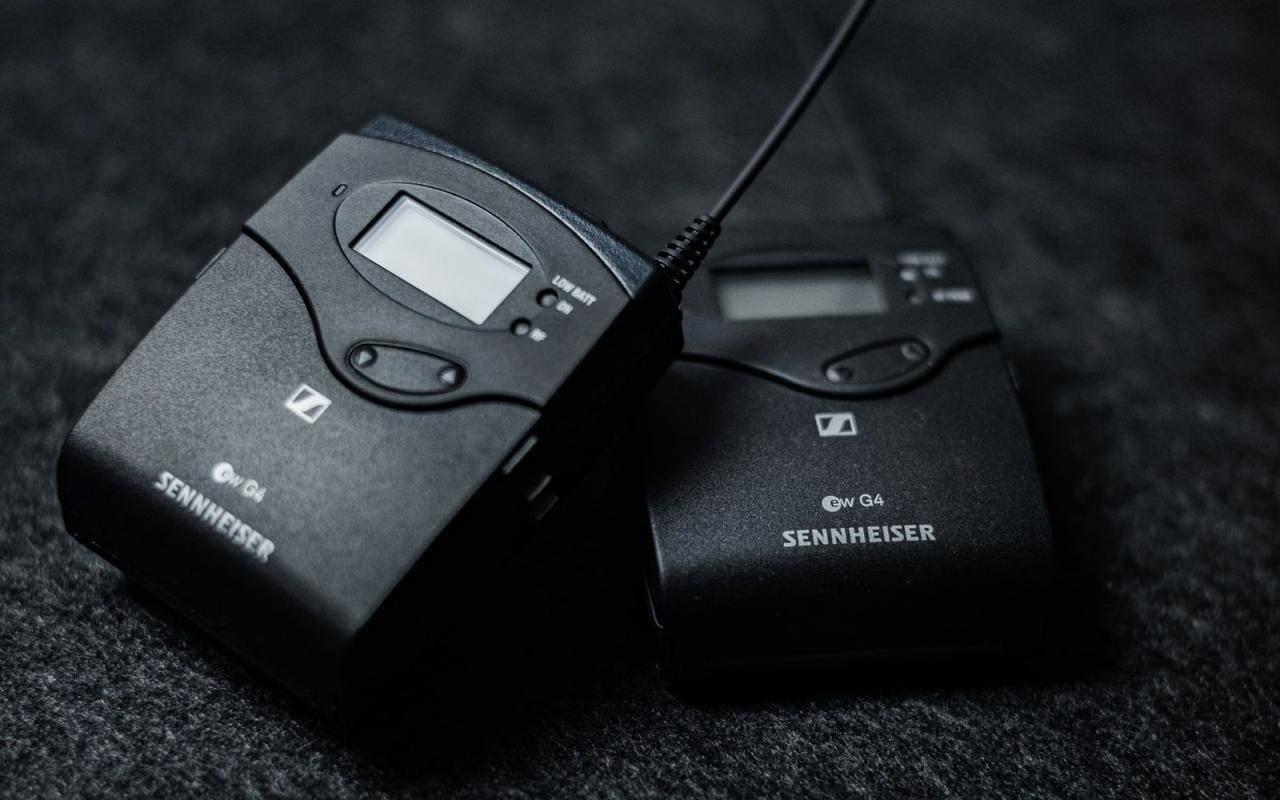
Lavalier microphones, also known as lapel microphones, are small, discreet audio capturing devices designed to be attached close to the speaker’s mouth. Their primary purpose is to provide clear, hands-free audio for various applications, ranging from broadcasting and public speaking to theatrical performances and video production. These microphones are favored for their portability and subtle presence, allowing the speaker’s natural gestures to be unobstructed while ensuring high-quality sound pickup.
Historically, lavalier microphones have evolved significantly since their inception in the early 20th century. Initially developed for use in radio and television broadcasting, their design has been refined to improve durability, sound clarity, and ease of use. Advances in miniaturization and wireless technology have enabled their widespread adoption in diverse settings, from live interviews and stage performances to online content creation.
The development of wireless lavalier systems has further enhanced their versatility, offering mobility without the constraints of cables, and expanding their role in dynamic environments such as live news reporting, theater productions, and corporate presentations.
Basic Components of a Lavalier Microphone System
A typical lavalier microphone system comprises several key components that work together to deliver high-quality audio. Understanding these components is essential for proper setup and operation, ensuring optimal performance across different scenarios. Below is a labeled diagram description accompanied by explanations of each part.
| Component | Description |
|---|---|
| Lavalier Microphone Capsule | The small microphone element that captures sound. It is usually omnidirectional, picking up audio from all directions, or cardioid, focusing on sound from the front. |
| Clipping Mechanism | A small clip attached to the microphone capsule, allowing it to be conveniently fastened to clothing such as collars or lapels. |
| Connectors | Interfaces like 3.5mm jacks, XLR connectors, or proprietary connectors that link the microphone to the transmitter or audio input device. |
| Wired or Wireless Transmitter | For wireless systems, this device transmits the audio signal from the microphone to the receiver. In wired systems, the cable connects directly to an audio input device. |
| Receiver | The component that receives wireless signals and outputs audio to cameras, mixers, or recording devices. |
| Power Source | Battery units or phantom power supplies that energize the microphone and transmitter components, ensuring consistent sound quality. |
The integration of these components forms a complete system capable of capturing, transmitting, and recording clear audio, tailored to the demands of various professional and casual applications.
Types of Lavalier Microphones
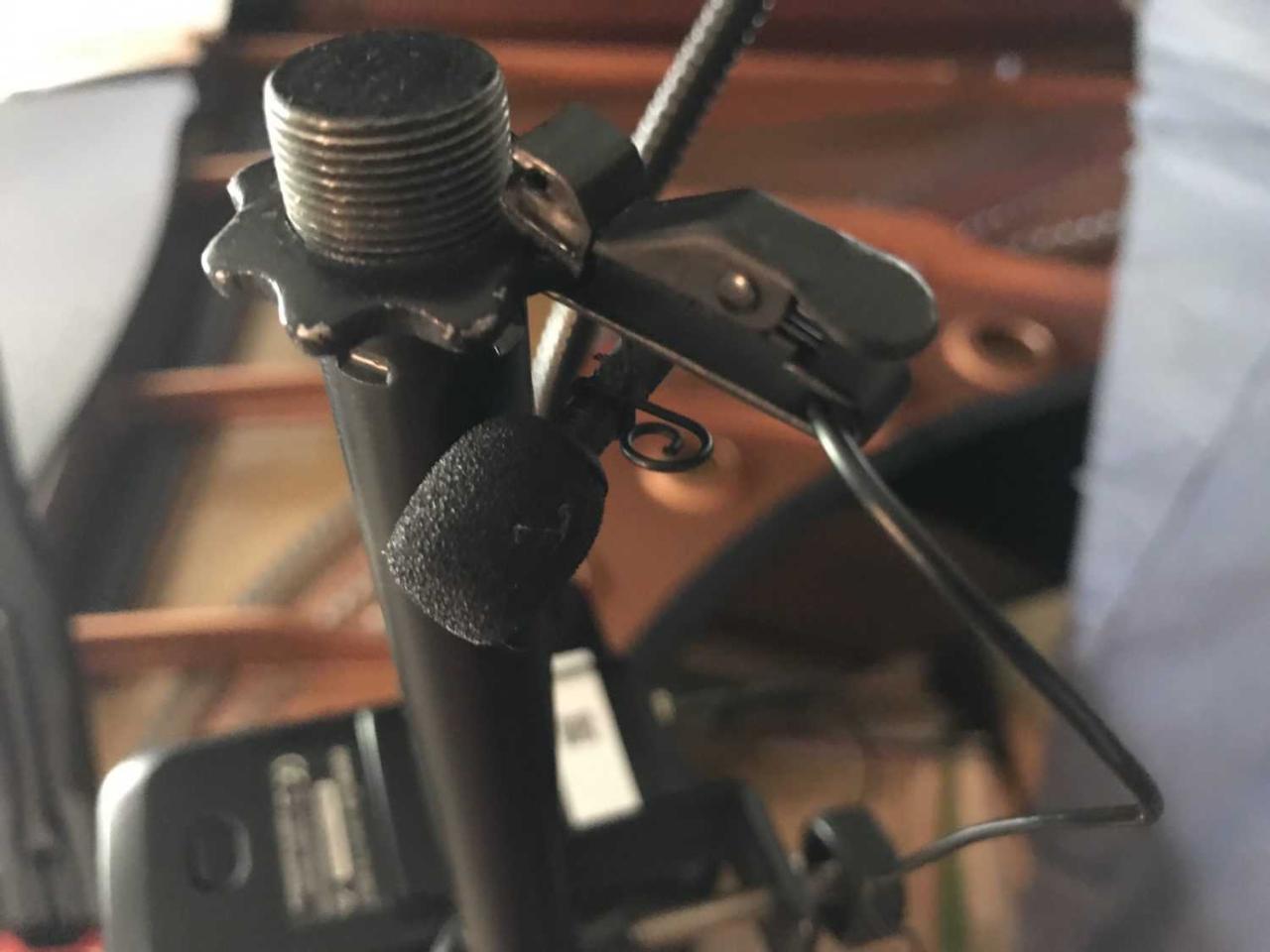
Understanding the various types of lavalier microphones is essential for selecting the right equipment tailored to specific recording needs. Different environments, recording scenarios, and technical requirements influence the choice between wired, wireless, omnidirectional, and cardioid variants. Each type offers unique advantages and limitations, making it important to consider their characteristics carefully.
Choosing the appropriate lavalier microphone involves evaluating factors such as mobility, sound quality, interference susceptibility, and application context. Below, we explore the main types of lavalier microphones, highlighting their distinctive features, benefits, disadvantages, and ideal use cases.
Wired Lavalier Microphones
Wired lavalier microphones are connected directly to recording devices or amplifiers via a cable. They are known for their reliability and consistent audio quality, making them a popular choice for controlled environments such as studios, interviews, or stage performances.
- Advantages: Stable connection, minimal latency, generally lower cost, no interference issues from wireless signals.
- Disadvantages: Limited mobility due to cable length, potential for cable noise or tangling, less convenient in dynamic or outdoor settings.
Best suited for scenarios where movement is limited, such as theater performances, interview settings in controlled indoor environments, or studio recordings where reliability is paramount.
Wireless Lavalier Microphones
Wireless lavalier microphones eliminate the need for physical cables, offering greater freedom of movement. They operate through radio frequency (RF) transmission, transmitting audio signals to a receiver connected to the recording or sound system.
- Advantages: Enhanced mobility, convenient for dynamic performances, interviews, or presentations in large venues.
- Disadvantages: Susceptible to interference, potential signal dropouts, higher cost, requires batteries and frequency management.
Ideal for outdoor events, live performances, or situations requiring active movement, such as presentations, stage acting, or television broadcasting where mobility is vital.
Omnidirectional Lavalier Microphones
Omnidirectional lavalier microphones capture sound equally from all directions. They are suitable when it is necessary to pick up audio from a 360-degree radius, providing a natural sound profile without focusing on one specific source.
- Advantages: Consistent sound pickup regardless of orientation, natural sound quality, less sensitive to clipping if the speaker moves slightly.
- Disadvantages: More prone to background noise and ambient sounds, less effective in noisy environments.
Best used in controlled indoor settings, such as dialogue recordings in film or television, where background noise is minimal, or when the speaker’s head might turn frequently.
Cardioid Lavalier Microphones
Cardioid lavalier microphones are designed with a directional pickup pattern, primarily capturing sound from the front while rejecting noise from the sides and rear. This feature helps isolate the speaker’s voice from background noise.
- Advantages: Better rejection of ambient noise, focused pickup, improved clarity in noisy environments.
- Disadvantages: Sensitivity to positioning; if moved out of the optimal angle, sound quality may diminish.
Ideal for outdoor shoots, live events, or any scenario where background noise is present, and clear voice capture is crucial.
Comparison Table of Lavalier Microphone Types
Type Advantages Disadvantages Best Use Cases Wired Reliable connection, high sound quality, low cost Limited mobility, cable noise Studio recordings, controlled indoor interviews Wireless High mobility, ideal for active scenarios Potential interference, higher cost Live performances, outdoor events, presentations Omnidirectional Captures sound from all directions, natural tone Background noise pickup, not suitable for noisy environments Indoor dialogues, controlled environments Cardioid Noise rejection from sides and rear, clearer voice Placement-sensitive, needs proper positioning Outdoor interviews, noisy venues, live events
How to Properly Connect a Lavalier Microphone
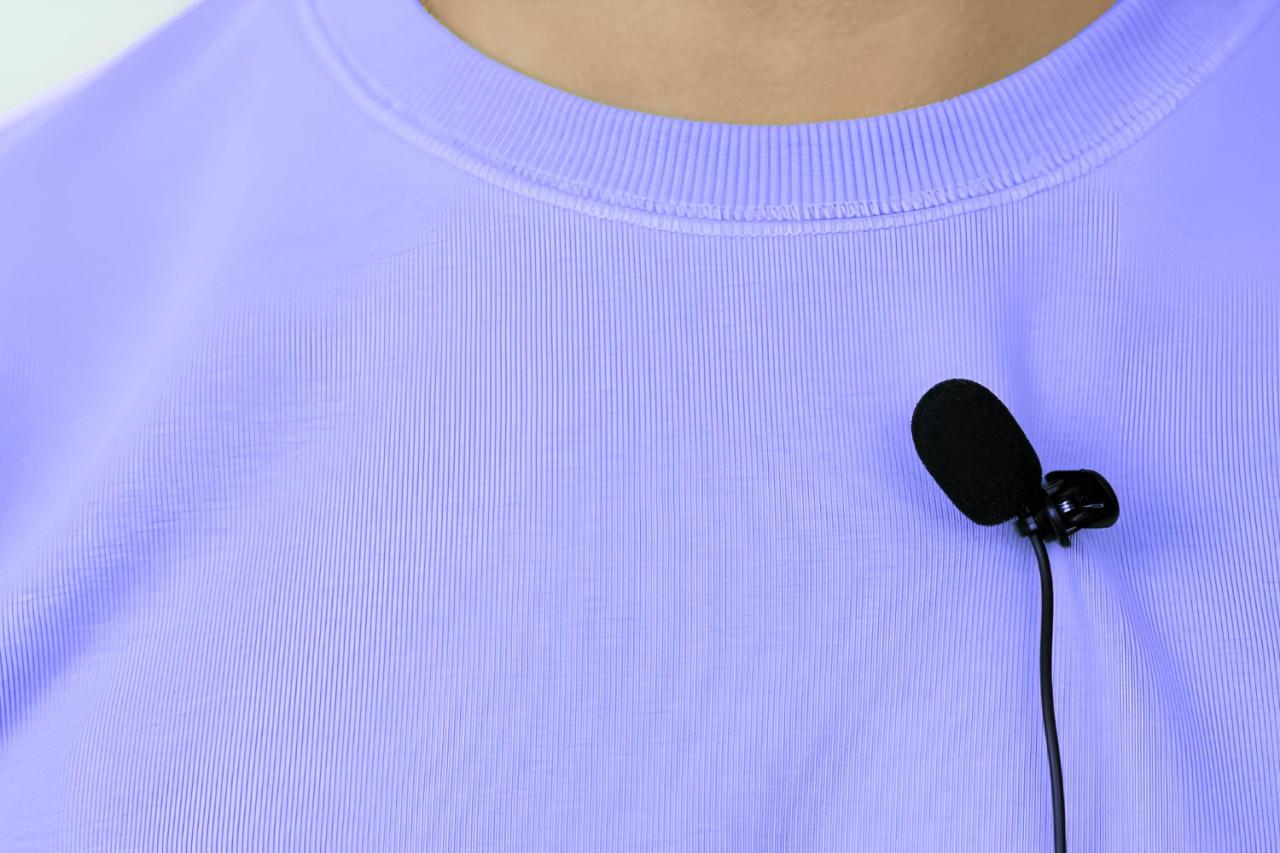
Properly connecting a lavalier microphone is essential to ensure optimal audio quality and reliable performance during recordings or live broadcasts. Whether using wired or wireless systems, following precise steps can prevent common issues such as audio dropout, interference, or connection failures. Mastering the connection process also helps in setting up quickly and maintaining professional standards in various environments, from studio recordings to field interviews.
This section provides comprehensive guidance on connecting wired lavalier microphones to different devices, as well as pairing wireless systems, along with troubleshooting tips to resolve typical connection challenges efficiently.
Connecting Wired Lavalier Microphones to Devices
Wired lavalier microphones typically utilize connectors compatible with a range of audio input devices. Correct connection involves selecting the appropriate cable and ensuring secure attachment to both the microphone and the device, which could be a camera, audio recorder, or smartphone.
Follow these step-by-step procedures to establish a proper wired connection:
- Identify the connector type on your lavalier microphone. Common types include
XLR, 3.5mm TRS, or TRRS connectors
.
- Check the input port on your recording device or camera to determine compatibility. Use adapters if necessary.
- Connect the microphone’s cable to the input port, ensuring it is fully inserted and secure. For XLR connections, ensure the locking mechanism clicks into place.
- If using an adapter, connect it to the microphone cable or device port, following manufacturer instructions to avoid loose connections.
- Power on your device and verify the microphone input settings. Select the appropriate input source if manual selection is required.
- Test the microphone by speaking into it and monitoring the audio levels on your device. Adjust gain or input volume as needed.
Proper cable management is vital to prevent accidental disconnections or damage. Using cable clips or sleeves can help keep the setup organized and secure.
Connecting Wireless Lavalier Microphones
Wireless lavalier systems consist of a transmitter, which connects to the microphone, and a receiver, which plugs into your recording device. Seamless pairing ensures reliable signal transmission and audio clarity. The process involves both physical connection and wireless pairing procedures.
Follow these steps to connect wireless lavalier microphones effectively:
- Attach the lavalier microphone to the transmitter, typically via a clip or clip-on mount, ensuring the microphone capsule is oriented correctly for optimal pickup.
- Insert or connect the transmitter to a power source if necessary and turn it on.
- Connect the receiver to your device’s audio input, using the appropriate cable or direct plug-in, ensuring compatibility (e.g., 3.5mm, XLR).
- Power on the receiver and enable pairing mode, usually by pressing a dedicated button or switch.
- Activate the transmitter’s pairing mode, which often involves pressing and holding a button until an indicator light flashes.
- The transmitter and receiver should automatically detect each other. Confirm successful pairing by checking indicator lights or pairing status on both units.
- Conduct a sound check by speaking into the lavalier microphone and monitoring the audio on your device. Adjust transmitter gain settings if available.
It is advisable to perform a test in the actual environment, especially in outdoor or noisy settings, to ensure the wireless connection remains stable and free from interference.
Troubleshooting Connection Issues
Encountering problems during connection setup can hinder your recording or broadcast. Common issues include weak signals, no audio, or intermittent sound, which can often be resolved with systematic troubleshooting.
| Issue | Possible Cause | Solution |
|---|---|---|
| No audio signal | Incorrect input selection or faulty cable | Verify input source settings, try a different cable, or reconnect the microphone firmly. |
| Intermittent sound or dropouts | Wireless interference or low battery | Change the wireless channel if possible, replace or recharge batteries, and minimize sources of interference. |
| Distorted audio or background noise | Incorrect gain settings or damaged microphone | Adjust input gain levels, check microphone for damage, and ensure proper placement away from noise sources. |
| Transmitter and receiver not pairing | Out of range or pairing mode not activated | Bring devices closer, ensure both are in pairing mode, and consult the manufacturer’s instructions for specific pairing procedures. |
| Device not recognizing the wireless system | Compatibility issues or driver problems | Check device compatibility, update drivers or firmware, and try resetting the wireless system. |
Regularly updating firmware, maintaining clean connections, and performing pre-session checks can significantly reduce connection issues and improve overall audio reliability.
Maintaining and Caring for Lavalier Microphones
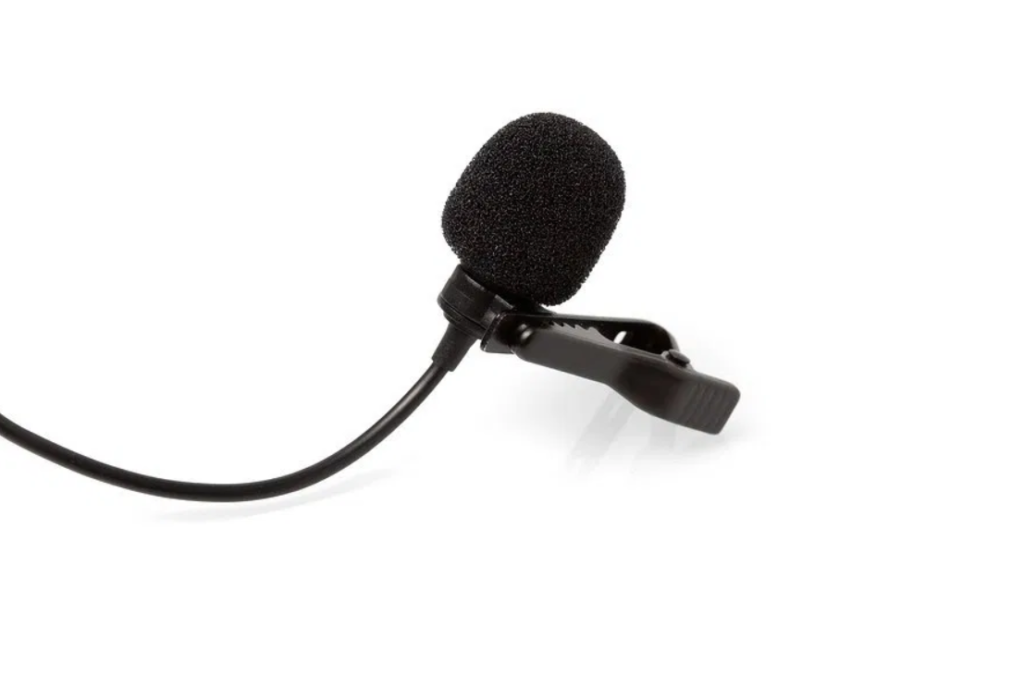
Proper maintenance and care are essential to ensure the longevity and optimal performance of lavalier microphones. Regular upkeep prevents common issues such as signal degradation, static interference, or connection failures, which can significantly impact audio quality during recordings or live broadcasts. Implementing routine cleaning and proper storage practices will extend the lifespan of your equipment and maintain its reliability over time.Maintaining lavalier microphones involves careful cleaning, appropriate storage, and periodic checks to identify potential problems early.
This proactive approach minimizes downtime and ensures professional-grade sound quality in all applications.
Maintenance Checklist for Cleaning and Storage Procedures
A consistent routine of cleaning and proper storage is vital for preserving the functionality of lavalier microphones. Following a detailed checklist helps avoid damage and contamination.
- Cleaning the Microphone Capsule: Gently remove dust, dirt, and moisture from the microphone capsule using a soft, lint-free cloth or a specialized lens cleaning tissue. Avoid applying liquids directly to the capsule.
- Disinfecting Connectors: Use a small amount of isopropyl alcohol on a lint-free cloth to clean the connectors and plugs, removing any grime or residue that could impair signal transmission.
- Checking Cable Integrity: Inspect cables for signs of wear, fraying, or cuts. Replace damaged cables immediately to prevent signal loss or static interference.
- Storing Properly: Keep lavalier microphones in a protective case or pouch when not in use. Store in a cool, dry environment away from direct sunlight, high humidity, or extreme temperatures.
- Protecting Connectors: Cover connectors with caps or adapters to prevent dust ingress and physical damage during storage or transport.
Common Issues and Troubleshooting
Identifying and resolving typical problems ensures consistent audio quality and minimizes downtime. Regular troubleshooting can often resolve issues before they affect recording sessions or live performances.
Understanding the common issues faced with lavalier microphones helps in quick diagnosis and repair. Issues like static, muffled sound, or connection failures are often caused by simple problems that can be addressed with routine checks.
Static or Interference: Can result from loose connections, damaged cables, or electromagnetic interference. Ensuring secure connections and avoiding proximity to wireless devices reduces static issues.
Muffled Sound or Loss of Clarity: Typically caused by dirt, moisture, or faulty microphones. Cleaning the capsule and checking for damage restores sound clarity.
Connection Failures: May occur due to loose connectors or damaged cables. Re-securing connections or replacing faulty components resolves the problem.
Tips for Extending the Lifespan of Lavalier Microphones
Maintaining high-quality audio equipment involves adopting routines that minimize wear and tear. Consistent practices can significantly extend the operational life of lavalier microphones.
Implementing simple daily and periodic routines can prevent many common issues and prolong equipment durability. These practices are especially valuable for broadcasters, event organizers, and content creators who rely heavily on their microphones.
- Regular Cleaning: Clean the microphone capsule and connectors weekly to prevent build-up of dirt and moisture, which can degrade sound quality over time.
- Proper Handling: Avoid pulling or twisting cables forcefully. Use both hands when connecting or disconnecting to prevent stress on the connectors and cables.
- Routine Inspection: Conduct monthly checks for physical damage, loose connections, or signs of wear. Replace worn components promptly.
- Protective Storage: Always store microphones in padded cases with cable organizers. This prevents accidental drops, crushing, or exposure to damaging elements.
- Environmental Control: Keep equipment away from extreme heat, moisture, or dust. Use desiccants or silica gel packets in storage cases to absorb moisture.
For example, a video production crew that cleans and inspects their lavalier mics weekly, stores them properly in protective cases, and handles cables gently, reports significantly fewer repair needs over a year. Such routines not only preserve equipment but also ensure consistent audio quality, vital for professional productions.
Creative Uses and Tips for Enhanced Audio
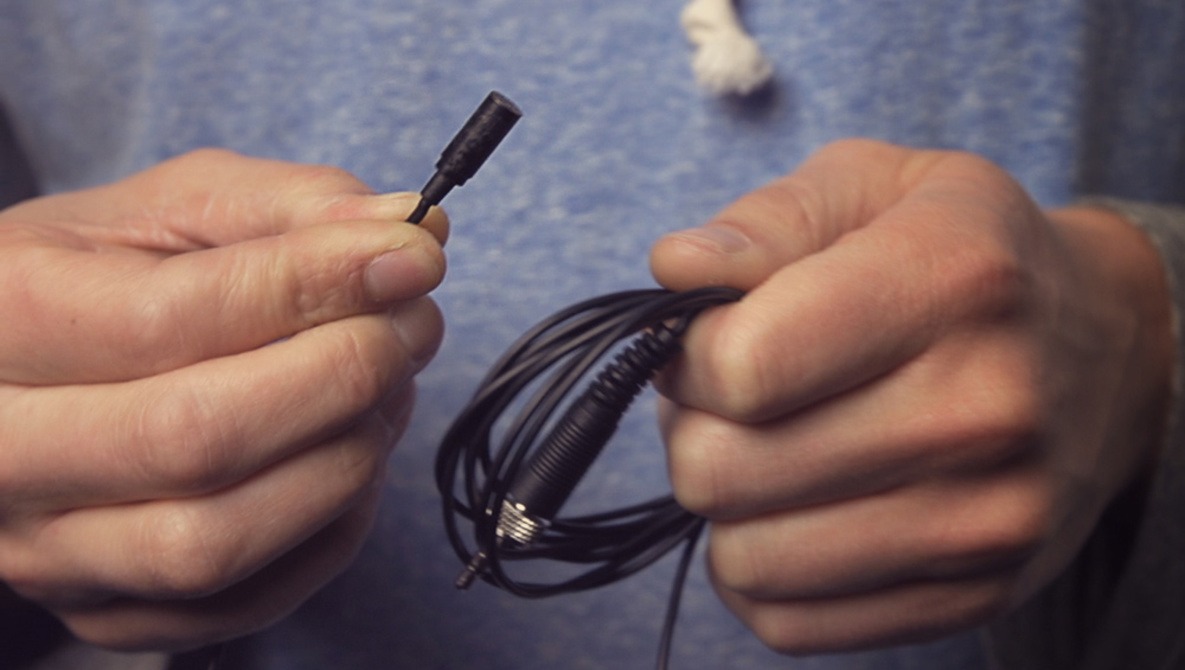
Incorporating lavalier microphones into various production environments unlocks a realm of creative possibilities that can significantly elevate the quality and uniqueness of audio recordings. Whether in film, stage performances, or live streaming, innovative placement and setup strategies can produce compelling sound effects and immersive experiences. By exploring unconventional uses and experimenting with different configurations, users can transform standard audio capture into a dynamic element that complements visual storytelling and audience engagement.Understanding the potential of lavalier microphones beyond traditional placements allows creators to craft nuanced soundscapes.
Proper experimentation with positioning not only enhances clarity but also introduces creative sound textures that can define the mood and tone of a production. This section explores inventive applications, practical placement tips, and illustrative setup configurations to inspire more expressive and effective use of lavalier microphones.
Innovative Applications in Film, Stage, and Live Streaming
Lavalier microphones are versatile tools that extend far beyond basic voice recording, offering creative avenues in various entertainment and communication settings. In film production, they can be hidden within costumes or props to capture candid, natural dialogue with minimal visual intrusion. For instance, actors can wear lavaliers integrated into jewelry or clothing, allowing for seamless audio capture during dynamic scenes or movement-heavy sequences.On stage, lavalier mics enable performers to deliver their lines with freedom of movement while maintaining high-quality sound.
Creative use includes layering multiple microphones to create spatial audio effects, such as simulating a character’s proximity or distance from the audience. During live streaming, lavaliers can be creatively positioned to emphasize specific speakers or elements in a multi-person interview or panel, ensuring each voice is distinctly captured without cluttering the visual frame.
Creative placement and innovative configurations of lavalier microphones enable producers to craft immersive audio environments that enhance storytelling and audience engagement.
Guidelines for Experimenting with Placement Techniques
Effective experimentation with lavalier microphone placement can yield unique sound effects and improved audio quality tailored to specific production needs. When exploring different positioning techniques, consider the following guidelines:
- Vary the height and angle of placement to capture different tonal qualities and resonance, such as placing the mic slightly above the chest for a warmer tone or near the collarbone for clarity.
- Utilize multiple microphones for layered effects, such as combining a close-up lavalier with ambient microphones to create a sense of space or distance.
- Experiment with unconventional positions, including attaching microphones to costume elements, accessories, or within set pieces, to achieve distinct sound textures and effects.
- Adjust the orientation to avoid unwanted noise sources, such as clothing rustle or friction sounds, by angling the mic away from the source of noise while maintaining clear voice pickup.
Incorporating dynamic placement practices allows for tailored soundscapes, whether aiming for intimacy, spatial depth, or creative sound effects in a production.
Setup Configurations with Descriptions
Below is a responsive table illustrating various lavalier microphone configurations, showcasing different setups suited for specific creative outcomes. These configurations are designed to inspire experimentation and optimize audio capture for diverse scenarios:
| Setup Configuration | Description |
|---|---|
| Standard Close-Up | Mic clipped approximately 6-8 inches below the chin, centered on the collar or lapel. Ideal for clear, focused voice recording in interviews and presentations. |
| Ambient Layering | Multiple lavaliers placed at different points—such as one near the chest and another near the back—to capture spatial audio, suitable for immersive film scenes. |
| Costume Integration | Embedding the lavalier into costumes or accessories, such as within a necklace or jacket lining, to maintain discretion and add a creative visual element while capturing sound. |
| Dynamic Movement Setup | Attaching the lavalier to a movable element, like a wristband or prop, allowing the microphone to travel with the performer or object for lively scenes or interactive performances. |
| Application Focus | Description |
| Stage Performances | Using multiple microphones to enable performers to move freely while maintaining consistent audio levels, with placement adjusted for different movements. |
| Live Streaming | Positioning lavaliers on panelists or hosts to capture clean audio without visual obstructions, with strategic placement to minimize clothing noise and maximize clarity. |
| Film Shooting | Embedding lavaliers discreetly into costumes or set pieces to achieve natural sound without visible microphones, with adjustments based on scene dynamics. |
Understanding and applying these creative configurations can significantly enhance the flexibility and quality of sound in various production environments, inspiring producers to leverage lavalier microphones in innovative ways for richer, more immersive audio experiences.
Ultimate Conclusion
In conclusion, effectively using lavalier microphones requires understanding their features, proper placement, and maintenance. By applying these best practices, you can significantly improve your audio recordings, making them more professional and engaging for your audience.