Learning how to shoot with green screen technology opens up a world of creative possibilities in video production. Whether you’re aiming to transport viewers to fantastical landscapes or professional settings, mastering this technique is essential for producing polished and engaging content.
This guide provides a comprehensive overview of green screen fundamentals, equipment setup, lighting strategies, shooting best practices, and post-production tips. By understanding each step, you can achieve high-quality results that seamlessly integrate digital backgrounds with your footage.
Understanding Green Screen Technology

Green screen technology, also known as chroma keying, has revolutionized video production by allowing creators to seamlessly replace backgrounds with virtually any imagery or scene. This technique is fundamental in film, television, and online content creation, offering immense flexibility and creative possibilities. To harness its full potential, it is essential to understand the underlying principles, historical development, available materials, and how green screens compare with alternative chroma key options.
At its core, green screen technology involves filming subjects in front of a uniformly colored background—typically green—and then digitally removing that color during post-production. The removed color is replaced with a different background, creating the illusion of a shared environment. The process relies on chroma keying software that identifies the specific color range and isolates it from the rest of the footage, enabling precise background substitution.
Historical Development and Evolution of Green Screen Techniques
The origins of chroma keying trace back to early photographic techniques in the 1930s, but green screen technology gained prominence in the film industry during the 1940s and 1950s. Initially, blue backgrounds were favored due to their contrast with human skin tones and the availability of suitable dyes. Over time, advancements in digital editing and lighting precision improved chroma key quality, making real-time compositing possible in the 1980s.
With the advent of digital video editing in the 1990s and 2000s, green screens became more accessible to independent filmmakers and content creators. Modern innovations include high-definition green screens, LED-based backgrounds, and real-time compositing hardware, expanding the scope and ease of use for various production scales.
Types of Green Screens and Their Advantages
Choosing the appropriate green screen material is vital for achieving high-quality chroma key results. The primary types available include fabric, painted surfaces, and digital or virtual backgrounds, each with distinct benefits.
- Fabric Green Screens: Made from stretchable, non-reflective fabric such as muslin or polyester, these are popular for their portability and ease of setup. They are less prone to cracking or peeling and can be easily folded for storage. However, fabric can wrinkle or create shadows if not properly tensioned.
- Painted Green Screens: Using special chroma key paint on walls or large panels offers a smooth, permanent backdrop with consistent color. This option is ideal for fixed studio environments, providing excellent surface uniformity but requires significant initial setup and maintenance.
- Digital or Virtual Backgrounds: Modern digital backgrounds involve using LED screens or projection systems to create dynamic or static backgrounds without physical surfaces. They enable real-time adjustments and immersive effects but demand advanced equipment and higher costs.
Each type offers specific advantages depending on the production context, budget, and desired flexibility. Fabric screens are versatile and affordable, painted backgrounds provide durability and uniformity, while digital solutions deliver dynamic and interactive options.
Comparison of Green Screen with Blue Screen and Other Chroma Key Colors
While green screens are the most common, blue screens are still prevalent in certain applications. The choice between green and blue backgrounds hinges on several factors, including subject clothing, lighting conditions, and camera sensor characteristics.
Green screens are generally preferred because digital sensors are more sensitive to green, allowing for cleaner keying with less noise. Green also requires less lighting power due to its higher luminance, which minimizes shadows and improves key quality. Conversely, blue screens are advantageous when subjects wear green clothing or when shooting in environments where green might blend with other elements.
Effectiveness of chroma keying is influenced by color contrast, lighting, and clothing choices. Proper lighting and a uniform background are essential for optimal results regardless of color.
In terms of usage scenarios, green screens dominate in film and digital content creation, especially for indoor studio shoots. Blue screens are often used in situations requiring transparent backgrounds or when green would interfere with existing elements, such as in sports broadcasting or weather forecasts. Additionally, certain colors like red or custom hues are occasionally employed for specialized effects, but they are less common due to technical limitations.
Equipment and Setup for Shooting with a Green Screen
Establishing an effective green screen setup is fundamental to achieving high-quality chroma key results. Proper equipment selection and meticulous setup procedures help ensure the background is evenly lit, free of wrinkles, and positioned optimally relative to the subject and camera. This section provides comprehensive guidance on the essential gear and the precise steps required to create a professional green screen environment conducive to seamless digital compositing.
In addition to selecting appropriate equipment, understanding the optimal layout and positioning is crucial. Correct lighting placement minimizes shadows and color spill, which are common challenges when working with green screens. Proper subject and camera positioning further enhances the chroma key quality, making post-production editing more straightforward and the final output more convincing.
Necessary Equipment for Green Screen Shooting
To achieve an effective green screen setup, several key pieces of equipment are necessary. Each component plays a vital role in creating a controlled environment that facilitates clean keying and high-quality visual effects.
- Green Screen Material: A wrinkle-free, matte green fabric or painted backdrop. Common materials include muslin, polyester, or professional chroma key paint. The surface should be smooth, non-reflective, and evenly colored to prevent shadows and color spill.
- Lighting Equipment: Soft, even lighting sources such as LED panel lights, softboxes, or fluorescent lights are essential. They should be adjustable to control brightness and diffusion. The goal is to eliminate shadows and ensure the green background maintains a consistent hue across the entire area.
- Camera: A high-resolution digital camera with manual controls for exposure, focus, and white balance. Mirrorless or DSLR cameras are highly recommended for their flexibility and image quality.
- Stand and Mounts: A sturdy support stand for the green screen material and adjustable mounts or clamps to keep the backdrop taut and wrinkle-free. Additionally, a tripod for camera stability is recommended.
- Additional Accessories: Remote triggers or timers for hands-free shooting, and possibly a monitor for real-time previewing. Use of color calibration tools can also assist in achieving accurate color reproduction.
Step-by-Step Green Screen Setup
Proper setup ensures uniform lighting and an even surface, which are critical for achieving a clean key. Follow these detailed steps:
- Prepare the Backdrop: Unroll or hang the green screen material on a flat, smooth support structure. Ensure there are no wrinkles, folds, or creases; use clips or clamps to stretch the material taut.
- Position the Green Screen: Mount the backdrop so it extends behind the subject and slightly beyond the camera frame. Maintain a distance of at least 3 to 5 feet between the subject and the green screen to prevent green light spill onto the subject.
- Set Up Lighting: Arrange lights to evenly illuminate the green screen. Place softboxes or diffused LED panels at 45-degree angles on either side of the backdrop. Use additional lights to light the subject separately, avoiding overexposure or shadows on the green background.
- Adjust and Test Lighting: Turn on all lights and observe the backdrop for shadows or hotspots. Use a camera or monitor to verify uniform lighting. Adjust the position and intensity of lights as needed to achieve a consistent, bright green color without shadows or uneven patches.
- Position the Camera and Subject: Place the camera at an appropriate distance, typically 6-10 feet from the subject, to ensure clear separation from the background. Frame the subject according to the shot composition, keeping enough space around the subject for cropping or post-production adjustments.
- Check for Shadows and Color Spill: Capture test shots and review for shadows on the green screen and green spill onto the subject. Make necessary adjustments to lighting and subject positioning to minimize these issues.
Optimal Lighting and Subject Positioning
Achieving high-quality chroma key footage depends heavily on the strategic placement of lighting and the subject. Proper lighting placement reduces shadows and ensures the green background remains evenly lit, which simplifies the keying process during post-production.
Lighting should be arranged so that the green screen is lit uniformly from top to bottom and side to side. Use soft, diffused light sources positioned at 45-degree angles relative to the backdrop to minimize shadows. Additional fill lights can be employed to address any uneven lighting or shadow areas.
For subject positioning, maintain a distance of at least 3 to 5 feet from the green screen, which helps prevent green light spill and ensures the subject is well separated from the background. Position the camera at a height and angle that frames the subject effectively, typically with the camera eye-level or slightly above, to create a natural perspective. Ensure the subject is adequately lit with key and fill lights to highlight features without casting shadows on the green screen.
Proper subject-to-background distance and balanced lighting are essential for achieving a clean chroma key result, reducing post-production work and improving overall visual quality.
Lighting Techniques for Green Screen Shooting
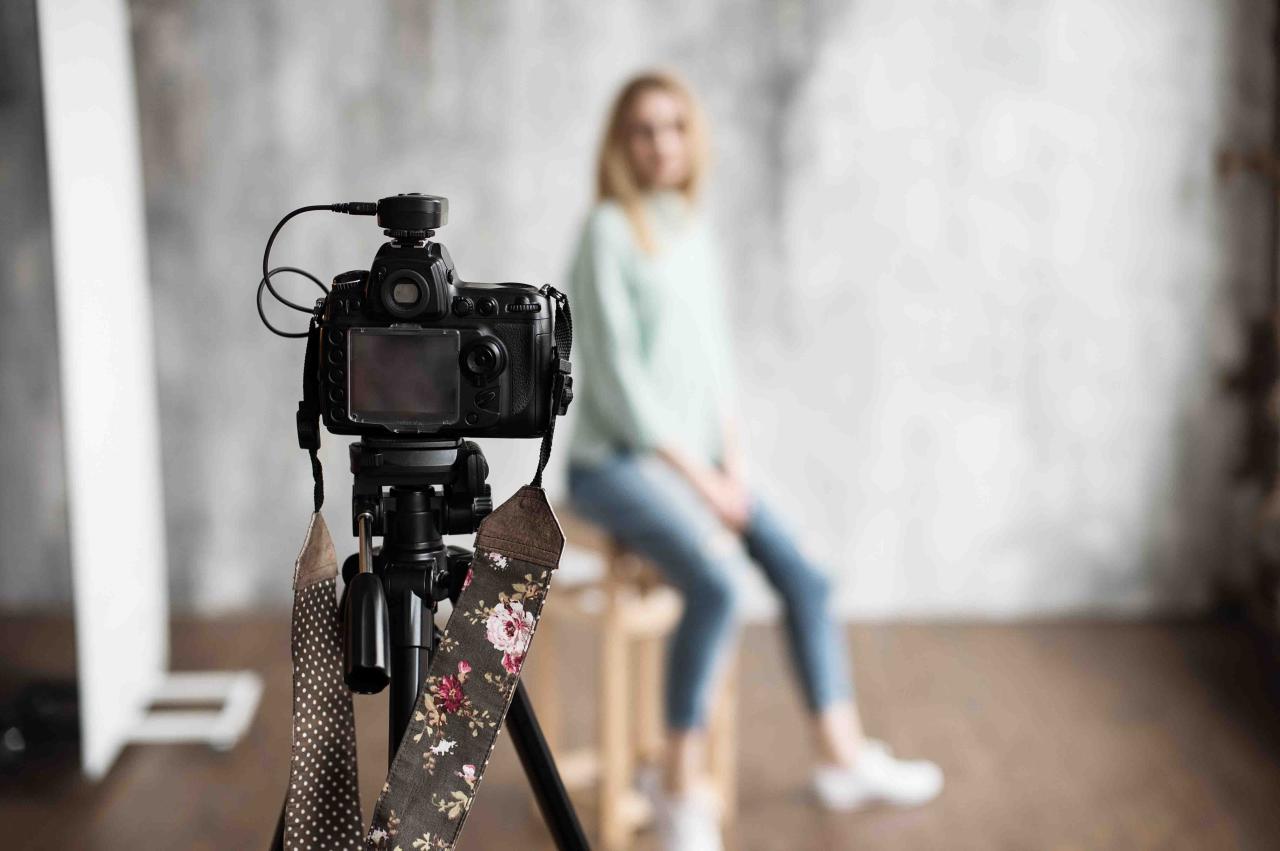
Achieving professional-quality green screen footage hinges significantly on proper lighting. Uniform illumination of the green background ensures ease of keying, reduces shadows, and prevents color spill onto the subject. Effective lighting techniques are essential to create a seamless composite, allowing the subject to be convincingly placed into any digital environment.
Optimizing lighting setups involves understanding the distinct roles of different lighting tools and how they interact with the green screen and subject. Proper control of shadows, green spill, and background brightness enhances the overall quality of the shot. Additionally, strategic use of backlighting and key lighting improves subject separation, resulting in cleaner and more versatile post-production results.
Proper Lighting and Setup for Green Screen
Consistent, even lighting across the entire green backdrop is crucial to prevent uneven color and shadow areas that complicate post-production keying. The background should be lit uniformly to maintain a consistent hue and brightness, minimizing the need for extensive color correction. Simultaneously, the subject must be lit separately with controlled lighting to prevent green spill and ensure clear delineation from the background.
Comparison of Lighting Tools for Green Screen Illumination
Choosing the right lighting equipment depends on factors such as budget, space, and desired quality. Each tool offers unique advantages in creating an evenly lit green screen:
- Softboxes: Provide diffused, soft light that reduces harsh shadows and creates smooth, even illumination. Ideal for evenly lighting large backgrounds or subjects with minimal shadowing. Their soft light enhances uniformity, which is critical for green screen work.
- LED panels: Offer high versatility with adjustable brightness and color temperature. They produce consistent, flicker-free illumination, making them suitable for dynamic shooting environments. LED panels are lightweight, energy-efficient, and capable of producing broad, even light coverage when used with diffusion accessories.
- Reflectors: Serve as supplemental tools to bounce light onto specific areas, fill shadows, or even out lighting unevenness. When used with natural light or studio flashes, reflectors are cost-effective for achieving balanced illumination without adding significant setup complexity.
Controlling Shadows and Preventing Green Spill
Unwanted shadows and green spill onto the subject can compromise the effectiveness of chroma keying. Proper techniques include:
- Positioning lights at angles that minimize shadow formation on the green background, usually at 45 degrees to the backdrop, to evenly distribute light
- Using diffusers and softboxes to soften light and prevent harsh shadows or hot spots
- Maintaining a sufficient distance between the subject and the green screen, typically at least 3-5 feet, to reduce green spill and light bleed onto the subject’s edges
- Applying flags or barn doors to control light spread, ensuring light only hits the intended areas
Green spill can lead to fringes or halos around the subject, making keying difficult. To mitigate this, carefully adjust the backlight and ensure the green backdrop is evenly lit without excessive intensity near the subject.
Using Backlighting and Key Lighting for Subject Separation
Enhancing subject separation from the green background relies on the strategic use of backlighting and key lighting. Proper lighting placement emphasizes the subject’s contours and creates a visual distinction, facilitating easier keying in post-production.
Backlighting involves placing lights behind the subject, aimed towards the camera, to create a subtle rim or halo effect around the subject’s edges. This Artikel helps separate the subject from the background, especially when the green screen is evenly lit. Key lighting, positioned in front of the subject, should be diffused and directed to illuminate the subject uniformly without casting shadows on the green backdrop.
For optimal results, the key light should be placed at a 45-degree angle to the subject’s face, with a fill light on the opposite side to soften shadows without compromising contrast. Combining these lighting techniques ensures the subject stands out clearly, making the keying process more straightforward and professional-looking.
Shooting Tips and Best Practices
Proper preparation and execution during green screen shoots are crucial to achieving seamless background replacement. This section provides detailed guidance on how to prepare your subject, maintain optimal technical conditions, and capture high-quality footage that facilitates post-production editing. Ensuring these best practices are followed can significantly improve the final visual effect and reduce the need for extensive editing corrections.Effective green screen shooting demands meticulous attention to clothing choices, lighting consistency, and camera settings.
These elements work together to create a uniform, shadow-free background that can be easily keyed out. Additionally, maintaining steady framing, focus, and exposure throughout multiple takes ensures continuity and professional results.
Preparing the Subject for Green Screen Shooting
Preparing your subject involves strategic wardrobe selection and attention to materials to prevent reflections or shadows that can complicate the chroma key process.
Subjects should wear matte, solid-colored clothing that contrasts with the green background to avoid blending into the backdrop. Avoid patterns, shiny fabrics, or reflective accessories, as they can create unwanted highlights or color spill. It is advisable for individuals to choose neutral tones or colors that do not interfere with the green screen’s hue.
To prevent reflections and glare, instruct subjects to avoid wearing metallic jewelry, glossy makeup, or reflective glasses. If glasses are necessary, consider using matte or anti-reflective coatings to minimize light bouncing off surfaces. When possible, opt for wardrobe choices that do not incorporate reflective or shiny materials, which can produce hotspots and make keying more difficult.
Ensuring Focus, Exposure, and Framing
Consistency in focus, exposure, and framing is essential to produce footage suitable for seamless background replacement.
Use manual focus settings to lock the focus on the subject before filming, avoiding focus shifts during takes that can introduce inconsistencies. Confirm proper exposure by adjusting the camera’s aperture and ISO, ensuring the subject is well-lit without overexposing or underexposing key details. Maintaining a consistent exposure across multiple takes reduces the need for extensive color correction or masking in post-production.
Proper framing involves positioning the subject at an optimal distance from the green screen—generally between 3 to 5 feet—to prevent shadows and color spill. Center the subject within the frame, leaving sufficient space around them for compositing purposes. Use gridlines or markers set on the camera to maintain consistent framing across different shots.
Maintaining Lighting and Background Conditions
Consistent lighting is fundamental to achieving a uniform green background and evenly illuminated subject.
Use multiple soft, diffused lights to evenly illuminate the green screen, minimizing shadows, wrinkles, or hotspots. It is recommended to employ separate lighting setups for the background and the subject, ensuring that the background remains uniformly lit without spill onto the subject. The subject should be lit with soft, diffused lights positioned at 45-degree angles to avoid harsh shadows and maintain consistent skin tones and clothing appearance.
During shooting, monitor the background color for any variations or inconsistencies. If multiple takes are required, ensure that the lighting setup remains unchanged to prevent differences that could complicate chroma keying. Consistent environmental conditions, such as avoiding changes in ambient light or shadows cast by external sources, contribute to a seamless compositing process.
In situations where multiple shoots are necessary, establishing a fixed lighting setup and documenting camera settings can help replicate conditions precisely, ensuring all footage matches for the final composition.
Guidelines for High-Quality Footage Capture
Capturing footage with high clarity and minimal noise is vital for effective green screen keying.
Use a high-resolution camera capable of recording in 1080p or higher to capture fine details, which enhances the quality of the chroma key process. Keep the camera steady using a tripod or stabilizer to avoid motion blur or jitters that can interfere with the keying process. Ensure the camera settings, including white balance, shutter speed, and ISO, are locked and consistent across all takes.
Record in a flat or log color profile if available, as this preserves maximum color information and provides greater flexibility during post-production color grading. Avoid overly compressed formats, which can introduce artifacts, and opt for uncompressed or minimally compressed files to maintain image integrity.
Furthermore, ensuring that the footage is well-lit, evenly exposed, and free of shadows or reflections will facilitate a cleaner, more professional chroma key effect. When shooting multiple takes, maintaining consistent camera angles and settings helps achieve seamless background replacement during editing.
Post-Production Green Screen Editing
Post-production green screen editing is a critical phase where the captured footage is transformed into a seamless visual composite. This process involves importing the raw footage into editing software, applying chroma key effects, refining edges, and integrating backgrounds to achieve a realistic scene. Mastery of these techniques ensures that the final video looks polished and professional, with convincing integration of foreground subjects and background environments.
Effective green screen editing requires a systematic approach to achieve clean and natural results. From initial import to final color correction, each step plays a vital role in creating a cohesive visual narrative. The following sections detail essential methods and tips to optimize your post-production workflow for green screen projects.
Importing Footage and Applying Chroma Key Effects
The foundation of successful green screen editing begins with properly importing footage into your chosen editing software, such as Adobe Premiere, Final Cut Pro, or DaVinci Resolve. Ensuring that your footage is of high quality and correctly color-graded prior to import simplifies the chroma key process and enhances the overall outcome.
Once imported, apply the chroma key effect, often called “Keying,” “Ultra Key,” or “Chroma Key,” depending on the software. This effect isolates the green color, making it transparent, so that background layers can be inserted seamlessly. Adjust the key settings carefully, focusing on parameters like similarity, spill suppression, and edge softness to achieve a clean separation between foreground and background.
Refining Edges with Spill Suppression, Matte Adjustments, and Feathering
Refinement of the chroma key edges is essential to eliminate halos, color spill, or uneven transparency that can detract from realism. Techniques such as spill suppression help neutralize green color cast that may bleed onto the subject, while matte adjustments fine-tune the transparency areas for smoother edges.
Feathering adjusts the softness of the edges, blending the subject more naturally into the background. Proper use of these tools results in a more polished composite, especially around hair and intricate details. Many editing programs offer advanced matte control panels, enabling precise shaping of transparency zones for optimal realism.
Replacing Backgrounds with Digital Scenes
Replacing green backgrounds with digital images or video scenes involves layering your keyed footage over the desired background element. Position and scale the background appropriately to match the perspective and depth of the foreground subject. For dynamic scenes, ensure the background footage is of a similar resolution and frame rate to maintain consistency.
Some editing software includes built-in libraries or allows importing custom backgrounds, offering flexibility in creative choices. To ensure seamless integration, adjust the timing, scale, and position of the background layer to complement the foreground action convincingly.
Color Correction and Lighting Match for Realism
After compositing, color correction is vital to unify the foreground and background visually. Adjustments such as brightness, contrast, hue, and saturation help match the lighting conditions and color temperature of the background scene. This step ensures that the subject does not appear out of place or artificially inserted.
Utilize scope monitoring tools such as vectorscopes and waveform monitors to analyze color consistency meticulously. When done correctly, these adjustments make the composite appear natural and immersive, effectively convincing viewers that the subject exists within the chosen environment.
Common Challenges and Troubleshooting

Achieving flawless green screen footage can sometimes be hindered by various technical issues during shooting and post-production. Recognizing and addressing these challenges effectively is essential to produce high-quality composites. This section explores common problems such as shadows, uneven lighting, green spill, and artifacts, while offering practical solutions and troubleshooting methods to ensure the best possible results even under less-than-ideal conditions.
Green screen shoots often encounter issues that compromise the clean keying process, resulting in visible artifacts, incomplete backgrounds, or unnatural edges. Understanding the root causes of these problems enables filmmakers and content creators to implement targeted corrective measures, saving time during editing and enhancing overall visual quality. Proper planning, equipment adjustment, and post-production techniques play a critical role in overcoming these challenges.
Shadows and Uneven Lighting
Lighting inconsistencies and shadows are among the most common issues that impair green screen keying. Shadows cast onto the green fabric or wall create variations in color and brightness, making it difficult for Chroma keying software to accurately distinguish the subject from the background.
Uneven lighting can lead to areas of the green screen appearing darker or lighter, resulting in inconsistent transparency and difficult edges during keying. Shadows from the subject or nearby objects, as well as hotspots caused by improper light placement, exacerbate these issues.
- Solution: Use multiple soft light sources, such as softboxes or LED panels, arranged evenly around the subject to reduce harsh shadows. Position the lights at 45-degree angles to minimize shadow casting and ensure uniform illumination across the green surface.
- Solution: Place the subject at an appropriate distance from the green screen, typically 3-5 feet, to prevent shadows from falling onto the backdrop. Employ flags or barn doors to direct light selectively and avoid spill onto the background.
- Solution: Employ a light meter to measure lighting levels and maintain consistent brightness throughout the shoot. Adjust the lights accordingly to achieve an even luminance across the green screen.
Green Spill
Green spill occurs when reflected green light from the backdrop contaminates the edges of the subject, leading to a visible green halo during compositing. This phenomenon is particularly problematic when the subject has reflective surfaces or light-colored clothing.
Spill is caused by inadequate lighting setup or proximity of the subject to the green screen. It results in a color cast along the edges, which complicates the keying process and diminishes realism.
“Green spill can be minimized by controlling the distance between the subject and the backdrop, and by using specific lighting techniques to prevent green light from bouncing onto the subject.”
- Solution: Maintain a sufficient distance (at least 3 feet) between the subject and green screen to reduce reflected green light.
- Solution: Use backlighting and rim lighting to create separation between the subject and background, helping to mitigate spill and enhance edge definition.
- Solution: Apply anti-spill or spill suppression filters available within most keying software, which help in reducing green color contamination along the edges.
Inadequate Background Color and Artifacts
Uneven green backgrounds, color inconsistencies, or wrinkles can cause troublesome artifacts during keying. These issues result in parts of the background not being fully keyed out, leaving residual green patches or “holes.”
Artifacts are often caused by poorly lit or wrinkled fabric, inconsistent green hues, or compression artifacts in footage. These can make the keying process labor-intensive and less effective.
To improve the quality of the key, it is crucial to have a uniformly lit, smooth, and vibrant green background, free of wrinkles, shadows, or color variations, and to ensure high-quality footage with minimal compression artifacts.
- Solution: Use a seamless, wrinkle-free fabric or painted green wall, stretched taut to avoid creases. Use a fabric steamer or iron to smooth out wrinkles before filming.
- Solution: Ensure consistent lighting across the green surface, matching color temperature and intensity to prevent uneven hues that hinder chroma keying.
- Solution: When editing, utilize spill suppression, matte refinement, and edge feathering tools to clean up residual artifacts and improve the transparency edges.
Best Practices for Maintaining High Quality in Challenging Conditions
Shooting under difficult conditions, such as limited space, inconsistent lighting, or reflective surfaces, requires careful planning and adaptive techniques.
Employing best practices helps mitigate issues such as shadows, spill, and uneven color, ensuring professional results even in less-than-ideal setups.
- Optimize Lighting: Use diffused lighting with multiple sources to ensure even illumination and reduce shadows. Always test lighting setups before recording the entire scene.
- Control the Environment: Minimize reflective surfaces around the green screen and use flags or barriers to block unwanted light reflections or spill.
- Quality Equipment: Invest in high-quality green screens, uniform lighting, and calibrated cameras to capture footage with minimal artifacts and color inconsistencies.
- Test and Adjust: Conduct test shots to identify and resolve issues such as shadows or spill early in the production process, allowing sufficient time for adjustments.
- Post-Production Vigilance: Use advanced keying software with spill suppression, edge refinement, and color correction tools to enhance footage quality.
Wrap-Up

Ultimately, mastering how to shoot with green screen empowers creators to bring their visions to life with clarity and professionalism. With proper preparation, lighting, and editing techniques, you can overcome common challenges and produce visually stunning videos that captivate your audience.