Learning how to add sound effects is a vital skill for enriching digital media projects. Whether you’re working on videos, presentations, or multimedia content, well-integrated sound effects can significantly elevate the viewer’s experience. This guide explores the essential methods and best practices for incorporating sound effects seamlessly into your media to create more engaging and professional results.
We will cover various sources for obtaining sound effects, techniques for synchronizing them with visual cues, tools for editing and enhancing audio, and strategies to troubleshoot common issues. By mastering these elements, you can produce polished and compelling media content that captivates your audience.
Understanding Sound Effects in Media Production

Sound effects play a pivotal role in the realm of media production by enriching the auditory experience and enhancing the visual storytelling. They serve as an essential tool for creators to evoke emotions, establish atmosphere, and add realism to content across various platforms such as films, television, video games, and online media. Mastering the use and integration of sound effects ensures that audiences are immersed fully into the narrative and environment being portrayed.
In media production, sound effects are carefully selected and crafted to complement visual elements, guide audience perception, and heighten the overall impact of the content. Whether it is the subtle rustling of leaves or the thunderous explosion in an action scene, these sounds function as an invisible layer that bridges the gap between the visual and auditory worlds. Understanding the types and applications of sound effects enables creators to make informed decisions that enhance storytelling and viewer engagement.
Types of Sound Effects Used in Media Formats
Sound effects can be categorized based on their origin, purpose, and how they are produced. Recognizing these categories helps media professionals select appropriate sounds for different contexts, ensuring authenticity and effectiveness.
Natural sound effects are recordings captured directly from real-world environments. They include sounds like footsteps, animal noises, weather phenomena, and cityscapes. These sounds are used to create a sense of realism, grounding fictional scenes in a believable auditory landscape.
Artificial sound effects are created or manipulated through various techniques, often using props, Foley art, or digital editing. Examples include the exaggerated footsteps in a cartoon or the sound of a spaceship engine. Artificial sounds are vital in situations where real recordings are impractical or insufficient, allowing for creative flexibility and exaggerated effects to enhance entertainment value.
Synthesized sound effects are generated entirely through digital synthesis methods. They include sci-fi laser blasts, robotic noises, or other futuristic sounds that do not have a direct real-world counterpart. These effects are highly customizable and are commonly used in genres that require imaginative or otherworldly audio elements.
Comparison of Natural, Artificial, and Synthesized Sounds
Aspect Natural Sounds Artificial Sounds Synthesized Sounds Origin Recorded directly from real environments Created or manipulated using props, Foley techniques, or digital editing Generated entirely through digital synthesis Realism High – authentic and true to life Variable – can be realistic or exaggerated based on purpose Often fantastical or futuristic, with no real-world counterpart Application Enhancing realism in documentaries, nature films, and simulations Adding emphasis, humor, or stylization in animations, movies, and games Creating fantastical environments, sci-fi effects, or abstract soundscapes Flexibility Limited to the physical environment recorded Highly adaptable through editing and manipulation Maximally customizable with varied sound parameters
This structured understanding of sound effects enables media producers to strategically choose and employ the right type for their specific needs, resulting in more immersive and engaging content. By leveraging the unique characteristics of natural, artificial, and synthesized sounds, creators can craft auditory experiences that resonate deeply with their audiences and elevate their storytelling capabilities.
Methods for Adding Sound Effects to Digital Media
Incorporating sound effects into digital media enhances the audience’s experience by adding depth, realism, and emotional impact. The process involves selecting appropriate sounds and seamlessly integrating them into the timeline of your project using various editing tools. Mastery of these methods ensures professional-quality audio-visual content that resonates effectively with viewers.
Effective integration requires a systematic approach, from importing sound effects to precise timing adjustments. Understanding the step-by-step procedures involved helps streamline the workflow and guarantees that sound effects complement the visual elements appropriately. Below are detailed procedures and popular platforms utilized in this vital aspect of media production.
Step-by-Step Procedures for Integrating Sound Effects in Video Editing Software
Integrating sound effects into digital media involves a sequence of well-defined steps to ensure synchronization and audio quality. The following procedures Artikel a standard workflow applicable across most video editing platforms:
- Import Sound Effects Files: Begin by importing your prepared sound effect files into the project library or media bin of your chosen editing software. Supported formats often include WAV, MP3, and AIFF.
- Place Sound Effects on the Timeline: Drag and drop the selected sound effects onto the audio track aligned with the corresponding visual cues. Precise placement is crucial for maintaining synchronization.
- Adjust Timing and Duration: Use editing tools to trim, extend, or shift sound effects to match the exact moments in the video where they are needed. Fine-tuning ensures seamless integration.
- Modify Volume and Effects: Apply volume adjustments, fades, or filters to blend the sound effects naturally with background audio. This step enhances clarity and prevents overpowering other audio elements.
- Preview and Fine-Tune: Play the edited segment repeatedly to check synchronization and overall sound quality. Make necessary adjustments to timing, volume, or effects as needed.
- Export the Final Composition: Once satisfied, export the project in the desired format, ensuring all sound effects are embedded correctly within the media file.
Proficiency with these steps enables media creators to craft immersive and professional audio-visual content that effectively captures audience attention and communicates intended emotions.
Popular Tools and Platforms for Sound Effect Addition
The landscape of digital media editing offers a diverse array of tools suitable for integrating sound effects. Here are some widely used platforms, each providing unique features tailored for different user needs:
- Adobe Premiere Pro
- Final Cut Pro
- DaVinci Resolve
- Audacity
- Adobe Audition
- HitFilm Express
- Filmora
Software Comparison Table for Adding Sound Effects
| Software Name | Features | Compatibility | Cost |
|---|---|---|---|
| Adobe Premiere Pro | Advanced timeline editing, comprehensive sound effects library, seamless integration with Adobe Creative Cloud | Windows, macOS | Subscription-based; approximately $20.99/month |
| Final Cut Pro | Magnetic timeline, extensive audio editing capabilities, optimized for Apple hardware | macOS | One-time purchase; around $299.99 |
| DaVinci Resolve | Powerful color correction, multi-track editing, built-in Fairlight audio panel | Windows, macOS, Linux | Free version available; Studio version at $295 |
| Audacity | Open-source audio editing, multi-track editing, wide plugin support | Windows, macOS, Linux | Free |
| Adobe Audition | Professional audio editing, sound design, noise reduction tools | Windows, macOS | Subscription-based; approx. $20.99/month as part of Adobe Creative Cloud |
| HitFilm Express | Integrated video and audio editing, effects library, user-friendly interface | Windows, macOS | Free with optional paid upgrades |
| Filmora | Intuitive interface, built-in sound effects, simple timeline editing | Windows, macOS | Subscription or one-time purchase starting at $69.99 |
Sources for Sound Effects
Accessing high-quality sound effects is essential for producing engaging and realistic media content. Whether leveraging free resources or investing in premium libraries, understanding the available sources allows media creators to enhance their projects effectively while managing budgets and licensing considerations. Exploring diverse options ensures a broad palette of sounds suited to various production needs, from cinematic scenes to immersive virtual environments.Sound effects can be obtained through a variety of channels, each offering different licensing models, sound quality, and user accessibility.
Some sources provide free sounds suitable for personal and commercial use, while others offer extensive premium collections for professional projects. It’s important to understand the licensing terms to avoid legal issues and ensure proper attribution when required.
Resources for Free and Paid Sound Effects
There are numerous online repositories offering extensive collections of sound effects, catering to different budgets and usage rights. These platforms vary in features, sound quality, and licensing structures, making it crucial for creators to select the most appropriate source according to their project requirements.For free sound effects, websites often rely on community contributions or public domain assets, making them accessible for various projects without monetary investment.
Paid libraries typically provide higher sound quality, a wider range of unique effects, and more flexible licensing options suitable for commercial use.Below are some notable online repositories, including their features and licensing models:
- Freesound.org: A collaborative platform offering a vast database of user-uploaded sound effects. It operates mainly under Creative Commons licenses, with many sounds requiring attribution. It’s ideal for finding niche and experimental effects.
- Free Music Archive: While primarily focused on music, it also hosts a selection of free sound effects under Creative Commons licenses, suitable for non-commercial projects.
- Soundsnap: A paid subscription service providing high-quality sound effects with a comprehensive search function. Its licensing allows for use in commercial projects without attribution, making it popular among professional media producers.
- AudioJungle: Part of the Envato Market, offering an extensive collection of sound effects for purchase. Licenses vary from standard to extended, with clear terms for commercial use.
- BBC Sound Effects Archive: A free resource featuring thousands of sounds recorded by the BBC over decades. Usage is generally non-commercial but can be licensed for commercial use under specific conditions.
“Choosing the right source involves balancing sound quality, licensing terms, and project budget to ensure legal compliance and optimal audio results.”
Techniques for Recording Custom Sound Effects
Creating personalized sound effects enhances authenticity and adds unique character to media projects. The process involves selecting appropriate equipment, capturing high-quality audio, and employing sound design techniques to craft effects tailored to specific scenes or themes.Using different recording equipment can significantly influence sound quality and versatility. Portable digital recorders with high sampling rates and low noise floors are ideal for capturing ambient sounds and Foley effects.
Lavalier microphones excel in capturing close-up sounds with clarity, while shotgun microphones are suitable for isolating sounds from a distance in noisy environments.Effective recording techniques include:
- Positioning microphones close to the sound source to capture detailed audio with minimal background noise.
- Using windshields and pop filters to prevent unwanted noise and distortion during outdoor recordings.
- Employing stereo or binaural microphones for spatial effects that enhance immersive experiences.
- Recording multiple takes to ensure the best quality and variety for editing and layering.
- Capturing sounds in different environments to add depth and realism, such as urban streets, forests, or industrial sites.
Post-recording, sound designers may use editing software to clean up recordings, remove unwanted noise, and apply effects that transform raw recordings into polished sound assets. Combining multiple recordings and manipulating pitch, speed, or layering effects can create entirely new soundscapes suited to the specific narrative or aesthetic of the project.
Techniques for Synchronizing Sound Effects with Visuals
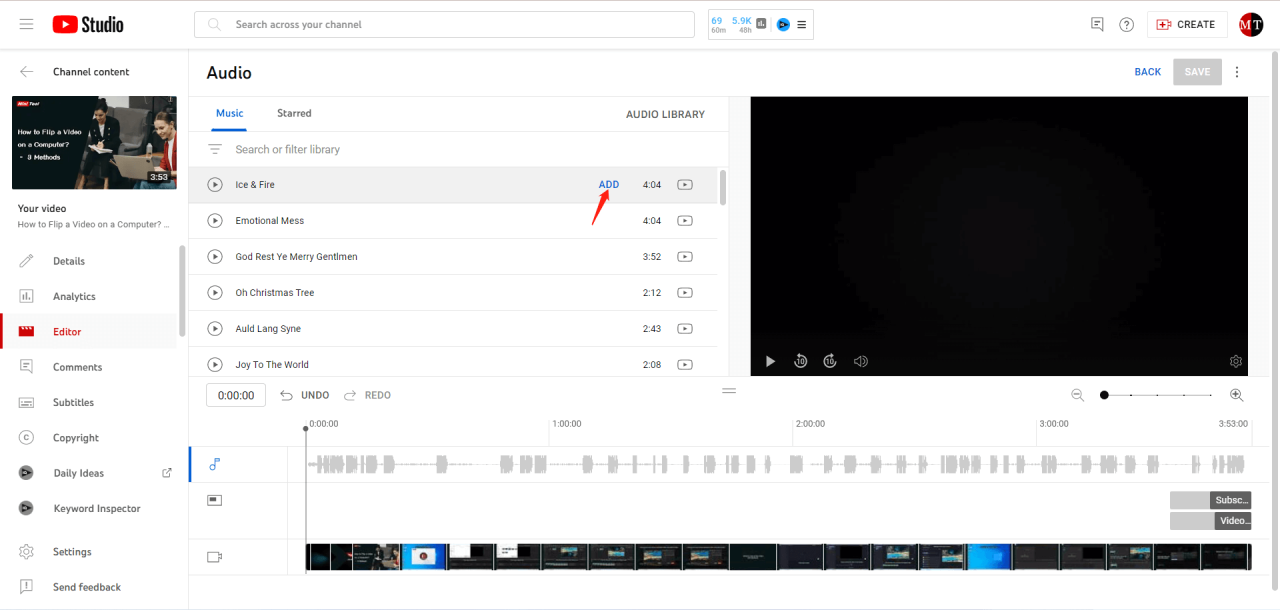
Effective synchronization of sound effects with visual elements is essential for creating immersive and believable media content. Precise alignment enhances the viewer’s experience by ensuring that audio cues match the corresponding visual events seamlessly. Whether working on film, video games, or multimedia presentations, mastering synchronization techniques helps produce polished and professional results.Synchronization involves meticulous planning, timing, and editing to align sound effects perfectly with specific visual cues.
Variations in frame rates, editing cuts, and scene pacing require a systematic approach to maintain consistency and accuracy throughout the production process.
Steps for Accurate Timing and Editing of Sound Effects
To achieve precise synchronization between sound effects and visuals, consider following these structured steps:
- Identify Key Visual Cues: Carefully review the footage to pinpoint critical moments that require sound effects. Mark these points with markers or notes within your editing software for easy reference.
- Set Initial Timing Markers: Place temporary markers or reference points in your timeline at the exact frames where sound effects should begin or align with visual actions, such as a door slamming or a character’s movement.
- Adjust Audio Placement: Drag and position the sound effect clips so that their start points coincide precisely with the visual markers. Use zoomed-in timelines to achieve frame-level accuracy.
- Refine the Sync: Play back the sequence multiple times to verify alignment. Make incremental adjustments to timing, ensuring that lip movements, object impacts, or other cues match the sound effects accurately.
- Use Time Stretching and Fading: Employ time-stretching tools to fine-tune the duration of sound effects and apply fades as necessary to create seamless transitions, avoiding abrupt audio jumps.
- Apply Frame-By-Frame Editing: For complex scenes, consider editing at the frame level to achieve the highest precision, especially when dealing with fast-paced action or detailed movements.
- Conduct Final Review: Watch the entire scene multiple times, ideally on different playback devices, to confirm synchronization consistency. Adjust as needed based on feedback or discrepancies observed.
Synchronization Tips, Common Pitfalls, and Solutions
Below is a table summarizing key tips for effective synchronization, common challenges faced during the process, and practical solutions to overcome them:
| Synchronization Tips | Common Pitfalls | Solutions |
|---|---|---|
| Use Visual Markers to align sound effects precisely at key visual points, reducing guesswork. | Misaligned sound effects due to inaccurate timing markers. | Implement clear, consistent markers in the timeline and double-check their placement before final editing. |
| Zoom Into the Timeline to access frame-by-frame editing capabilities for detailed adjustments. | Difficulty achieving fine sync at normal zoom levels, especially in fast-paced scenes. | Increase timeline magnification, enabling precise placement of audio clips at specific frames. |
| Employ Waveform Visualization to match peaks in the audio waveform with visual cues like impacts or movements. | Overlooking waveform details leads to slight misalignments. | Align peaks with corresponding visual events, utilizing waveform edges as guides for timing accuracy. |
| Maintain Consistent Frame Rates between video and audio editing environments to prevent drift or desynchronization. | Different frame rates can cause cumulative sync errors over time. | Set and verify uniform frame rates in your editing software before integrating sound effects. |
| Preview with Context to assess synchronization within the full scene, not just isolated clips. | Incorrectly synchronized effects when viewed out of context or in isolation. | Regularly review the entire sequence, making adjustments to ensure natural timing in the final cut. |
| Remember: Consistent review and incremental adjustments are pivotal for achieving seamless synchronization. Patience and attention to detail are vital components of this process. | ||
Editing and Enhancing Sound Effects
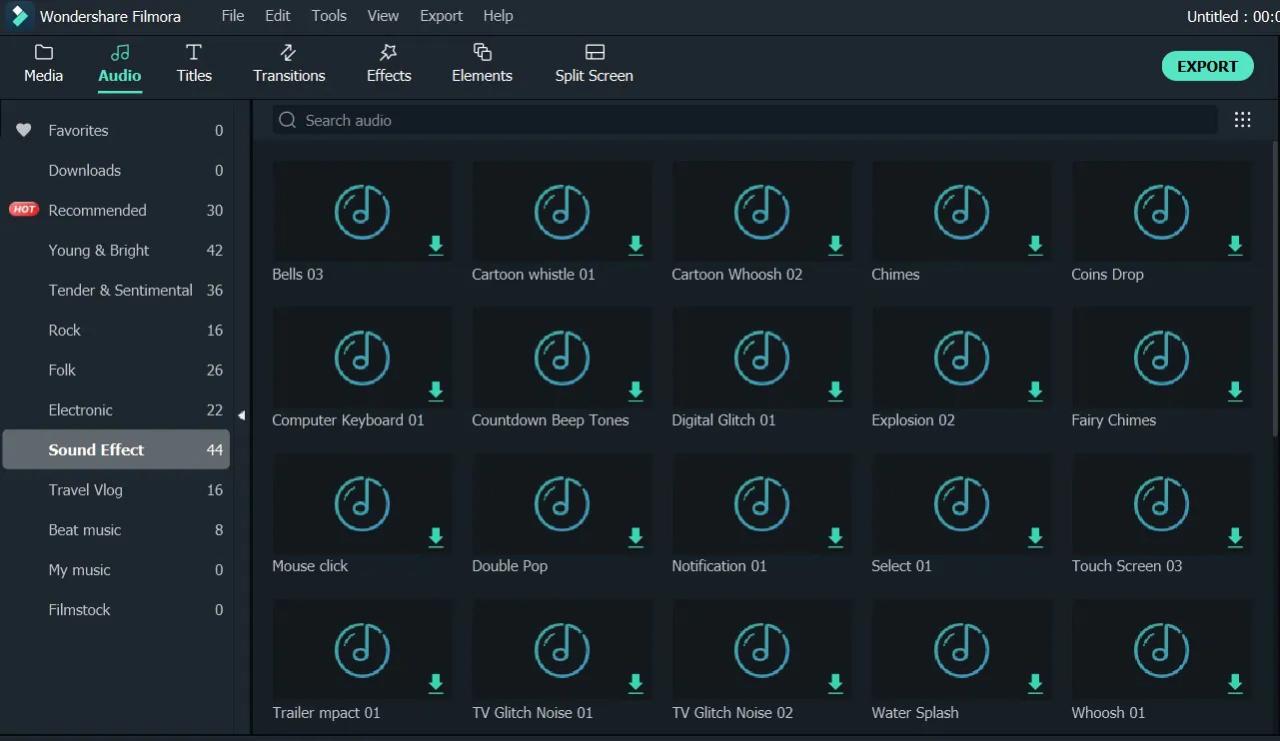
Refining sound effects through editing and enhancement is a vital step in media production. Proper modification allows creators to achieve a more immersive and realistic audio environment, aligning sound with visual cues and emotional tone. This process involves adjusting basic parameters such as pitch and volume, as well as applying various audio effects to enrich the soundscape.
Effective editing and enhancement techniques ensure that sound effects integrate seamlessly into the overall media project, enhancing the viewer’s experience while maintaining clarity and authenticity. Mastery of these procedures enables sound designers to craft compelling auditory experiences tailored to specific narrative needs.
Procedures for Modifying Sound Effects
Modifying sound effects involves a systematic approach to editing that enhances their effectiveness and suitability for the intended media context. The key procedures include:
- Adjusting Pitch: Changing the pitch alters the perceived frequency of the sound, making it higher or lower. This is useful for creating variations of the same sound, such as a monster roar with different pitch levels to suggest different creature sizes or emotional states. Pitch adjustment can be achieved through digital audio workstations (DAWs) using pitch-shifting plugins or tools that preserve formants to avoid unnatural distortions.
- Modulating Volume: Volume adjustments help balance sound effects within the mix, ensuring clarity without overwhelming dialogue or music. Techniques include dynamic range compression, limiting, and automation to gradually increase or decrease volume levels during specific segments of the media.
- Applying Effects: Effects such as reverb, echo, distortion, and modulation can transform raw sound effects into more immersive or fantastical audio. For example, adding reverb to footsteps can simulate a large hall, or applying distortion to industrial sounds can produce a more menacing tone.
Organizing Layered Sound Effects for Realistic Audio Environments
Constructing realistic audio environments requires meticulous organization of layered sound effects. This approach involves combining multiple audio layers to simulate complex scenes, such as city streets, forests, or interior spaces. Proper layering enhances depth, spatiality, and realism.
To create convincing environments, sound designers typically:
- Identify primary sound elements, such as background ambiance, character sounds, and specific sound effects relevant to the scene.
- Arrange these sounds in separate tracks within a digital editing workspace, allowing precise control over their timing and amplitude.
- Use panning techniques to position sounds within a stereo or surround sound field, creating a sense of space and movement.
- Apply equalization (EQ) to each layer to prevent frequency masking, ensuring that sounds complement each other without muddying the mix.
- Implement automation to dynamically adjust levels, effects, and spatial positioning during scene changes or specific actions.
This layered approach results in an immersive soundscape that convincingly replicates real-world or imagined environments, enriching the storytelling experience.
Common Audio Editing Tools and Their Key Features
Several industry-standard tools facilitate the editing and enhancement of sound effects. Understanding their core features helps sound designers select the most suitable software for their projects:
| Tool | Key Features |
|---|---|
| Adobe Audition |
|
| Pro Tools |
|
| Logic Pro |
|
| Audacity |
|
| Waves Audio Plugins |
|
Best Practices for Incorporating Sound Effects

Integrating sound effects effectively enhances the immersive quality of media productions, whether in film, video games, or digital content. Selecting the right sound effects and applying best practices in their incorporation are crucial for maintaining audience engagement and ensuring a coherent auditory experience. Achieving a balanced and clutter-free soundscape requires strategic planning and technical skill, which can significantly elevate the overall quality of your media project.
Adherence to these best practices facilitates the creation of a professional and polished sound environment. It ensures that sound effects complement the visual narrative, evoke appropriate emotional responses, and do not distract or overwhelm the audience. By understanding how to thoughtfully select, embed, and mix sound effects, media creators can craft compelling, immersive experiences that resonate deeply with viewers or users.
Strategies for Choosing Appropriate Sound Effects to Match Content Tone
The tone of the media content heavily influences the selection of sound effects. For instance, a horror film benefits from eerie, suspenseful effects such as distant whispers or creaking doors, while an upbeat commercial might employ lively, energetic sounds like claps or cheerful melodies. Aligning sound effects with the emotional and thematic elements of the content enhances narrative coherence and audience engagement.
To ensure relevance, consider factors such as the genre, mood, and target audience. Use descriptive and contextual cues from the visual elements to identify sounds that naturally complement them. For example, a science fiction scene set on an alien planet should feature otherworldly, futuristic sounds that reinforce the setting. Additionally, subtlety is often key; not every visual cue requires an accompanying sound if it risks cluttering the soundscape or diluting the emotional impact.
Methods of Embedding Sound Effects for Different Media Types
Embedding sound effects varies depending on the media format and distribution platform. For linear media such as films and television, sound effects are typically integrated during post-production using digital audio workstations (DAWs) or editing software. These methods allow precise synchronization and level adjustments to match the visual timeline.
In interactive media like video games or virtual reality, sound effects need to be dynamically triggered based on user actions or environmental changes, often via middleware or game engines. This requires real-time processing and integration, ensuring seamless responsiveness that enhances immersion.
Online content, including social media videos or web-based animations, often employs lightweight embedding techniques, such as HTML5 audio tags or JavaScript frameworks, to facilitate quick loading and compatibility across devices. Regardless of the method, consistency and synchronization are essential to prevent dissonance between audio and visual components.
Tips for Balancing, Mixing, and Avoiding Audio Clutter
Effective sound design depends heavily on balanced and clear audio mixing. Overloading a scene with excessive sound effects can lead to confusion and reduce the clarity of key auditory cues. Conversely, underusing effects can result in a dull or flat soundscape, diminishing emotional impact. The following table summarizes essential tips for achieving optimal balance and clarity in sound effects:
| Tip | Description |
|---|---|
| Establish a Clear Hierarchy | Prioritize important sound effects, such as dialogue or critical actions, ensuring they are prominent while background effects remain subtle. |
| Use Equalization (EQ) Effectively | Apply EQ to carve out space in the frequency spectrum, reducing masking and making individual sounds more distinguishable. |
| Maintain Proper Levels | Regularly monitor and adjust volume levels to prevent peaks or dips that could cause distortion or diminish the impact of key effects. |
| Implement Dynamic Range Control | Use compressors and limiters to smooth out volume discrepancies, ensuring a consistent listening experience without excessive loudness or softness. |
| Avoid Audio Clutter | Limit the number of simultaneous sound effects unless necessary, and remove any effects that do not contribute meaningfully to the scene. |
| Regularly Preview in Context | Test sound effects within the full mix regularly to identify issues with balance and spatial placement, making adjustments as needed. |
| Maintain Spatial Consistency | Employ panning and reverb techniques to create a realistic sound environment, helping listeners perceive depth and directionality. |
Implementing these strategies promotes a clean, professional sound environment that complements the visual elements while avoiding listener fatigue or confusion. Careful attention to balance and clarity ensures that sound effects enhance storytelling rather than detract from it, ultimately creating a more engaging and immersive media experience.
Troubleshooting Common Issues When Adding Sound Effects
Efficient sound effect integration is essential for creating immersive and professional media. However, practitioners often encounter various technical challenges that can compromise the quality and synchronization of audio within multimedia projects. Addressing these issues promptly and effectively ensures that the final production maintains its intended impact and clarity.Understanding the common issues faced during sound effect implementation, along with their causes and solutions, is vital for media editors, sound designers, and content creators.
This section provides a comprehensive overview of typical problems such as synchronization errors, volume imbalances, and unwanted noise, along with structured troubleshooting steps and solutions to optimize audio quality.
Synchronization Errors
Synchronization discrepancies between sound effects and visual cues can detract from the viewer’s experience, leading to confusion or distraction. These errors may arise from timing misalignments during editing or incompatible frame rates between audio and video files.To mitigate synchronization issues:
- Verify the frame rate consistency between your audio and video projects before importing sound effects.
- Use timeline markers or beat matching tools to align sound effects precisely with visual events.
- Adjust the timing of sound effects in the editing software by nudging audio clips frame-by-frame or milliseconds to achieve perfect sync.
- Preview the media repeatedly at different playback speeds to identify and correct sync discrepancies.
- Employ synchronization features such as time-stretching or slip editing to fine-tune the placement of sound effects without altering pitch or quality.
Consistent frame rates and precise editing are key to maintaining audio-visual sync in media production.
Volume Imbalances
Unequal volume levels between sound effects and other audio elements can result in a distracting or unprofessional soundscape. Overly loud sound effects may overpower dialogue, while too quiet effects might go unnoticed.Recommended solutions for volume imbalance issues include:
- Utilize keyframes or automation to gradually increase or decrease the volume of specific sound effects at strategic points.
- Employ a compressor or limiter to control dynamic range, ensuring consistent loudness across all sound effects.
- Perform critical listening on various playback devices to identify and correct volume disparities.
- Balance sound levels with the overall mix by referencing a calibrated monitor or headphones.
- Apply normalization techniques to bring sound effect levels within a specific loudness range, matching industry standards such as LUFS.
Achieving proper volume balance enhances clarity and ensures sound effects complement rather than compete with other audio components.
Unwanted Noise and Artifacts
Unwanted noise, including hum, hiss, or background artifacts, can compromise the audio quality of sound effects. These issues often originate from poor source recordings, compression artifacts, or interference during digital processing.To address unwanted noise:
- Choose high-quality, clean sound effect sources with minimal background noise.
- Apply noise reduction or denoising plugins judiciously, ensuring that the process does not remove desirable audio details.
- Use equalization (EQ) to filter out specific frequency ranges where noise is prevalent, such as low-frequency hums or high-frequency hiss.
- Maintain proper gain staging during recording and editing to avoid clipping or excessive amplification that introduces noise.
- Implement spectral repair tools for precise removal of unwanted artifacts without affecting the integrity of the sound effect.
Effective noise management preserves the clarity and realism of sound effects in digital media production.
Recommended Troubleshooting Steps
A systematic approach to troubleshooting sound effect issues enhances efficiency and accuracy in resolving problems. The following steps serve as a practical guide:
- Confirm that all audio files are correctly imported and compatible with the editing software.
- Check the timeline for proper placement and alignment of sound effects relative to visual cues.
- Review volume levels and apply necessary adjustments or automation to achieve balanced audio.
- Inspect the source files for noise, distortion, or artifacts before incorporating them into the project.
- Perform test renders or exports to identify issues that only become apparent in the final output.
- Use diagnostic tools within your editing software, such as meters and scope displays, to monitor audio levels and frequency content.
- Consult industry standards and best practices to evaluate whether the sound effects meet quality criteria.
| Problem | Cause | Recommended Fix |
|---|---|---|
| Sound effects are out of sync with visuals | Frame rate mismatch or timing misalignment during editing | Ensure consistent frame rates; use timeline markers; nudge clips for precise sync |
| Sound effects are too loud or too quiet | Improper initial volume levels or automation | Adjust gain, use volume automation, and normalize levels across clips |
| Background noise in sound effects | Poor source recordings or artifacts | Choose high-quality sources; apply noise reduction and spectral repair |
| Distortion or clipping occurs | Excessive input levels or improper gain staging | Lower input levels; monitor levels during recording and editing; use limiters |
Ending Remarks
In summary, mastering how to add sound effects involves understanding their role, sourcing high-quality sounds, precise synchronization, and effective editing. Implementing these techniques will enable you to craft media content that is both immersive and impactful. Continually refining your skills in sound integration will open new creative possibilities and elevate your media projects to professional standards.