Learning how to shoot in manual mode opens up a new world of creative control and photographic mastery. By understanding and adjusting key camera settings, you can capture images exactly as you envision them, regardless of lighting or motion conditions. This guide provides a comprehensive overview of mastering manual photography, empowering you to take your skills to the next level.
From setting up your camera to balancing exposure and exploring creative effects, exploring manual mode offers endless opportunities for experimentation and learning. Whether you’re a beginner aiming to understand the fundamentals or an enthusiast seeking to refine your technique, this article will walk you through essential concepts and practical tips to enhance your photography experience.
Understanding Manual Mode Basics
Shooting in manual mode provides photographers with complete control over their camera settings, enabling precise adjustments to achieve the desired exposure and creative effects. Unlike automatic modes, where the camera determines settings for you, manual mode requires a clear understanding of how ISO, shutter speed, and aperture work together to create a properly exposed image. Mastering these fundamental principles is essential for photographers seeking to enhance their skills and produce consistent, high-quality results.
In manual mode, each setting influences the exposure independently, but their combined effect determines the overall brightness and aesthetic of the photograph. A thorough understanding of the roles and interactions between ISO, shutter speed, and aperture empowers you to adapt quickly to different lighting conditions and artistic intentions, whether capturing fast-moving action or creating a shallow depth of field. Below is an organized overview of these core concepts and their effects on your images.
Roles of ISO, Shutter Speed, and Aperture in Manual Photography
ISO, shutter speed, and aperture are the three pillars of exposure control in manual photography. Each of these elements affects the image’s brightness, sharpness, and depth of field, and understanding their individual functions and interactions is crucial for effective manual shooting.
| ISO | Shutter Speed | Aperture | Their Effects |
|---|---|---|---|
| Controls the sensor’s sensitivity to light. | Determines how long the shutter remains open to expose the sensor. | Adjusts the size of the lens opening to control light intake and depth of field. | |
| Higher ISO increases brightness but introduces noise. | Faster shutter speeds freeze motion; slower speeds may cause motion blur. | Wider apertures (lower f-numbers) create a shallower depth of field; narrower apertures (higher f-numbers) increase depth of field. | |
| Ideal for low-light conditions but should be used cautiously to avoid graininess. | Critical for capturing fast-moving subjects or creating motion effects. | Essential for controlling background blur and achieving specific focus effects. |
Understanding the balance: Adjusting ISO, shutter speed, and aperture in harmony is key to achieving a well-exposed image that aligns with your artistic intent.
Setting Up Your Camera for Manual Shooting
Mastering manual mode requires precise setup of your camera’s core settings—ISO, shutter speed, and aperture. Proper configuration ensures that your images are correctly exposed and that you retain full creative control over the photographic process. This section guides you through the essential steps to prepare your camera effectively for manual shooting, regardless of your camera model or brand.
Understanding how to access and adjust these settings on different camera models is crucial. Each camera manufacturer may have unique interfaces and controls, but the fundamental principles remain consistent. Familiarity with these adjustments allows you to quickly adapt to various shooting environments, from bright daylight scenes to low-light conditions, and achieve optimal results creatively and technically.
Switching Your Camera to Manual Mode
Transitioning your camera from auto or semi-auto modes to manual mode is the first step towards full exposure control. Most cameras feature a dedicated mode dial or switch labeled “M” for manual. To switch to manual mode:
- Locate the mode dial on the top of your camera. This dial typically includes settings like Auto, Portrait, Landscape, and Manual.
- Turn the dial until the “M” icon aligns with the indicator marker. If your camera uses a menu system, navigate to the shooting mode options and select “Manual.”
- Ensure the camera’s display or viewfinder indicates “M” to confirm you are in manual mode.
Once in manual mode, you have the ability to independently control ISO, shutter speed, and aperture, empowering you to tailor your exposure precisely to your scene.
Accessing and Adjusting ISO
ISO determines your camera’s sensitivity to light. Adjusting ISO correctly is fundamental, especially in varying lighting conditions. Access methods differ across camera models:
- On DSLR and mirrorless cameras, ISO is often adjusted via a dedicated button labeled “ISO” or through the quick menu (Q menu). Press the button or access the menu, then rotate a command dial or select a value on-screen.
- Some compact cameras or advanced point-and-shoot models may have an ISO button or a menu option accessible through the LCD screen.
- Many cameras feature an ISO scale with options like ISO 100, 200, 400, 800, 1600, and higher for low-light scenarios.
“A lower ISO (e.g., 100-200) produces cleaner images in bright conditions, whereas a higher ISO (e.g., 1600+) is useful in low light, though it may introduce noise.”
Adjust ISO based on the scene’s lighting: use the lowest ISO possible for clarity and detail, increasing it only when necessary to maintain proper exposure.
Adjusting Shutter Speed
Shutter speed controls the duration the camera’s sensor is exposed to light. It also influences motion capture and blur. Accessing and changing shutter speed varies by camera:
- On most DSLRs and mirrorless cameras, shutter speed can be adjusted via a dedicated dial marked with fractions of a second (e.g., 1/60, 1/125) or seconds (e.g., 1″, 2″).
- In some models, shutter speed adjustments are made through the quick menu or on-screen controls, especially on compact cameras.
- For cameras with a mode dial, ensure the camera is set to manual to freely adjust shutter speed without automatic constraints.
Proper shutter speed choice depends on your subject movement and lighting conditions. For capturing fast motion sharply, select faster speeds like 1/500 or higher. For artistic blur or low-light scenarios, slower speeds such as 1/30 or 1/60 are appropriate.
Adjusting Aperture
Aperture controls the size of the lens opening, affecting depth of field and the amount of light reaching the sensor. Access varies across camera types:
- On DSLR and mirrorless cameras, aperture is adjusted via the lens’s control ring or through the camera’s menu system, especially when using lenses with manual aperture control.
- Compact cameras may have an aperture control within the menu or a physical ring around the lens (if available).
- Adjustments are usually displayed in f-stops (e.g., f/2.8, f/5.6, f/11), where lower numbers mean a larger opening and more background blur.
Choosing the appropriate aperture involves balancing depth of field and light intake. For portraits with blurred backgrounds, use a wide aperture (e.g., f/1.8, f/2.8). For landscapes requiring sharp focus throughout, opt for a smaller aperture like f/8 or f/11.
Camera-Specific Tips for Manual Setup
Different camera brands and models have unique interfaces that influence how you set up your manual controls. Here is a summary of tips for common camera types:
| Camera Model | ISO Adjustment | Shutter Speed Adjustment | Aperture Adjustment | Additional Tips |
|---|---|---|---|---|
| Canon DSLR/Mirrorless | Press ISO button, rotate main dial or use quick menu | Use top or rear dial next to shutter button | Adjust via lens ring or menu | Enable manual mode from mode dial; use custom buttons for quick adjustments |
| Nikon DSLR/Mirrorless | Press ISO button or access through info button and command dial | Use command dial or sub-command dial | Manual lens control or menu settings | Switch to “M” mode; familiarize with live view for precise control |
| Sony Mirrorless | Quick menu or dedicated ISO button; assign for quick access | Main dial or custom button for shutter speed | Lens aperture ring or menu | Customize controls for faster setup; use “Fn” buttons for quick adjustments |
| Fujifilm | Use the ISO dial on the top or menu options | Command dial near shutter release | Lens aperture ring, or via menu | Leverage physical dials for intuitive adjustments in manual mode |
Exposure Triangle and Balance
Mastering the exposure triangle is fundamental to achieving well-balanced images in manual photography. It involves understanding the interconnected roles of ISO, shutter speed, and aperture, and how adjusting these settings affects the overall exposure. By strategically balancing these components, photographers can adapt to various lighting conditions and creative intentions, ensuring that each shot is properly exposed without sacrificing image quality or artistic vision.
The exposure triangle highlights the relationship between ISO, shutter speed, and aperture, emphasizing that changes to one setting necessitate compensatory adjustments to the others. Properly balancing these elements allows for precise control over exposure, motion blur, depth of field, and noise levels. Understanding these relationships helps in making informed decisions during shooting, especially in challenging lighting scenarios where automatic modes may not provide the desired results.
Relationship Between ISO, Shutter Speed, and Aperture
ISO, shutter speed, and aperture collectively determine the exposure level of a photograph. ISO controls the sensor’s sensitivity to light; a lower ISO like 100 results in cleaner images with less noise, while a higher ISO such as 1600 or above increases sensitivity but can introduce graininess. Shutter speed governs how long the sensor is exposed to light; faster speeds (e.g., 1/1000 sec) freeze motion, whereas slower speeds (e.g., 1/30 sec) can introduce motion blur or be used creatively for effects.
Aperture, measured in f-stops, adjusts the size of the lens opening; wider apertures (like f/1.8) produce a shallow depth of field, while narrower ones (like f/16) increase depth of field, affecting how much of the scene is in focus.
These three settings are interdependent; a change in one necessitates a compensatory adjustment in the others to maintain proper exposure. For example, increasing ISO to shoot in low light can allow for faster shutter speeds or smaller apertures, reducing motion blur or depth of field effects. Conversely, lowering ISO in bright conditions may require wider apertures or slower shutter speeds to achieve correct exposure.
Methods for Balancing Exposure Settings Based on Lighting Conditions
Effective exposure control involves evaluating the lighting environment and adjusting the triangle’s parameters accordingly. In bright sunlight, a low ISO (100-200), a narrow aperture (f/8 to f/16), and a fast shutter speed (e.g., 1/1000 sec) are typically used to prevent overexposure. In low-light or indoor settings, increasing ISO (e.g., 800-3200), opening the aperture wider (f/1.8 to f/4), and slowing the shutter speed (e.g., 1/60 sec or slower) helps gather more light without underexposing the image.
When shooting in mixed lighting conditions, balancing these settings requires prioritizing the creative outcome—whether capturing motion, depth of field, or minimizing noise. Using a light meter or camera’s exposure compensation tools can assist in making precise adjustments. Additionally, employing techniques such as bracketing or using filters (like ND filters for bright scenes) can help manage exposure when balancing these three elements is challenging.
Exposure Scenarios and Corresponding Settings
Below is a comprehensive table illustrating various common lighting situations and recommended exposure settings to achieve optimal results. These scenarios serve as guidelines that can be tailored based on specific creative goals and equipment capabilities.
| Lighting Condition | ISO | Shutter Speed | Aperture | Notes |
|---|---|---|---|---|
| Bright Sunlight | 100 – 200 | 1/1000 sec or faster | f/8 – f/16 | Minimize noise; prevent overexposure; maximize depth of field |
| Cloudy or Overcast | 400 – 800 | 1/250 – 1/500 sec | f/4 – f/8 | Adjust ISO slightly higher; maintain sharpness and detail |
| Indoor or Low Light | 800 – 3200 | 1/60 – 1/125 sec | f/2.8 – f/4 | Increase ISO and open aperture to gather more light; use a tripod if slower shutter speeds are required |
| Night Photography with Artificial Lights | 1600 – 6400 | 1/30 sec or slower | f/2.8 – f/4 | Use a tripod; consider noise reduction techniques |
| Motion Freezing (e.g., sports) | 400 – 800 | 1/1000 sec or faster | f/2.8 – f/5.6 | Prioritize fast shutter speeds to freeze action; adjust ISO and aperture as needed |
| Creative Blur or Long Exposure | ISO 100 – 200 | Several seconds to minutes | Small aperture (f/11 – f/22) | Use tripod; experiment with exposure duration for artistic effects |
Formula for Exposure: Exposure = ISO × Shutter Speed × Aperture (in terms of scene luminance)
Understanding and applying the relationships within the exposure triangle allows photographers to adapt quickly and effectively to varied lighting conditions, ensuring that each shot reflects the intended exposure and artistic intent.
Practical Tips for Shooting in Manual Mode
Transitioning into manual mode empowers photographers to have full control over their camera settings, enabling creative expression and precise exposure. However, capturing sharp and well-exposed images, especially in dynamic environments, requires practical skills and quick adjustments. In this section, we explore effective techniques and best practices to optimize your manual shooting experience, whether dealing with moving subjects or changing light conditions.
Mastering these practical tips will help you adapt swiftly, maintain focus, and consistently achieve high-quality images in a variety of scenarios. Developing a methodical approach to setting adjustments and understanding how to respond to real-time changes will elevate your confidence and efficiency behind the camera.
Adjusting Settings for Moving Subjects and Changing Light Conditions
When photographing moving subjects or environments with fluctuating lighting, it is crucial to anticipate changes and make swift adjustments to your camera settings. To do so effectively, keep in mind that shutter speed, aperture, and ISO must be balanced to freeze motion or create desired motion effects while maintaining proper exposure. Regularly monitoring your scene and being ready to modify these parameters ensures your images remain sharp and correctly exposed despite unpredictable conditions.
Practicing a systematic approach to evaluating the scene’s lighting and motion dynamics helps prevent missed shots. For instance, when a subject moves rapidly across the frame, increasing shutter speed is essential. Conversely, in lower light situations, adjusting ISO or opening the aperture widens the light intake without compromising image quality. Developing a mental checklist for these adjustments ensures quick, confident responses during photography sessions.
Methods for Quick Adjustments and Maintaining Focus
Efficiency in manual mode depends on your ability to make rapid setting changes while maintaining sharp focus. Utilizing camera features such as exposure compensation, quick access to ISO and shutter speed controls, and setting custom function buttons can significantly speed up your workflow. Practice adjusting settings without taking your eye off the viewfinder or LCD screen, using tactile controls to minimize lag.
To keep your subject in focus in fast-paced situations, employ continuous autofocus modes if available, or pre-focus on a specific distance. Using focus points strategically and adjusting them dynamically helps maintain sharpness, especially when the subject moves unpredictably. Additionally, keep your camera steady by employing proper grip techniques or using stabilization equipment, reducing motion blur caused by camera shake during quick adjustments.
Implementing these methods ensures you can respond swiftly to changing scenarios, capturing well-exposed and focused images even in challenging environments.
Examples of Common Shooting Scenarios with Recommended Settings
Understanding typical scenarios and their ideal settings helps streamline decision-making during shoots. Below are practical examples with recommended camera configurations to optimize results:
| Scenario | Recommended Settings | Additional Tips |
|---|---|---|
| Capturing a moving subject in daylight | Shutter Speed: 1/1000 sec or faster; Aperture: f/5.6 or wider; ISO: 100-400 | Use continuous autofocus; pre-focus on a spot where the subject will pass |
| Photographing a subject in low light with movement | Shutter Speed: 1/250 sec or higher; Aperture: widest available (e.g., f/2.8); ISO: 800-3200 | Increase ISO gradually; stabilize camera with tripod or image stabilization |
| Capturing a landscape with changing lighting (e.g., sunset) | Shutter Speed: 1/60 sec or slower; Aperture: f/11 or higher; ISO: 100 | Use graduated ND filters if available; bracket exposures for HDR processing |
| Street photography with unpredictable lighting | Shutter Speed: 1/250 sec; Aperture: f/8; ISO: 400-800 | Quickly adjust ISO and shutter speed as lighting shifts; set a wider aperture for shallow depth of field if desired |
Consistent practice with these scenarios helps develop intuition for setting adjustments, leading to more confident manual shooting under diverse conditions.
Using Manual Mode for Creative Effects
Manual mode offers photographers a vast array of creative control, enabling the manipulation of key camera settings to achieve visually compelling effects. By adjusting aperture and shutter speed intentionally, photographers can craft images that convey depth, motion, and mood with precision. Understanding how to leverage these settings allows for artistic expression beyond standard photography techniques.
Applying manual controls involves thoughtful experimentation with aperture and shutter speed to produce desired visual outcomes. Whether aiming for a sharp portrait with a blurred background or capturing dynamic motion with intentional blur, mastering these adjustments transforms the camera from a simple recording device into a powerful creative tool.
Aperture Manipulation for Depth of Field Effects
The aperture setting significantly influences the depth of field (DOF) in an image, which determines how much of the scene appears in focus. A wider aperture (smaller f-number) creates a shallow DOF, isolating the subject from the background and foreground, ideal for portraits or macro shots. Conversely, a narrower aperture (larger f-number) increases the DOF, making more of the scene sharply in focus, suitable for landscapes or architecture.
To achieve specific depth effects, consider the following:
- Shallow Depth of Field: Use a wide aperture (e.g., f/1.4 to f/2.8). This technique blurs the background, drawing attention to the subject and creating a sense of intimacy or focus.
- Deep Depth of Field: Use a narrow aperture (e.g., f/11 to f/16). This ensures foreground and background are both in focus, enhancing detail and context in complex scenes.
- Creative Blur: Exploit very wide apertures in low-light conditions or to produce a soft, dreamy effect by intentionally blurring parts of the scene.
Remember, increasing the aperture size reduces the amount of light hitting the sensor, so compensate with appropriate shutter speed or ISO to maintain correct exposure.
Controlling Shutter Speed for Motion Effects
Shutter speed determines how motion is captured in your images, allowing you to either freeze fast-moving subjects or create artistic motion blur. These effects can add a dynamic quality to your photos and convey a sense of movement or calmness depending on your intent.
Key ways to utilize shutter speed include:
- Freezing Motion: Use fast shutter speeds (e.g., 1/1000s or faster) to capture sharp images of moving subjects like sports, wildlife, or children at play. This minimizes motion blur and preserves crisp details.
- Creating Motion Blur: Use slower shutter speeds (e.g., 1/30s or longer) to intentionally blur moving elements. For example, capturing flowing water with a silky effect or light trails from moving vehicles at night.
- Balancing Exposure: When decreasing shutter speed, ensure adequate stabilization via tripod or image stabilization to prevent unintended camera shake, especially in low-light conditions.
Adjusting shutter speed in conjunction with aperture and ISO allows for precise control over how motion is rendered, enabling the creation of artistic or documentary images with impact.
Creative Techniques Table
| Effect | Settings | Tips |
|---|---|---|
| Portrait with Blurred Background | Aperture: f/1.4 – f/2.8; Shutter speed: adjusts for proper exposure; ISO: set accordingly | Use a wide aperture to isolate subject; position background further away for increased blur; consider focus stacking for sharpness across depth. |
| Sharp Action Freeze | Shutter speed: 1/1000s or faster; Aperture: adjust for exposure; ISO: higher if needed | Use burst mode for multiple shots; stabilize camera with tripod or gimbal for consistency. |
| Long Exposure Light Trails | Shutter speed: 10 seconds or more; Aperture: narrow (e.g., f/11); ISO: low | Use tripod to avoid camera shake; compose scene to include moving lights or flowing water; consider using remote shutter release. |
| Soft Dreamy Landscape | Aperture: f/16 or higher; Shutter speed: 1/15s or slower; ISO: low | Employ ND filters to extend exposure time; focus on foreground to add depth; shoot during golden hour for warm tones. |
Troubleshooting Common Challenges in Manual Mode
Mastering manual mode requires not only understanding camera settings but also identifying and resolving common issues that can arise during shooting. When working in manual mode, photographers often encounter problems such as overexposure or underexposure, which can compromise the quality of images. Recognizing these challenges promptly and knowing the appropriate troubleshooting techniques ensures consistent results and enhances creative control over your photography.
Many of these challenges stem from misjudgment of exposure settings, incorrect camera configurations, or changing lighting conditions. By systematically diagnosing these issues using structured troubleshooting procedures, photographers can quickly correct problems and achieve the desired exposure, contrast, and overall image quality.
Common Exposure Problems and Troubleshooting Procedures
Below is a comprehensive overview of typical issues faced in manual mode, with guidance on identifying symptoms, understanding potential causes, and applying corrective actions to resolve them effectively.
| Symptoms | Causes | Corrective Actions |
|---|---|---|
| Photo appears too bright or washed out (overexposed) | The exposure settings allow too much light; often due to high ISO, wide aperture, or slow shutter speed |
|
| Photo appears too dark (underexposed) | Insufficient light reaching the sensor; caused by low ISO, narrow aperture, or fast shutter speed |
|
| Image has loss of detail in highlights (blown-out whites) | Excessive brightness in bright areas due to high exposure settings |
|
| Loss of detail in shadows (crushed blacks) | Underexposure in dark areas, often from incorrect metering or inadequate settings |
|
| Color cast or unnatural tones | Incorrect white balance or improper exposure settings affecting color accuracy |
|
Utilizing the Histogram for Troubleshooting
The histogram is an invaluable tool for diagnosing exposure problems in manual mode. It provides a graphical representation of the tonal range in an image, enabling photographers to identify whether an image is correctly exposed, overexposed, or underexposed.
“A well-balanced histogram typically shows a distribution of tones spread across the entire range, with minimal clipping on either end.”
For instance, if the histogram is bunched to the left, shadows may be underexposed; if it is piled to the right, highlights may be blown out. Adjustments to exposure settings should aim to balance the histogram while avoiding clipping, which results in loss of detail in bright or dark areas.
Addressing Changing Lighting Conditions
Manual mode requires dynamic adjustments since natural light can vary rapidly. When faced with changing conditions such as moving from sunlight to shade or during cloud cover, it is crucial to reassess and fine-tune camera settings accordingly.
Consistent monitoring of the scene’s exposure through the histogram, live view, or by reviewing images immediately after capture allows for prompt corrections. Carrying tools like neutral density filters or reflectors can also help manage exposure challenges in variable lighting environments.
Practice Exercises and Sample Settings
Mastering manual camera settings requires consistent practice through targeted exercises and understanding appropriate sample configurations for various photography scenarios. This section provides structured tasks to reinforce your skills and sample settings that can serve as starting points or reference points for your shoots across different genres and conditions. Engaging in these exercises will help solidify your understanding of exposure control and develop your ability to rapidly adapt settings to diverse environments.Practicing with real-world scenarios allows you to develop confidence and precision in manual mode.
By experimenting with different combinations of aperture, shutter speed, and ISO, you can observe their effects firsthand and learn to anticipate the outcome before pressing the shutter. These exercises are designed to improve your technical competence and artistic judgment, enabling you to produce well-exposed images consistently.
Practice Tasks for Mastering Manual Settings
Implementing these exercises regularly will enhance your familiarity with manual controls and improve your overall photographic versatility. Each task emphasizes a specific aspect of exposure and composition, encouraging you to experiment and analyze results for continuous learning.
- Adjust Exposure in Various Lighting Conditions: Take a series of photos in bright daylight, shade, and indoor environments. For each scene, manually set aperture, shutter speed, and ISO to achieve correctly exposed images, experimenting with different combinations to see their effects.
- Control Motion Blur and Freeze Action: Capture moving subjects such as a cyclist or a flowing fountain. Use slow shutter speeds to create motion blur for artistic effect, and high shutter speeds to freeze fast movement, noting the corresponding aperture and ISO adjustments.
- Photograph with Different Depths of Field: Shoot portraits and landscape scenes, adjusting aperture to create varying levels of background blur. Observe how aperture affects exposure and depth of field, and compensate with shutter speed or ISO as needed.
- Night and Low-Light Photography: Take images in low-light situations, such as street scenes or interior settings. Use wide apertures and higher ISO, and experiment with long exposures on a tripod to balance noise and exposure.
- Capture Fast-Moving Subjects: Practice tracking and photographing sports or wildlife, setting high shutter speeds to freeze motion. Adjust ISO and aperture to maintain proper exposure without sacrificing image quality.
Sample Camera Settings for Different Scenarios
Here are recommended starting points for camera settings tailored to specific photographic situations. These samples serve as guidelines that you can tweak based on your artistic intent and environmental factors.
| Scenario | Sample Settings | Notes |
|---|---|---|
| Landscape Photography |
|
Ensures maximum depth of field with sharp details throughout the scene, suitable for static landscapes. |
| Portrait Photography |
|
Creates a pleasing background blur (bokeh) while maintaining sharp focus on the subject’s face. |
| Night Photography |
|
Long exposures capture ambient light; a tripod is essential to prevent camera shake. |
| Fast-Moving Subjects |
|
Freezes motion effectively; adjust ISO upward if necessary to maintain proper exposure. |
Note: Always review your images and adjust settings accordingly, as lighting conditions and subject movement can vary significantly from these starting points.
Ending Remarks
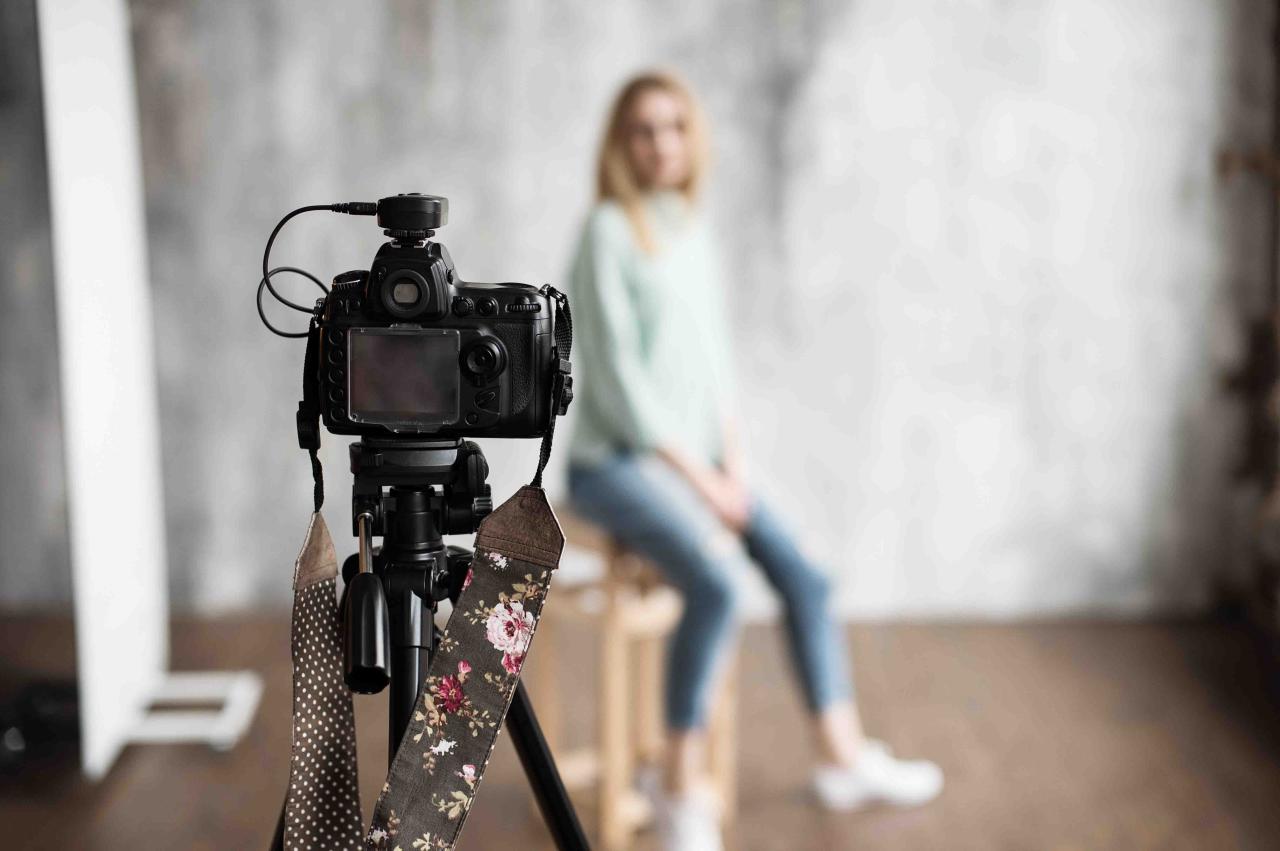
Mastering how to shoot in manual mode unlocks full creative control over your images, allowing you to adapt quickly to various shooting scenarios and develop your unique photographic style. By practicing the techniques and concepts Artikeld, you’ll gain confidence and precision in capturing stunning images across different environments. Embrace the challenge, and enjoy the rewarding journey of becoming a skilled manual photographer.