Mastering how to use gimbal for video is essential for creating steady and cinematic footage that captivates viewers. Whether you are a beginner or an experienced videographer, understanding the proper techniques and equipment selection can significantly elevate your video production quality.
This guide provides comprehensive insights into the functionality of gimbals, tips for choosing the right model, preparation steps, effective shooting techniques, operating best practices, creative shot ideas, and post-production tips to maximize the potential of your stabilized footage.
Understanding the Basic Functionality of a Gimbal for Video
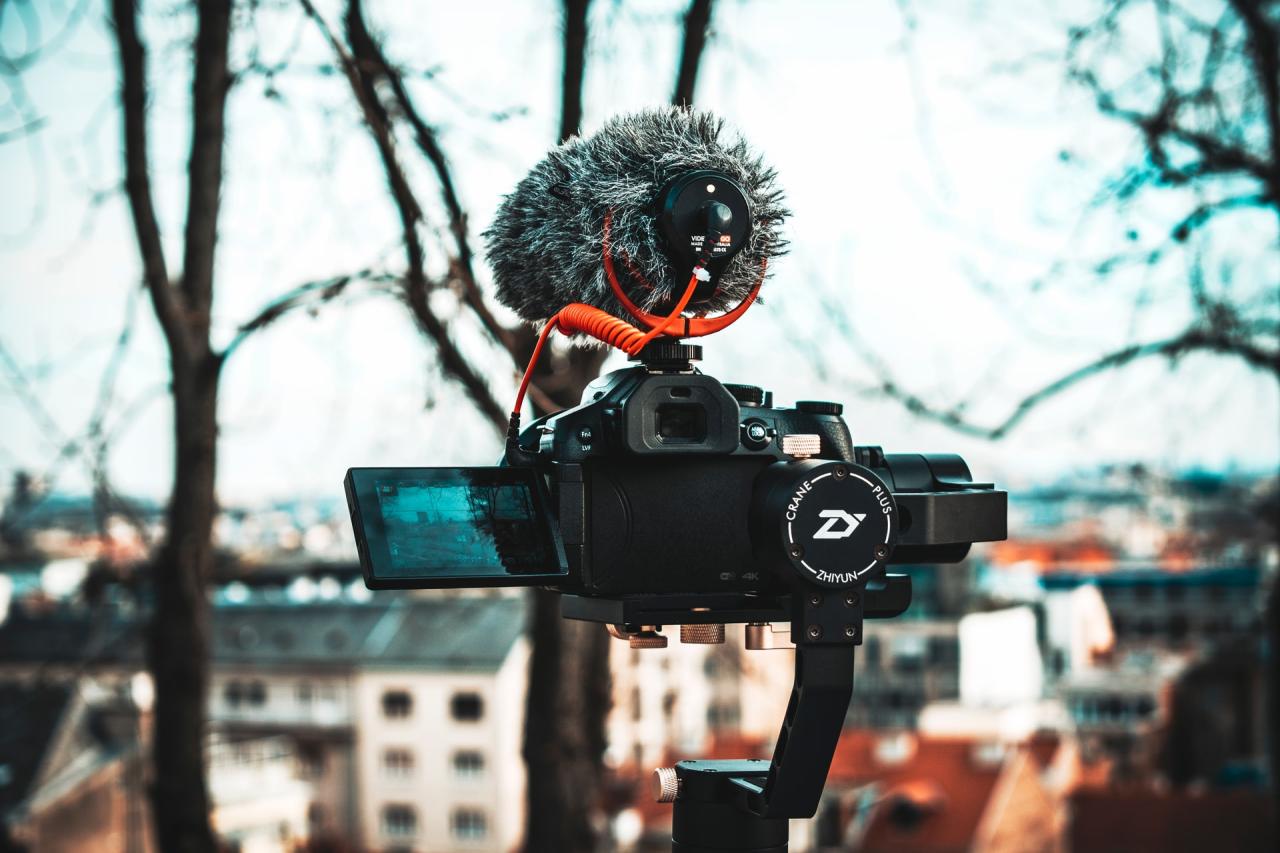
A gimbal is an essential tool for videographers seeking smooth, professional-looking footage even in dynamic shooting environments. Its core purpose is to compensate for unwanted camera movements, providing stability and fluid motion that enhances the visual quality of videos. Understanding how a gimbal operates allows users to maximize its potential and achieve cinematic results with ease.
At its core, a gimbal integrates advanced mechanical or electronic components designed to counteract shaking, tilting, and unintended motions caused by hand movements or external factors. This technology relies on a combination of motors, sensors, and control algorithms to stabilize the camera in real-time. Recognizing the differences between mechanical and motorized gimbals is fundamental to selecting the appropriate device for specific filming needs, whether for casual shooting, professional productions, or cinematic projects.
Core Components of a Gimbal and Their Functionality
Understanding the fundamental parts of a gimbal helps clarify how it stabilizes footage. Each component works seamlessly to maintain the camera’s orientation, even when the user moves or the environment shifts unexpectedly.
- Motors: These are electronically controlled motors responsible for adjusting the position of the camera along various axes (pan, tilt, and roll). They respond to signals from sensors to keep the camera steady.
- Sensors: Typically gyroscopes and accelerometers, sensors detect any unintended camera movement. They constantly monitor the device’s orientation and motion, providing real-time data to the control system.
- Control System: This is the processing unit that interprets sensor data and sends commands to the motors. It ensures precise and rapid adjustments, maintaining smooth footage.
- Frame/Arm Structure: The physical framework supports the camera and houses the motors and sensors, enabling balanced movement across all axes.
Across these components, the synchronization allows the gimbal to counteract any unwanted movement effectively. When the user moves, the sensors detect the shift, and the motors swiftly adjust the camera’s position to stabilize the image, resulting in fluid motion without jitters or shakes.
Differences Between Motorized and Mechanical Gimbals
Choosing the right type of gimbal depends on the filming context and specific stability requirements. Both motorized and mechanical gimbals serve the purpose of stabilization but employ distinct mechanisms to achieve this goal.
Motorized gimbals are powered by electronic motors controlled through sophisticated algorithms and sensors. They provide active stabilization, allowing for complex movements such as panning, tilting, and follow modes. These gimbals are highly adaptable, often featuring multiple operational modes, remote control capabilities, and the ability to operate automatically or through user input. They are suitable for most professional and semi-professional applications, offering consistent stabilization regardless of user movement.
Mechanical gimbals, on the other hand, rely on physical counterbalances and rigid structures to minimize movement. They do not contain electronic components or motors, making them simpler, lighter, and often less expensive. Mechanical stabilization is achieved through carefully balanced design, such as using counterweights or gimbal arms that resist external motion. While they do not offer the dynamic movement capabilities of motorized models, mechanical gimbals excel in situations where power sources are limited or where minimal electronic interference is desired.
Note: Motorized gimbals excel in complex, dynamic filming scenarios due to their active stabilization, while mechanical gimbals are preferred for lightweight, manual operation or specialized applications such as steadicams or drone mounts where power sources are constrained.
How Gimbals Counteract Camera Movements During Filming
At the heart of gimbal technology is its ability to detect and counteract unintended camera motions instantly. This dynamic process involves a series of real-time adjustments that enable filmmakers to maintain a stable horizon or desired framing despite movement or external disturbances.
When a user moves the camera, sensors continuously monitor the orientation and detect any deviations from the intended position. The control system interprets this data and calculates how to respond. Electronic motors then adjust their positions along the relevant axes, actively stabilizing the camera by rotating in the opposite direction of the unwanted movement. This process occurs within milliseconds, resulting in a seamless and steady shot even during vigorous walking, running, or complex camera movements.
The effectiveness of stabilization depends on the responsiveness of the motors, the sensitivity of sensors, and the sophistication of the control algorithms. High-end gimbals employ advanced programming to predict and compensate for rapid or multi-directional motions, providing filmmakers with the confidence to execute dynamic shots without sacrificing stability.
Selecting the Right Gimbal for Video Projects
Choosing an appropriate gimbal is a crucial step in ensuring smooth, professional-quality footage tailored to the specific needs of your video projects. Whether you’re a beginner exploring videography or a seasoned professional, understanding the options available helps you invest wisely and optimize your filming experience. The selection process involves evaluating various gimbal models based on compatibility, features, weight, and price, aligning these with your camera setup and shooting style.
Different videographers require different functionalities and capabilities from their gimbals. Factors such as ease of use, portability, payload capacity, and advanced stabilization features can significantly influence your choice. An informed decision ensures that your gimbal complements your camera equipment and enhances your creative potential, whether you are shooting vlogs, cinematic productions, or commercial videos.
Comparative Overview of Gimbal Types for Different Skill Levels
Gimbals are categorized primarily into three types based on complexity, payload capacity, and target user level. Understanding these categories helps in selecting a model that aligns with your experience and project requirements.
- Beginner Gimbals: Compact, lightweight, and easy to operate, these gimbals are ideal for newcomers. They typically feature automatic balancing and straightforward controls, making them suitable for small cameras and smartphones. Examples include the DJI Osmo Mobile series and Zhiyun Smooth series, which are excellent for casual filming and learning the basics of stabilization.
- Intermediate Gimbals: Designed for serious hobbyists and semi-professional videographers, these models offer enhanced stability, longer battery life, and greater payload capacities. They often include features like customizable controls and multiple shooting modes. Notable models include the Zhiyun Crane 3 Lab and DJI Ronin-SC, which support mirrorless cameras and lightweight DSLRs.
- Professional Gimbals: Built for high-end production environments, these gimbals support heavy camera setups, including professional cinema cameras. They feature advanced stabilization algorithms, multiple motor axes, and extensive customization options. The DJI Ronin 2 and Freefly Movi Pro exemplify this category, providing robust stability for large-scale filmmaking projects.
Comparison Table of Popular Gimbal Models
Understanding the specifications and features of popular gimbals can guide you in making an informed purchase. The table below compares some of the most recognized models across different skill levels, considering their key features, weight, price, and compatibility.
| Model | Type | Payload Capacity | Weight | Price Range (USD) | Compatibility |
|---|---|---|---|---|---|
| DJI Osmo Mobile 6 | Smartphone Gimbal | Approx. 300g | Approximately 520g | $100–$150 | Smartphones |
| Zhiyun Crane Plus | Intermediate | Up to 2.5kg | Approx. 1.2kg | $350–$450 | Mirrorless Cameras, DSLRs |
| DJI Ronin-S | Professional | Up to 3.6kg | Approximately 1.85kg | $700–$900 | Mirrorless, DSLR, Small Cinema Cameras |
| Freefly Movi Pro | High-End Professional | Up to 15kg | Approximately 4.5kg | $10,000–$12,000 | Professional Cinema Cameras |
Key Specifications to Consider When Choosing a Gimbal
Evaluating the technical specifications of a gimbal ensures it meets your filming needs. The critical parameters include:
Payload Capacity: Determines the maximum weight your gimbal can support. It is vital to match this with your camera and accessories to ensure stability and safety.
Battery Life: A longer operational time allows extended shooting sessions without frequent recharging, especially important for professional work.
Motor Strength and Stability: Stronger motors provide better stabilization, particularly when filming dynamic scenes or with heavier setups.
Size and Portability: Smaller, lightweight gimbals are easier to carry and set up, suitable for on-the-go filming, whereas larger models offer enhanced stability for studio use.
Compatibility: Confirm that the gimbal supports your camera model, lens, and accessories to ensure seamless operation during shoots.
Additional Features: Consider features such as multiple shooting modes, follow focus support, and app integration, which can enhance your filming versatility.
Preparing Your Camera and Gimbal for Use
Ensuring that your camera and gimbal are properly prepared before filming is essential for achieving smooth, professional-quality footage. Proper setup not only guarantees optimal stabilization but also prevents equipment damage and minimizes setup time during your shoot. This process involves securing your camera correctly, making necessary adjustments, and calibrating the gimbal to perform at its best.Effective preparation requires a systematic approach to mounting, adjustments, and calibration, enabling you to focus on capturing your footage without worrying about technical issues.
Proper setup enhances stability, reduces vibrations, and ensures consistent results throughout your filming session.
Mounting the Camera onto the Gimbal
Attaching your camera securely to the gimbal is the foundational step for optimal stabilization. A stable mount prevents unwanted movement and potential accidents that could damage your equipment. Here is a step-by-step process to mount your camera effectively:
- Power off both the camera and gimbal to prevent accidental movements or damage during mounting.
- Identify the mounting plate or quick-release system compatible with your gimbal and camera. Most gimbals come with a mounting plate designed for quick attachment.
- Attach the mounting plate to the bottom of your camera using the appropriate screws, typically a 1/4″-20 threaded screw. Ensure the screw is tightened securely but not overly tight, to avoid damaging the camera threads.
- Slide or clip the mounted camera onto the gimbal’s quick-release plate or mounting arm, ensuring it clicks or locks securely into place.
- Adjust the position of the camera on the mounting plate if possible, to achieve a balanced weight distribution, especially if using lenses or accessories that alter the center of gravity.
- Power on the gimbal first, then the camera, to allow the gimbal to recognize the load and begin stabilization.
Necessary Adjustments Before Filming
Before starting your shoot, perform essential adjustments to optimize the gimbal’s performance and your camera’s settings. These adjustments ensure smooth operation and high-quality footage.
Key adjustments include:
- Ensuring the camera’s weight is evenly distributed across the gimbal’s axes to facilitate easier balancing and better stabilization.
- Adjusting the camera’s position on the mounting plate to achieve a balanced setup, which minimizes strain on motors and prolongs battery life.
- Configuring camera settings such as resolution, frame rate, and image stabilization options to match your filming requirements.
- Verifying that focus and exposure are set appropriately to avoid adjustments during filming, which can cause interruptions or jumps in footage.
- Checking that all cables, such as HDMI or power cords, are secured and do not interfere with gimbal movement or balance.
Calibration Procedure to Optimize Stabilization
Calibrating your gimbal ensures that its internal sensors precisely detect and counteract movements, providing optimal stabilization. Proper calibration is especially important when switching cameras, lenses, or after transporting the equipment over long distances.
The calibration process typically involves the following steps:
- Ensure the gimbal is fully charged and powered off before beginning calibration to prevent interference.
- Place the gimbal on a flat, stable surface to establish a neutral baseline for calibration.
- Power on the gimbal and access its calibration settings via the accompanying app or control panel, following manufacturer instructions.
- Select the calibration mode, which may include options like complete calibration or axis-specific calibration. Most modern gimbals recommend full calibration initially.
- Keep the gimbal stationary during calibration, allowing it to detect the current position and sensor alignment accurately.
- Follow the prompts provided by the calibration software, which may include rotating the gimbal along its axes or confirming sensor readings.
- Once calibration is complete, test the stabilization by gently moving the gimbal in various directions to verify smoothness and responsiveness.
Proper calibration aligns the gimbal’s sensors with its physical axes, reducing jitter and enhancing stabilization performance during dynamic shooting conditions.
Incorporating these preparation steps into your workflow ensures that your camera and gimbal are ready for action, delivering stable footage and extending your equipment’s lifespan. Regularly revisiting these adjustments, especially after transportation or changes in load, will maintain your setup’s reliability and performance.
Techniques for Effective Video Shooting with a Gimbal
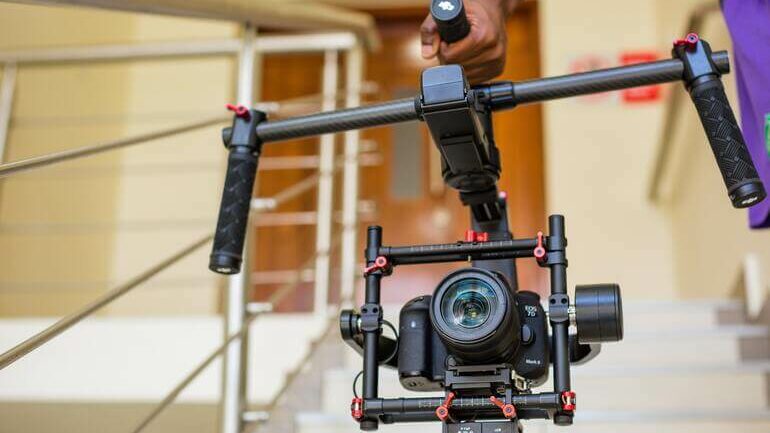
Achieving professional-quality footage with a gimbal requires mastery over various camera movement techniques. Properly executed movements not only enhance the cinematic appeal of your videos but also ensure smooth and stable shots even when moving through complex environments. Developing proficiency in these techniques allows creators to tell compelling stories, evoke emotions, and deliver visually engaging content that stands out.Mastering specific camera movements such as panning, tilting, and tracking with a gimbal involves understanding both the mechanics of the device and the artistic intent behind each shot.
By integrating these techniques into your filming practice, you can produce seamless transitions and dynamic compositions that elevate your video projects. Consistent practice and attention to detail are essential to refine your skills and unlock the full potential of your gimbal.
Panning, Tilting, and Tracking Movements
Understanding how to execute different types of camera movements with a gimbal is fundamental for creating engaging visuals. Each movement serves a specific narrative purpose and can dramatically influence the viewer’s experience.
Panning involves rotating the gimbal horizontally to follow a subject or reveal a scene. It is a common technique used to introduce locations or follow fast-moving actions smoothly. To achieve fluid pans, maintain a steady stance, keep your arms close to your body for stability, and move the gimbal slowly and evenly across the axis.
Tilting refers to vertical camera motion, allowing the shot to move upward or downward. This technique is effective for emphasizing height, capturing tall subjects, or transitioning between different levels of a scene. Practice tilting by supporting the gimbal with controlled, deliberate movements, avoiding sudden jerks that can disrupt the shot’s smoothness.
Tracking, also known as follow shots, involves moving the gimbal alongside or around a subject to maintain focus and framing. It is often used in dynamic scenes where the subject’s movement is integral to the story. To accomplish seamless tracking shots, walk smoothly, keep a consistent distance from the subject, and utilize the gimbal’s stabilization features to compensate for your steps.
Achieving Smooth Transitions and Cinematic Shots
Creating cinematic visuals with a gimbal hinges on smooth transitions between shots and controlled camera movements. Techniques such as slow, deliberate starts and stops, combined with gradual shifts in direction, contribute to a polished look.
- Use the “push in” and “pull out” techniques, moving the gimbal slowly toward or away from a subject to create depth and focus shifts.
- Implement “rise” or “drop” movements by tilting the gimbal vertically during a shot to add dramatic height or depth effects.
- Incorporate combinations of panning, tilting, and tracking to craft complex sequences that feel natural and engaging.
To attain these effects, synchronize your movements with your scene’s rhythm or narrative beats, often by practicing to music or voice cues. Maintaining a steady breathing pattern and minimizing body sway enhances stability during filming. Using features like adjustable speed controls on the gimbal can help modulate movement pace, ensuring transitions are fluid and cinematic quality is maintained.
The Importance of Practice in Mastering Camera Movements
Consistent practice is crucial for developing intuitive control over your gimbal and executing precise camera movements. Familiarity with the device’s response, weight distribution, and balance allows for more confident operation in various shooting environments.
For example, many professional videographers spend hours practicing fundamental movements to develop muscle memory, which results in more natural and effortless camera work. Practicing in different scenarios, such as indoor, outdoor, and dynamic action scenes, prepares you to adapt your technique to any filming situation.
Record practice sessions to analyze your movement fluidity and identify areas for improvement. Over time, you will learn to anticipate shifts, smoothly transition between movements, and maintain consistent framing. This dedication to honing your skills directly translates into higher-quality footage with minimal post-production stabilization or correction.
Operating Tips and Best Practices
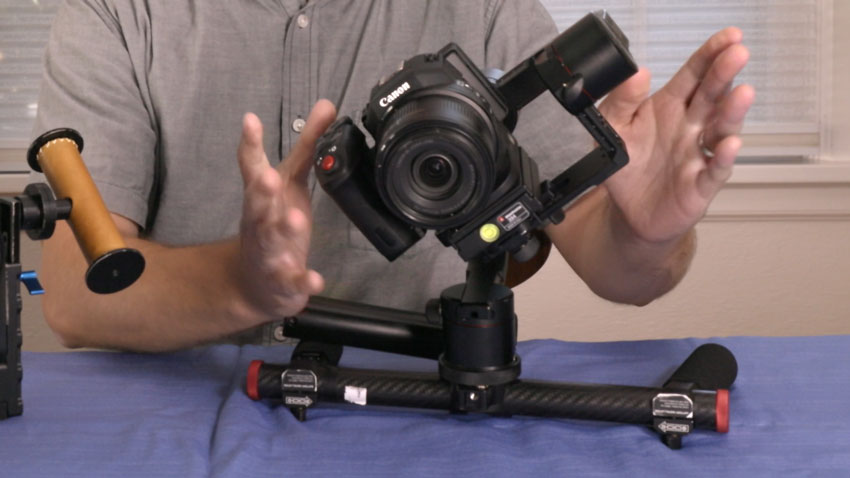
Ensuring optimal operation of your gimbal is essential for achieving smooth, professional-quality footage. Proper handling, maintenance, and troubleshooting can significantly enhance your videography experience and output. Adhering to best practices not only prolongs the lifespan of your equipment but also minimizes common filming issues such as jitteriness or unresponsiveness, leading to more consistent and reliable results on every shoot.Maintaining a smooth and efficient workflow involves understanding the nuances of gimbal operation, including proper balancing, controlled movements, and timely troubleshooting.
By implementing these tips, you can maximize your gimbal’s performance and produce footage that meets professional standards.
Proper Balancing of the Gimbal
Balancing your gimbal correctly is the foundation of smooth operation and motor longevity. An imbalanced gimbal places unnecessary strain on its motors, which can lead to quicker wear and less stable footage. Proper balance involves adjusting the camera position so that it remains steady on all axes without motor assistance.
- Start by mounting your camera onto the gimbal and ensuring it is securely attached. Then, adjust the position of the camera along the tilt, pan, and roll axes until the device remains stable when powered off. The camera should stay level and not drift in any direction.
- Check the balance after each adjustment by powering on the gimbal. If it struggles to hold its position or the motors overheat, re-evaluate your balance setup. Properly balanced gimbals exhibit minimal motor noise and reduced battery consumption.
- Use the gimbal’s calibration features when available, and regularly recheck balance, especially after changing lenses or adding accessories, to maintain optimal performance.
“An unbalanced gimbal increases motor workload, reduces battery life, and compromises footage stability. Regular balancing is a simple yet crucial step for professional results.”
Maintaining Consistent Speed and Movement
Consistent speed and fluid movement are key to producing professional-looking footage with a gimbal. Abrupt or uneven motions can detract from the visual quality and give a jittery appearance to your videos.It is vital to develop a steady motion technique that aligns with the scene’s tone and pacing. Practice slow, deliberate movements, avoiding sudden jerks or accelerations, especially during complex shots such as tracking or panning.
- Use controlled arm movements by engaging your core and maintaining a relaxed grip on the gimbal handle. This prevents introducing unintended shakes or quick shifts.
- Leverage the gimbal’s adjustable follow modes and speed settings to customize the responsiveness of the device to your movement style, ensuring smooth transitions throughout the shot.
- Maintain a steady rhythm by coordinating your step pace with camera movements. For instance, when walking forward, keep your steps even and fluid, avoiding abrupt stops or changes in speed.
“Consistency in motion enhances the cinematic quality of footage. Practice slow, measured movements and utilize gimbal follow modes to achieve seamless shots.”
Troubleshooting Common Gimbal Issues
Even with proper handling, gimbals can encounter issues that affect performance. Recognizing and addressing these problems promptly ensures your filming session remains productive and your footage remains stable.Common issues include jitters—small, unwanted movements—and unresponsive controls, which can impair shot quality.
- Jitters often result from unbalanced setups, low battery levels, or interference. To fix jitters, recheck your camera balance, replace or recharge batteries, and ensure there are no sources of electromagnetic interference nearby, such as strong Wi-Fi signals or magnetic objects.
- Unresponsive controls may stem from firmware glitches, insufficient calibration, or hardware malfunctions. Update your gimbal’s firmware regularly, reset the device to factory settings if necessary, and verify that all connections are secure.
- If the gimbal’s motors make strange noises or vibrate excessively, it may indicate overload or mechanical issues. Reduce camera weight if possible, and consult the manufacturer’s troubleshooting guide or customer support for further assistance.
“Proactive troubleshooting involves regular maintenance, firmware updates, and attentive monitoring of your equipment’s performance. Address issues early to maintain optimal stability and control during filming.”
Creative Shot Ideas Using a Gimbal
Incorporating a gimbal into your videography unlocks a realm of dynamic and visually captivating shots that elevate storytelling. By leveraging the smooth, controlled movements of a gimbal, filmmakers can craft scenes that are both engaging and aesthetically pleasing. The following concepts and techniques serve as inspiration to expand your creative toolkit and utilize your gimbal to its fullest potential in scene composition.
These shot ideas combine technical skill with artistic vision, allowing you to produce immersive visuals that can transform ordinary footage into extraordinary cinematic experiences. Whether executing complex camera movements or seamlessly blending multiple shots, understanding how to creatively manipulate your gimbal enhances storytelling depth and viewer engagement.
Fly-Throughs and Forward Movements
Fly-through shots create the illusion of moving through a scene, space, or environment, adding depth and immersion. These shots are particularly effective in establishing shots of interiors, architectural elements, or natural landscapes. Achieving a fluid fly-through requires careful planning, steady gimbal operation, and smooth control over speed and direction.
- Begin with your gimbal in a stable, level position at the starting point of the scene.
- Set your camera to the desired framing, adjusting focus and exposure beforehand.
- Maintain a consistent speed as you gently move the gimbal forward, ensuring the movement is smooth and controlled.
- Use a slow and deliberate pace to maximize the immersive effect, avoiding sudden jerks or accelerations.
- Complement the movement with appropriate lighting and sound design to enhance the scene’s realism.
Orbit Shots and Circular Movements
Orbit shots involve circling around a subject, creating a dynamic perspective that emphasizes subject importance and adds visual interest. These are ideal for highlighting architecture, products, or individuals in a narrative context. Executing a precise orbit requires coordination, steady hands, and sometimes additional accessories like a tripod or a motorized gimbal for smooth rotation.
- Identify the central point of the orbit and position yourself at an appropriate distance.
- Adjust your gimbal’s pan and tilt to keep the subject framed during the movement.
- Start rotating around the subject at a controlled pace, maintaining consistent distance and height.
- Use slow, continuous movements to prevent jitteriness, or increase speed for a more energetic feel.
- Maintain eye contact with the subject or keep it in the rule of thirds for balanced composition.
Low-Angle and High-Angle Shots
Changing camera angles dramatically affects scene perception and storytelling. Low-angle shots make subjects appear larger or more powerful, while high-angle shots can create a sense of vulnerability or overview. Using a gimbal for these angles allows for smooth transitions and dynamic movement, adding a cinematic quality to your footage.
- For low-angle shots, position the gimbal close to the ground level, angling upwards toward the subject.
- Ensure stability by adjusting the gimbal’s tilt and balance before starting the shot.
- Introduce subtle upward movements to add dynamism without sacrificing stability.
- For high-angle shots, elevate the gimbal while maintaining a steady lock on the subject, moving downward smoothly.
- Combine these angles with lateral or upward/downward camera movements to create more engaging visuals.
Incorporating Gimbal Movements into Scene Storytelling
Integrating creative gimbal movements into your narrative enhances emotional impact and scene coherence. Movement can be used to direct viewer attention, convey mood, or transition between scenes seamlessly. For example, a slow upward tilt can reveal a scene’s scale, while a quick pan can heighten tension or excitement.
“Use movement intentionally — let your camera’s motion tell the story as much as the scene itself.”
Plan your camera paths in advance, considering the emotional tone of each scene. Combine different movements—such as a slow orbit transitioning into a forward slide—to create a layered storytelling experience. When executed thoughtfully, these dynamic shots become integral to scene composition, enriching the viewer’s engagement and understanding.
Post-Production Tips for Gimbal Footage
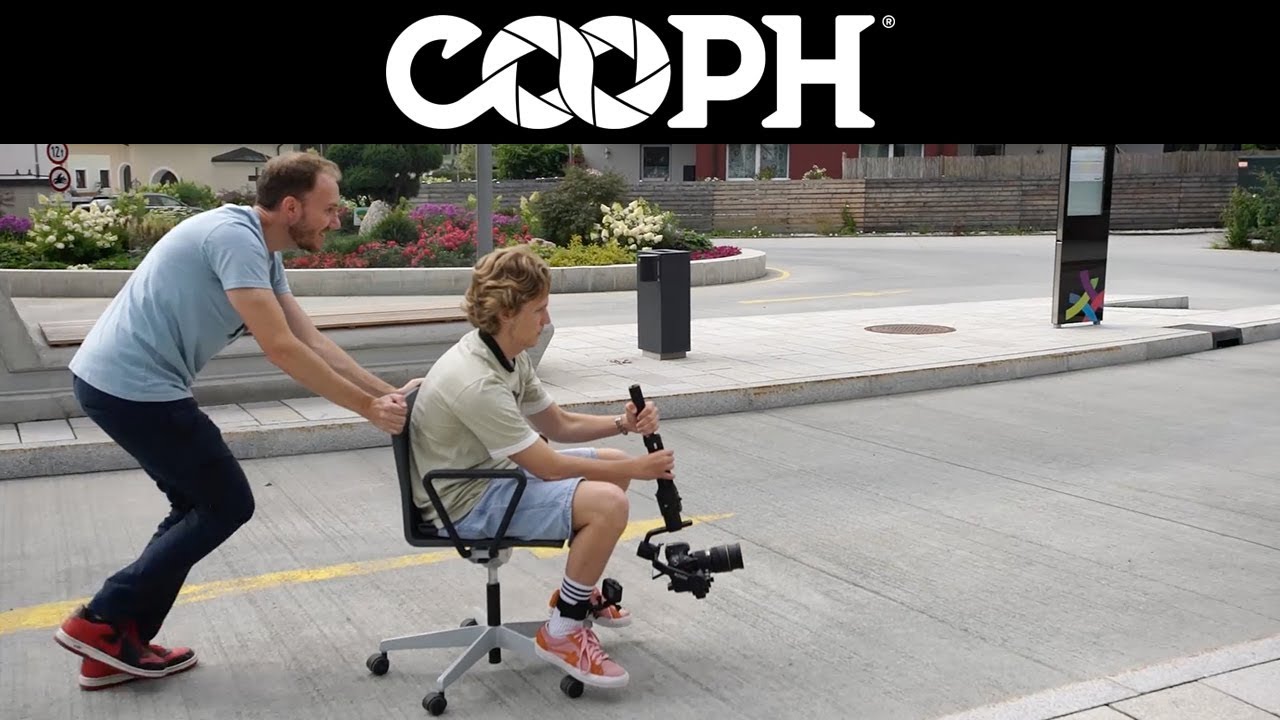
Creating smooth, professional-looking videos with a gimbal is just the beginning. The post-production phase offers an opportunity to enhance your footage further, ensuring it achieves the highest quality possible. Proper editing techniques can stabilize shaky shots, refine colors, and optimize export settings for a polished final product that captivates your audience and maintains visual consistency throughout your project.Effective post-production not only enhances the technical quality of your videos but also allows you to bring creative visions to life, making your footage stand out.
By applying specialized stabilization techniques, nuanced color grading, and meticulous export practices, you can elevate your gimbal footage to a professional standard seamlessly.
Techniques for Stabilizing Footage During Editing
Stabilization during editing is crucial, especially when minor shakes or jitters persist despite good in-camera stabilization. Advanced software tools can refine the footage to achieve a smooth, steady appearance that looks natural and visually pleasing.To ensure optimal stabilization:
- Use dedicated stabilization plugins or features within editing software such as Adobe Premiere Pro’s Warp Stabilizer, DaVinci Resolve’s Stabilizer, or Final Cut Pro’s built-in stabilization tools.
- Apply stabilization gradually, preview changes, and adjust parameters like smoothness and cropping to avoid unnatural warping or excessive zooming.
- Combine multiple stabilization passes if necessary, starting with a broader stabilization and refining with finer adjustments.
- Carefully review each shot after stabilization to check for distortion or unwanted cropping, and make manual adjustments when necessary.
A balanced approach ensures the footage remains fluid without sacrificing detail or introducing artifacts. Remember, over-stabilization can sometimes make footage appear unnatural; always aim for a natural motion that retains the original scene’s integrity.
Color Grading and Enhancing Shots Captured with a Gimbal
Color grading is an essential step to add mood, consistency, and polish to your footage. Gimbal shots often feature dynamic movement, which can affect exposure and color consistency; hence, thoughtful grading can unify disparate clips and enhance their visual appeal.Consider the following:
- Start with basic corrections, adjusting exposure, contrast, and white balance to ensure a neutral and accurate base for further grading.
- Utilize color grading tools to enhance the vibrancy or mood—whether aiming for a cinematic teal-and-orange look or a subdued, natural palette.
- Apply secondary color corrections to isolate specific elements, such as boosting the saturation of skin tones or enhancing the sky’s color in outdoor shots.
- Use color grading presets or LUTs (Look-Up Tables) to speed up the process, especially when working on multiple clips to maintain consistency.
- Pay attention to shadows and highlights; balanced tonality helps in preserving detail during export, especially for high-resolution projects.
Effective color grading not only enhances aesthetics but also communicates the intended mood, making your footage more immersive and professional.
Guidelines for Exporting High-Quality Stabilized Videos
The final step involves selecting appropriate export settings to preserve the quality of your stabilized and color-graded footage. Proper export settings prevent compression artifacts and ensure compatibility across various platforms.Key points include:
Export your videos in the highest feasible quality, ideally using formats like ProRes, DNxHR, or H.264/H.265 with high bitrate settings to retain detail and color fidelity.
- Choose a resolution matching your source footage, typically 1080p, 4K, or higher, to avoid upscaling that can degrade quality.
- Set bitrate parameters to a high level—using variable bitrate (VBR) settings over constant bitrate (CBR)—to balance quality and file size.
- Use a color space and gamma profile suitable for your delivery platform, such as Rec. 709 for standard HD content or Rec. 2020 for HDR projects.
- Enable hardware acceleration if available within your editing software to speed up rendering without sacrificing quality.
- Review the exported video on multiple devices to ensure color accuracy, sharpness, and stabilization are maintained.
Adhering to these guidelines guarantees that your final video retains the integrity of your original footage, showcases your work professionally, and is ready for distribution across various channels.
Wrap-Up
By applying the knowledge and techniques Artikeld, you can achieve professional-level video results with smooth camera movements and creative shots. Consistent practice and proper equipment maintenance will ensure your gimbal shots remain flawless, making your visual storytelling more impactful and engaging.