Understanding how to shoot horizontal video is essential for creating engaging and professional-quality footage. This technique ensures that your videos are visually appealing, effectively telling your story through a wide and balanced frame. Whether you’re capturing moments with a smartphone or a professional camera, mastering horizontal filming enhances viewer immersion and makes your content stand out.
This guide covers the fundamental principles of horizontal video shooting, including equipment selection, setup, composition, and editing tips. By following these steps, you can produce smooth, well-framed videos suitable for various platforms and purposes, elevating your visual storytelling skills to a new level.
Understanding Horizontal Video Shooting
Mastering the art of horizontal video shooting is fundamental for creating engaging and professional-quality content. This format, also known as landscape orientation, aligns with the natural way humans view the world, providing a wider perspective that enhances storytelling and viewer engagement. Recognizing the core principles of horizontal framing is essential for videographers aiming to produce visually appealing and impactful videos across various platforms and contexts.
Horizontal video shooting involves composing scenes with a wider aspect ratio, typically 16:9, to capture more information across the horizontal plane. This approach contrasts sharply with vertical or portrait modes, which emphasize height over width. The choice between these formats significantly influences the viewer’s experience, the narrative flow, and the overall aesthetic of the video. Understanding these distinctions helps creators select the appropriate format to maximize storytelling effectiveness and audience retention.
Fundamentals of Horizontal Framing and Its Significance
Horizontal framing revolves around capturing scenes with a width greater than the height, providing a panoramic view that mirrors natural human vision. This technique allows for the inclusion of multiple subjects and background elements within a single frame, thereby offering context and depth essential for storytelling. The importance of horizontal framing extends to various aspects:
- Creates a sense of space and environment, making scenes more immersive.
- Facilitates smoother camera movements, such as pans and tracking shots, which are integral to dynamic storytelling.
- Aligns with the viewing habits of audiences on screens like televisions, monitors, and most online platforms.
- Supports the use of wider lenses and stabilization equipment to enhance visual quality.
Comparison Between Horizontal and Vertical Video Formats
Understanding the differences between horizontal and vertical video formats helps creators choose the most suitable orientation for their content’s purpose and platform. The following visual descriptions highlight key distinctions:
| Aspect Ratio | Orientation Description | Ideal Use Cases |
|---|---|---|
| 16:9 or wider | Horizontal (Landscape) | Films, professional videos, YouTube content, cinematic storytelling |
| 9:16 or taller | Vertical (Portrait) | Social media stories, mobile-first videos, vertical advertisements |
In visual terms, horizontal videos resemble a broad panorama, capturing expansive scenes such as landscapes, cityscapes, or group activities. Vertical videos are tall and narrow, focusing on individual subjects or specific details, often limiting background visibility. While vertical formats suit quick social media clips and mobile viewing, horizontal videos provide a broader canvas for storytelling, allowing more comprehensive scene composition and viewer immersion.
Impact of Horizontal Video on Viewer Engagement and Storytelling
Choosing horizontal video significantly enhances storytelling by offering a richer visual context and supporting more dynamic compositions. A wider frame enables creators to include multiple characters or elements within a scene, facilitating complex narratives and interactions. This format also fosters deeper emotional connections by providing viewers with a more realistic and immersive perspective.
“A broader visual canvas allows for more expressive storytelling, making scenes more natural and engaging for viewers.”
In practical scenarios, such as filming a conversation between two characters, horizontal framing accommodates both subjects comfortably, preserving spatial relationships and body language cues vital for conveying emotions. For outdoor shoots, capturing expansive environments like beaches or mountain ranges in landscape orientation adds depth and context, enriching the viewer’s experience. Additionally, horizontal videos support cinematic techniques such as depth of field, wide-angle shots, and smooth camera movements, all contributing to an elevated storytelling quality that keeps audiences engaged and emotionally invested.
Equipment Needed for Shooting Horizontal Videos
Producing high-quality horizontal videos requires careful selection of appropriate equipment that matches your project’s scope, budget, and desired production value. The right gear ensures smooth footage, clear audio, and overall professionalism, making your videos more engaging and visually appealing.
Investing in suitable equipment not only improves the technical quality of your videos but also enhances your creative control. Whether you are a beginner creating content for social media or a professional filmmaker working on a commercial, understanding the essential tools for horizontal shooting is fundamental to achieving your objectives.
Essential Gear for Horizontal Video Shooting
There are several key pieces of equipment necessary to produce stable, clear, and visually compelling horizontal videos. Each item serves a specific function, and selecting the right combination depends on your budget, project type, and desired quality level.
- Camera Devices: High-definition cameras or smartphones with good video recording capabilities. Look for features such as 4K resolution, optical image stabilization, and manual controls for exposure and focus.
- Stabilization Equipment: Tripods or gimbals are essential to prevent shaky footage. Tripods provide static stability, while gimbals enable smooth camera movements and dynamic shots.
- Audio Equipment: External microphones, such as shotgun mics or lavalier mics, significantly improve sound quality, which is crucial for professional-looking videos.
- Lighting: Portable LED lights or reflectors help illuminate subjects evenly, reducing shadows and enhancing image clarity in various shooting environments.
Additional accessories like lenses for specific effects, batteries, and memory cards are also important considerations to ensure seamless shooting sessions and high-quality output.
Comparison of Camera Options Suitable for Horizontal Shooting
Choosing the right camera involves weighing factors like image quality, ease of use, and budget constraints. The following table compares popular options suitable for horizontal video production across different categories.
| Camera Type | Model | Resolution | Stabilization | Price Range | Best For |
|---|---|---|---|---|---|
| Professional Camcorder | Sony PXW-FX9 | 4K UHD | Built-in 5-axis stabilization | High-end ($10,000+) | Documentaries, Commercial shoots |
| Mirrorless Camera | Canon EOS R6 | Up to 4K60p | In-body stabilization (IBIS) | Mid-range ($2,500–$3,000) | Creative professionals, Vlogging |
| Smartphone | iPhone 15 Pro | 4K Dolby Vision HDR | Optical image stabilization; Gimbal recommended | $999+ | Social media content, quick shoots |
| Action Camera | GoPro Hero 11 | 5K60 | HyperSmooth stabilization | $500–$600 | Dynamic shots, outdoor activities |
When selecting equipment, consider your project’s scope, the level of image quality required, and your budget. For instance, professional projects demand high-end camcorders and stabilization gear, while casual or social media content can be effectively produced with smartphones and affordable stabilizers.
Setting Up for Horizontal Video Shooting
Proper setup is essential to achieve high-quality horizontal videos that are visually appealing and professional-looking. This process involves meticulous steps to position your camera correctly, adjust settings for optimal output, and select suitable backgrounds and lighting conditions. By following a systematic approach, you can ensure your footage consistently meets desired standards and effectively communicates your intended message.
Organizing the setup process methodically allows you to maximize the potential of your equipment while maintaining efficiency. From framing shots accurately to optimizing environmental factors, each step contributes to the overall quality of your horizontal videos. Attention to detail during setup can significantly reduce post-production editing and improve viewer engagement.
Positioning and Framing Shots in a Horizontal Layout
Effective positioning and framing are fundamental to capturing compelling horizontal videos. Begin by choosing a stable, level surface or tripod to prevent unwanted movements. When framing your shot, apply the rule of thirds by dividing the frame into nine equal sections, placing key subjects along these grid lines to create balanced compositions. Ensure your main subjects are horizontally aligned and leave adequate space around them to avoid a cramped appearance.
Adjust the camera’s position so that the horizon line is level, which can be verified using the camera’s built-in grid lines or a spirit level. Keep in mind the importance of foreground, midground, and background elements, arranging them thoughtfully to add depth and context to your scene. For scenes with multiple subjects, maintain consistent eye levels and spacing to create a natural flow within the frame.
Adjusting Camera Settings: Aspect Ratio, Resolution, Frame Rate
Fine-tuning your camera settings ensures your video output aligns with your project’s technical requirements and viewing platforms. First, set the aspect ratio to 16:9, the standard for horizontal videos, which provides the widest viewing experience across most devices and platforms. Ensure your camera’s resolution is set to at least 1080p (Full HD) for clarity, or 4K if higher detail is desired and storage permits.
Frame rate selection impacts the smoothness of motion in your video. For general recording, a frame rate of 24 to 30 frames per second (fps) offers a natural cinematic or television feel. For action scenes or sports, consider higher frame rates such as 60 fps to capture rapid movements smoothly. Adjust these settings before recording to prevent the need for post-shoot adjustments, which can degrade quality or introduce artifacts.
“Consistent and appropriate camera settings are crucial for professional-looking horizontal videos, ensuring the output matches your creative vision and technical standards.”
Choosing Backgrounds and Lighting for Horizontal Shots
The visual quality of your horizontal videos heavily depends on selecting suitable backgrounds and optimizing lighting conditions. Aim for backgrounds that are uncluttered and complement the subject, avoiding distractions that divert attention. If shooting indoors, use plain walls or textured backdrops that add visual interest without overwhelming the scene. Outdoors, consider natural landscapes or urban environments that enhance storytelling.
Lighting plays a pivotal role in setting the mood and clarity of your footage. Utilize soft, diffused light sources like natural daylight or softboxes to reduce harsh shadows and evenly illuminate subjects. Position lights at a 45-degree angle from the subject to achieve a flattering, three-dimensional look. Be mindful of the color temperature; strive for a consistent white balance setting to maintain color accuracy.
When shooting in challenging lighting conditions, consider using reflectors or fill lights to balance shadows and highlight your subject effectively.
Composition Techniques for Horizontal Videos

Creating compelling horizontal videos involves more than just framing your subject; it requires careful attention to composition techniques that guide viewers’ focus and evoke emotion. Mastering these techniques ensures your footage is balanced, engaging, and visually appealing, whether you are filming a landscape, a conversation, or a dynamic action scene.Effective composition in wide horizontal frames leverages principles that help distribute visual elements harmoniously across the scene.
This not only enhances aesthetic quality but also improves storytelling by directing viewer attention intentionally. Applying these techniques thoughtfully allows for creative flexibility and professional-looking results.
The Rule of Thirds and Its Application in Wide Horizontal Frames
The rule of thirds is a fundamental compositional guideline that divides your frame into nine equal segments using two vertical and two horizontal lines. By placing key elements along these lines or at their intersections, your shots become more balanced and naturally pleasing to the eye.In horizontal videos, the rule of thirds is particularly effective for positioning subjects such as a person speaking, a landscape, or an object of interest.
For instance, when filming a person walking along a path, position them along the left or right third of the frame, allowing space in the direction of movement. This creates a sense of motion and anticipation, making the scene more dynamic.Applying the rule involves visualizing or lightly marking these gridlines during filming, or enabling grid overlays on your camera’s display.
This technique ensures that critical visual points are not centered unless the composition calls for symmetry, thus maintaining visual interest.
Composition Guidelines for Balanced and Dynamic Shots
To craft visually engaging videos, adhere to established composition principles that promote balance, focus, and dynamism within your wide frames. These guidelines serve as a foundation for creating professional scenes across diverse contexts.
- Balance: Distribute visual weight evenly across the frame to avoid clutter or imbalance. For example, if a subject is positioned on one side, balance the composition with background elements or secondary subjects on the opposite side.
- Leading Lines: Use natural or structural lines within the scene—roads, fences, rivers—that direct viewers’ gaze toward the main subject or focal point, adding depth and perspective.
- Framing: Incorporate elements such as archways, branches, or windows to frame your subject, emphasizing importance and creating layers within your shot.
- Depth: Achieve three-dimensionality by including foreground, middle ground, and background elements. This adds richness and interest, especially in landscape or environment shots.
- Symmetry and Asymmetry: Symmetrical compositions evoke stability and formality, ideal for architectural scenes or product shots. Asymmetry introduces dynamism and tension, suitable for capturing movement or casual scenes.
“In horizontal framing, balancing elements from side to side ensures the viewer’s eye moves comfortably across the scene, enhancing engagement and storytelling.”
Framing Styles for Various Scenes
Different scenes benefit from specific framing styles that highlight their narrative goals and emotional tone. Understanding and applying these styles helps craft visually compelling stories tailored to the subject matter.
Wide Shot (Establishing Shot): This framing captures a broad view of the environment, establishing context and setting. For example, filming a city skyline at dusk, with buildings stretching across the horizon, emphasizes scale and grandeur.
Medium Shot: Focuses on the subject from the waist up, allowing viewers to see gestures and expressions. When filming an interview in a park, positioning the subject slightly off-center, aligned with the rule of thirds, creates a balanced composition that also shows the environment.
Narrative or Action Framing: For scenes showing movement, such as a cyclist riding along a trail, place the subject along one third of the frame, looking into the space ahead. This directs viewers’ attention and suggests the direction of movement, adding dynamism.
Symmetrical or Centered Framing: Used for moments requiring emphasis or formal presentation, such as a performer on stage or a product showcase, where the subject is centered for maximum focus.
Understanding these framing styles and their application within horizontal composition allows videographers to craft scenes that are not only visually appealing but also emotionally resonant, effectively supporting storytelling goals across various filming scenarios.
Shooting Tips and Best Practices
Producing high-quality horizontal videos not only depends on proper setup and composition but also significantly relies on effective shooting techniques and adherence to best practices during recording. Mastering these elements ensures the footage is stable, smooth, and visually appealing, which enhances the viewer’s experience and maintains professionalism throughout your content.Achieving professional-looking video requires attention to detail during filming. Proper stabilization, smooth motion capture, and consistent focus, exposure, and audio levels are essential components that contribute to the overall quality of your horizontal videos.
By applying these tips and best practices, filmmakers can minimize common issues like shaky footage, abrupt camera movements, or inconsistent visual and audio quality, resulting in polished and engaging videos.
Stabilizing Camera Movement
Maintaining stability during shooting prevents shaky footage that can distract viewers and diminish the perceived quality of your video. Various methods can be employed to stabilize your camera, whether using equipment or manual techniques.Firstly, use tripods or gimbals whenever possible. Tripods provide a fixed platform that eliminates unwanted movement, especially for static shots. Gimbals and handheld stabilizers are excellent tools for dynamic scenes, allowing smooth motion and panning while reducing jitter.
When shooting handheld without stabilizers, adopting a firm grip and keeping your elbows close to your body can significantly minimize shake.Secondly, implement stabilization technology available in modern cameras and smartphones. Many devices come equipped with built-in stabilization features, such as optical image stabilization (OIS) or electronic image stabilization (EIS). Ensuring these functions are activated can greatly improve steadiness during recording.Lastly, for longer shots or in scenarios where additional support is needed, consider using monopods or dolly tracks.
These tools provide increased stability and fluid movement, especially useful in outdoor environments or when capturing active scenes.
Capturing Smooth Motion and Panning Shots
Smooth motion and panning are vital for dynamic storytelling in horizontal videos. Achieving fluid movement requires deliberate technique and proper planning.Begin by planning your camera movements in advance, visualizing how pans or tracking shots will complement your scene. Use slow, controlled movements to avoid abrupt shifts. When panning, keep your body steady and pivot from your hips rather than just your arms, which helps maintain consistent motion.
Employing a tripod with a fluid head allows for precise control over smooth panning, making transitions seamless.For tracking shots, walk slowly and steadily alongside your subject, maintaining a consistent distance. Use a stabilizer or gimbal to assist, especially if the movement covers long distances or involves complex motion. Practice your timing and speed to ensure the motion appears natural, avoiding rapid or jerky movements that can disorient viewers.Implementing a technique called “slow and steady” makes a significant difference; moving the camera slowly while maintaining smoothness enhances the professional quality of your footage and allows viewers to better engage with the scene.
Maintaining Focus, Exposure, and Audio Quality
Consistent focus, exposure, and audio clarity are fundamental to producing professional horizontal videos. These elements ensure your content is visually sharp and audibly clear, preventing viewer distraction and enhancing engagement.To maintain focus, use autofocus with tracking enabled when your camera or smartphone supports it, especially for moving subjects. Alternatively, manual focus provides more control, allowing you to set and lock focus before recording.
Regularly check the focus during shooting, especially if the scene involves movement or changing subjects.Exposure management involves balancing light levels to avoid overexposed or underexposed footage. Utilize your camera’s exposure compensation feature to fine-tune brightness. Lock exposure settings when possible, especially if lighting conditions are constant, to prevent fluctuations during recording.Audio quality significantly impacts viewer perception. Use external microphones such as lapel, shotgun, or condenser mics for clearer sound.
Place microphones close to the source and avoid recording in noisy environments. Always monitor audio levels with headphones during recording to detect issues early. If ambient noise or wind is a concern, use windshields or dead cats to reduce unwanted sounds.
“Consistent focus, exposure, and high-quality audio are as crucial as the visual composition in delivering a polished horizontal video.”
By applying these shooting tips and best practices, creators can elevate the quality of their horizontal videos, ensuring that visuals are stable, smooth, and crisply focused, while audio remains clear and professional throughout the recording process.
Common Challenges and Solutions
Ensuring high-quality horizontal videos involves addressing several common issues that can arise during filming and post-production. Recognizing these challenges early allows creators to implement effective solutions, resulting in more polished and professional-looking content. This section explores typical problems faced by videographers and provides practical troubleshooting methods to overcome them, along with techniques for correcting errors during post-processing to achieve optimal video quality.Properly managing these challenges is crucial for maintaining the visual integrity of horizontal videos, especially when aiming for a seamless viewing experience across various platforms and devices.
By understanding both the technical and creative aspects involved, filmmakers can enhance their skills and produce engaging, visually consistent content that resonates with audiences.
Typical Problems and Troubleshooting Methods
To effectively address common issues encountered in horizontal video shooting, it is helpful to understand the specific problems and corresponding solutions. Below is a comprehensive table outlining these challenges along with practical troubleshooting methods:
| Problem | Cause | Troubleshooting Method |
|---|---|---|
| Aspect Ratio Mismatch | Video dimensions do not match the intended horizontal format, leading to black bars or distorted images. |
|
| Lighting Problems | Insufficient or uneven lighting causes dark shadows or overexposed areas. |
|
| Shaky Footage | Unsteady camera handling results in motion blur or shaky images. |
|
| Focus Issues | Blurred images or out-of-focus shots due to improper focus settings or movement. |
|
Error Correction Techniques in Post-Production
Post-production editing offers numerous opportunities to correct issues that may have been overlooked during filming. Applying these techniques can significantly enhance the visual quality and professionalism of horizontal videos.Often, problems such as aspect ratio mismatches, lighting inconsistencies, and shaky footage can be mitigated or fully corrected during editing:
Aspect Ratio Adjustment: Use cropping or letterboxing to fit the video within the desired frame, ensuring no crucial content is lost. Advanced editing tools also allow for dynamic resizing and repositioning without compromising quality.
Lighting Corrections: Employ brightness, contrast, and color grading tools to balance exposure and enhance image clarity. Applying graduated filters or masks can target specific areas that need improvement.
Stabilization: Many editing software solutions include digital stabilization features that analyze footage and reduce perceived shakiness. This process can sometimes crop edges slightly but results in smoother visuals.
Sharpening and Noise Reduction: Apply sharpening filters to improve focus and detail. Noise reduction tools help eliminate graininess caused by low-light conditions, providing cleaner images.
Reframing and Cropping: When aspect ratio mismatches occur, strategic cropping can eliminate black bars or distortions. Animating the crop can also help maintain focus on key visual elements.
Integrating these correction techniques allows creators to salvage footage that may have initial flaws, ensuring the final product meets professional standards and offers an engaging viewing experience.
Editing Horizontal Video Content
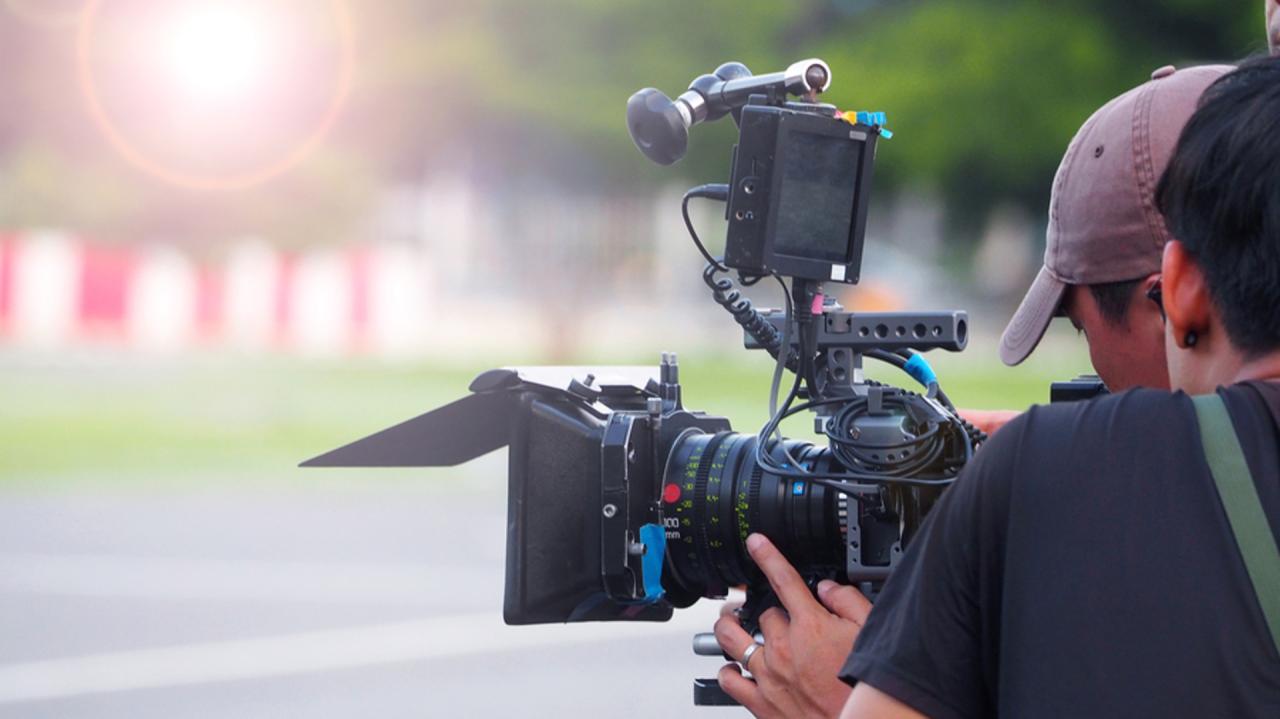
Editing horizontal video content is a crucial phase that transforms raw footage into a polished and engaging final product. This process involves importing footage into editing software, organizing clips efficiently, and applying various editing techniques to enhance visual quality while maintaining the integrity of the horizontal frame. Proper editing not only improves the aesthetic appeal but also ensures the narrative flow remains coherent and captivating for viewers.
In this section, we will explore the essential steps for editing horizontal videos, including importing footage, setting up project timelines, organizing editing procedures such as cropping and color correction, and adding transitions. Additionally, we will provide a comprehensive overview of key editing tools and their functions through illustrative HTML tables to streamline your editing workflow.
Importing Footage and Setting Up Project Timelines
Efficient editing begins with properly importing footage and configuring the project timeline to suit horizontal video standards. This ensures that the editing environment aligns with the video’s aspect ratio, resolution, and frame rate, minimizing the need for adjustments later.
- Importing Footage: Use the import function within your editing software to load all video clips, audio files, and images into the project library. Organize them into folders based on scenes, takes, or content type for easy access. Ensure files are stored in a high-quality format compatible with your software, such as MP4 or MOV, to maintain clarity.
- Setting Up the Timeline: Create a new project with the correct aspect ratio, typically 16:9 for horizontal videos. Set the frame rate to match your footage, such as 30 fps or 60 fps, depending on your source material. Adjust the timeline resolution to match the target output, usually 1920×1080 pixels for high-definition videos.
- Organizing Clips: Arrange footage chronologically or thematically within the timeline. Use markers to denote important segments or edits, facilitating smoother workflow during the editing process.
Organizing Editing Procedures for Cropping, Color Correction, and Adding Transitions
Organized editing procedures are vital for maintaining a seamless workflow, especially when working within the constraints of a horizontal frame. Each step, from cropping to color correction and transitions, should be carefully planned and executed to ensure a professional final product.
- Cropping: Adjust the framing of clips if necessary to eliminate unwanted elements or to focus on key subjects. Use crop tools to maintain the horizontal aspect ratio, ensuring the primary content remains centered and balanced.
- Color Correction: Enhance visual consistency across clips by adjusting brightness, contrast, saturation, and white balance. Consistent color grading creates a cohesive look and feel, especially when combining footage from different sources.
- Adding Transitions: Insert transition effects such as cuts, fades, or wipes between clips to create smooth visual flow. Use transitions judiciously to avoid distracting the audience, ensuring they serve the narrative purpose.
Key Editing Tools and Their Functions
The following table illustrates essential editing tools and their primary functions, providing a quick reference to streamline your editing process.
| Tool Name | Function |
|---|---|
| Selection Tool | Allows selecting, moving, and trimming clips within the timeline for precise editing. |
| Crop Tool | Enables cropping of video frames to adjust framing or remove unwanted areas while maintaining the horizontal aspect ratio. |
| Color Correction Panel | Provides controls for adjusting brightness, contrast, saturation, and white balance to enhance visual consistency. |
| Transition Effects | Offers a variety of visual effects such as fades, wipes, or dissolves to connect clips smoothly. |
| Audio Mixer | Adjusts audio levels, applies effects, and synchronizes sound with video content. |
| Speed/Time Remapping | Allows changing playback speed for slow-motion or fast-motion effects to add stylistic elements. |
Effective use of editing tools enhances the storytelling quality of horizontal videos and ensures a professional presentation that captivates viewers.
Exporting and Sharing Horizontal Videos
Efficiently exporting and sharing horizontal videos is a critical step to ensure your content looks professional across various platforms. Properly optimized exports not only enhance visual quality but also facilitate seamless distribution, reaching your audience effectively. Understanding the specific requirements for different platforms allows creators to tailor their videos for maximum impact and compatibility.Exporting horizontal videos involves selecting the appropriate file formats, resolutions, and quality settings that align with the intended distribution channels.
Sharing strategies incorporate optimizing file sizes for online platforms while maintaining clarity, enabling quick uploads and smooth playback. From YouTube to social media and broadcasting, each platform has unique specifications that should be carefully considered to deliver the best viewing experience.
Optimal Formats and Resolutions for Various Platforms
Choosing the right format and resolution is vital to ensure your video meets platform standards, retains quality, and loads efficiently. Different platforms have distinct technical specifications, making it essential to export accordingly.Platforms such as YouTube, Facebook, Instagram, and professional broadcasting all have recommended formats:
- Format: The most universally accepted format for online sharing is MP4, utilizing the H.264 codec for optimal compression and compatibility.
- Resolution: For YouTube and social media, 1920×1080 pixels (Full HD) is standard. For higher quality, 4K (3840×2160) can be used if source footage permits.
- Aspect Ratio: Horizontal videos should maintain a 16:9 aspect ratio to prevent black bars or cropping issues across platforms.
Broadcast standards like SDI or professional formats may require higher bit-depths and specific codecs, but MP4 remains the most versatile choice for general sharing.
Steps to Export Videos with Proper Aspect Ratios and Quality Settings
Proper export settings ensure your video maintains clarity and conforms to platform specifications. Follow these steps to optimize your output:
- Finalize your editing: Confirm that your timeline is correctly set up with the desired resolution and aspect ratio.
- Navigate to export settings: Use the export or render menu within your editing software, selecting the appropriate preset or customizing parameters.
- Set the format: Choose MP4 (H.264 codec) for most online platforms, ensuring broad compatibility.
- Adjust resolution and aspect ratio: Confirm resolution matches platform recommendations (e.g., 1920×1080 for Full HD) and aspect ratio (16:9).
- Configure quality parameters: Use a high bit rate (around 10-15 Mbps for 1080p) for clarity, and enable hardware acceleration if available to speed up rendering.
- Preview and export: Review a short segment to verify quality and aspect ratio before exporting the full video.
Utilizing presets tailored to specific platforms can streamline this process, ensuring consistency and quality.
Optimizing Video Size While Maintaining Clarity
Balancing file size and visual quality is crucial for online sharing, especially when bandwidth limitations or upload speeds are concerns.
Compression techniques can significantly reduce file sizes without compromising clarity when implemented correctly. Consider the following methods:
- Adjust Bit Rate: Lowering the bit rate reduces file size but may lead to pixelation if set too low. Aim for a balance based on the resolution and content complexity.
- Use Efficient Codecs: H.264 offers excellent compression efficiency, while newer codecs like H.265/HEVC provide even better compression at the cost of compatibility.
- Limit Audio Quality: Audio streams should be compressed to 128-256 kbps, which is sufficient for most online content.
- Crop or Trim Unnecessary Content: Removing unwanted segments reduces overall size and streamlines the viewer experience.
Blockquote:
Maintaining a high visual quality while reducing file size involves optimizing bit rates and codecs — a careful balance to ensure clarity without excessive data.
Aligning export settings with these techniques allows for swift uploads, efficient streaming, and high viewer satisfaction, regardless of platform constraints.
Creative Ideas for Horizontal Video Projects
Harnessing the expansive frame of horizontal video offers a wealth of creative possibilities across various content types. Whether producing engaging vlogs, instructive tutorials, or compelling short films, understanding how to leverage horizontal orientation can significantly enhance storytelling and viewer engagement. Exploring diverse project ideas can inspire creators to push boundaries and develop innovative visual narratives that captivate audiences.
By creatively utilizing the wide-screen format, creators can incorporate dynamic compositions, layered multimedia elements, and immersive environments that elevate their content. This flexibility allows for a richer storytelling experience, inviting viewers into visually captivating worlds and concepts. A strategic approach to content planning, composition, and multimedia integration can transform simple videos into memorable visual stories that resonate with viewers and stand out in crowded digital spaces.
Content Types Suited for Horizontal Filming
Horizontal video is ideal for a variety of formats that benefit from a broad visual scope. Key content types include:
- Vlogs: Personal storytelling, travel diaries, and daily life updates thrive in horizontal format, offering ample space to showcase environments, facial expressions, and interactions.
- Tutorials: Step-by-step instructional videos, especially those involving physical demonstrations or equipment, benefit from wider framing to clearly display actions and tools.
- Short Films: Narrative storytelling, cinematic scenes, and artistic expressions can fully utilize the horizontal format for dramatic and immersive storytelling experiences.
Conceptual Filming Composition and Storytelling Techniques
Innovative filming compositions and storytelling methods transform standard videos into engaging visual narratives. These approaches include:
- Framing with the Rule of Thirds: Dividing the frame into thirds to position focal points, creating balanced and engaging compositions that guide viewer attention naturally.
- Dynamic Camera Movements: Incorporating pans, tilts, and tracking shots within the horizontal frame adds movement and energy, making scenes more immersive.
- Layered Visuals: Combining foreground, midground, and background elements to create depth, enrich storytelling, and add visual interest.
- Scene Transitions and Visual Effects: Using creative transitions, overlays, and visual effects to enhance narrative flow and emphasize key moments.
Incorporating Multimedia Elements for Enhanced Engagement
Integrating multimedia components within horizontal videos boosts viewer interest and provides a richer experience. Effective methods include:
| Multimedia Element | Application | Impact |
|---|---|---|
| Images and Graphics | Adding relevant images, infographics, or animated graphics overlays to clarify complex concepts or highlight key information. | Enhances comprehension and keeps the viewer engaged through visual variety. |
| Soundtracks and Voice-overs | Using background music, ambient sounds, or narration to set the tone and guide viewer understanding. | Creates emotional connection and emphasizes storytelling cues. |
| Text Overlays | Inserting titles, subtitles, or annotations to reinforce spoken content or provide additional context. | Improves accessibility and retention of information. |
| Embedded Video Clips | Including short clips within the main video to demonstrate related concepts or showcase supplementary content. | Offers variety and deepens narrative layers for viewers. |
“Combining multimedia elements thoughtfully within horizontal videos can turn simple footage into compelling storytelling experiences that captivate and retain viewers.”
Ending Remarks
In summary, mastering how to shoot horizontal video involves understanding framing, choosing the right equipment, and applying effective composition and stabilization techniques. With practice and proper techniques, your videos will captivate audiences and deliver compelling stories across multiple platforms. Embracing these practices will undoubtedly enhance your overall video production quality and creative expression.