Mastering how to storyboard video ideas is essential for creating compelling and well-structured videos. This process transforms abstract concepts into visual narratives, ensuring clarity and coherence throughout the production. By effectively planning each scene and shot, creators can streamline workflows, communicate their vision clearly, and enhance overall video quality.
This guide explores the fundamental steps of developing a storyboard, from brainstorming initial concepts to refining visual and textual details. It covers techniques for organizing content, visualizing story flow, and utilizing various tools and templates to bring ideas to life efficiently.
Introduction to Storyboarding for Video Ideas
Storyboarding serves as a foundational step in the video production process, translating conceptual ideas into visual sequences that guide the filming and editing stages. It acts as a blueprint, allowing creators to visualize the flow, timing, and key moments of a video before actual production begins. This planning tool enhances clarity, streamlines communication among team members, and reduces costly revisions by identifying potential issues early in the process.
Before creating storyboards, it is essential to generate and refine the core concepts of the video. Brainstorming sessions help gather a wide range of ideas, encouraging creativity and ensuring diverse perspectives are considered. Once the initial ideas are solidified, organizing them into a coherent narrative structure is vital. This involves mapping out the main message, target audience, and the emotional tone of the video, which collectively inform the visual planning process.
Planning Video Ideas Visually
Effectively planning video ideas visually requires a structured approach that transforms abstract concepts into concrete visuals. The process begins with identifying key scenes or messages, followed by sketching rough representations that capture the essence of each segment. These sketches serve as visual cues for camera angles, movements, and transitions, helping creators foresee the technical and artistic requirements.
Creating a chronological sequence of scenes ensures the narrative flows logically and engagingly. During this stage, it is beneficial to consider various visual elements such as lighting, props, and backgrounds, which contribute to the overall mood and message. Collaborating with team members, such as directors and designers, during the planning phase promotes cohesive visual storytelling and aligns creative visions from the outset.
To facilitate clarity, professionals often use storyboards to include annotations—notes about dialogue, sound effects, or specific actions—complementing the visual sketches. This comprehensive planning process minimizes misunderstandings and ensures that everyone involved shares a unified understanding of the envisioned final product. Ultimately, a well-structured visual plan accelerates production timelines and enhances the overall quality of the video.
Structuring a Video Concept for Storyboarding
Effective storyboarding begins with a clear and organized conception of the video idea. Structuring a video concept involves systematically arranging core themes, messages, and understanding the target audience’s preferences. This foundational step ensures that every subsequent storyboard element aligns with the intended narrative and audience engagement goals.
In this phase, breaking down the overarching idea into manageable components facilitates clarity and coherence in the storytelling process. Additionally, visualizing the narrative flow and pacing early on helps create a seamless viewer experience, ensuring that the story unfolds logically and engagingly from start to finish.
Organizing Core Themes, Messages, and Audience Considerations
To craft a compelling storyboard, it’s essential to first identify and organize the core themes and messages that the video aims to communicate. Recognizing the primary purpose—whether to inform, entertain, persuade, or inspire—guides the development of content and visual elements.
Understanding the target audience’s demographics, preferences, and viewing habits allows creators to tailor the messaging and visual style accordingly. For example, a promotional video targeting young professionals might employ modern visuals and concise messaging, while an educational video for students may incorporate engaging animations and simplified language.
Developing a thematic Artikel and audience profile at this stage ensures that the story remains focused and relevant throughout the entire production process.
Designing a Framework to Break Down Content into Scenes or Segments
Organizing video content into scenes or segments is a crucial step that provides structure and clarity for the storyboard. This breakdown allows creators to plan each part of the video systematically, ensuring logical progression and pacing.
One effective framework involves dividing the content into three main parts: introduction, development, and conclusion. Each part can be further segmented into specific scenes addressing particular topics or actions, which helps maintain viewer interest and narrative coherence.
For example, an explainer video on a new product might have scenes dedicated to problem identification, product demonstration, and user testimonials. Using this approach ensures comprehensive coverage of key points while maintaining an engaging flow.
Techniques for Visualizing Narrative Flow and Pacing
Visualizing the story’s flow and pacing during the structuring phase is vital to crafting engaging content. Techniques such as story maps, timeline sketches, and scene sequencing aid in conceptualizing how the story unfolds over time.
Story maps visually Artikel the sequence of scenes, highlighting key plot points and transitions. Timeline sketches help estimate scene durations and pacing, ensuring a balanced and dynamic rhythm. For example, a fast-paced action sequence might require quick scene cuts, while a heartfelt testimonial may benefit from longer, more contemplative shots.
Consistent pacing and seamless scene transitions are essential for maintaining viewer engagement and delivering the intended emotional impact.
Using color codes or annotations on storyboards can also indicate pacing shifts, such as accelerating during exciting moments or slowing down during emotional or segments. Incorporating these techniques early in the planning process ensures a coherent narrative flow, ultimately resulting in a more polished final product.
Techniques for Visualizing Video Ideas
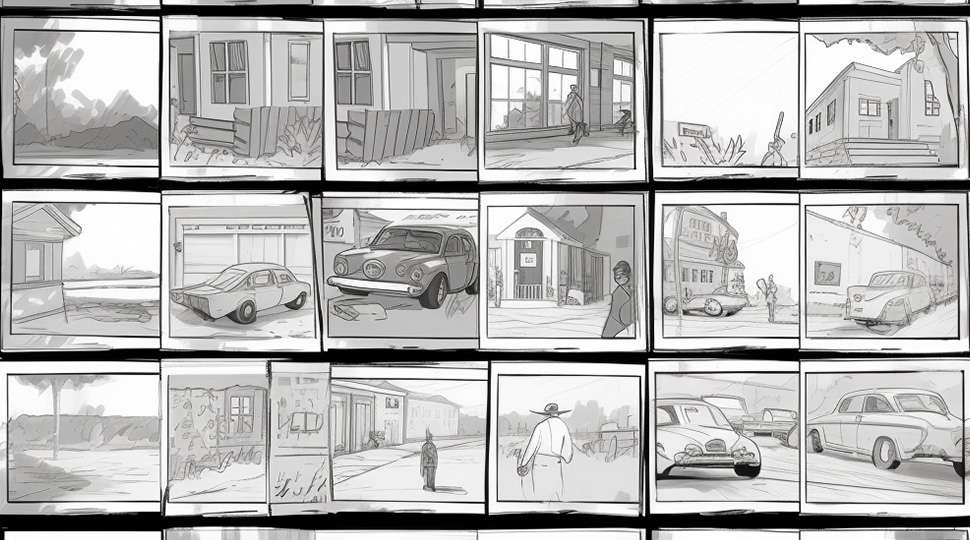
Effectively visualizing video ideas is a crucial step in translating abstract concepts into tangible plans. Employing a variety of sketching and diagramming methods allows creators to map out scenes, sequences, and transitions clearly. These techniques serve as a bridge between conceptualization and execution, ensuring that the creative vision is accurately conveyed and easily understood by all team members involved in the production process.
Utilizing diverse visualization methods enhances flexibility and creativity, enabling creators to experiment with different styles of story development. Whether through rough sketches, detailed diagrams, or structured templates, these approaches facilitate better communication and streamline the planning process for storyboarding and shot planning.
Sketching and Diagramming Methods for Rough Story Visualization
Various sketching and diagramming techniques are integral to the initial stages of story visualization. These methods help in illustrating scenes, character positions, camera angles, and movement, providing a visual reference that guides production. The choice of method depends on the complexity of the project, available tools, and personal or team preferences.
- Thumbnail Sketches: Small, quick sketches that Artikel key scenes or moments, focusing on composition, framing, and basic movement. They help in exploring multiple ideas rapidly.
- Storyboard Panels: Sequential sketches that depict scenes in the order they will appear, providing a visual flow of the narrative. These can be simple line drawings with annotations.
- Flowcharts and Diagrams: Visual representations of scene progression, character interactions, and timeline sequences. Useful for mapping complex storylines or multiple story branches.
- Diagramming with Shapes and Symbols: Using standardized shapes to represent characters, camera positions, or effects, combined with arrows to indicate movement or transition directions.
Combining sketching with annotations enhances clarity, allowing visual ideas to be communicated effectively and efficiently during early planning stages.
Templates for Scene Layout and Shot Planning
Structured templates are invaluable in organizing detailed shot information, ensuring consistency and clarity in storyboarding. They serve as a foundation for recording scene specifics, camera setups, and visual effects systematically.
| Scene Number | Shot Description | Camera Angle/Movement | Notes / Effects |
|---|---|---|---|
| 1 | Wide shot of the city skyline at dusk | Static, wide angle | Transition with fade-in, soft lighting effects |
| 2 | Close-up of protagonist’s face as they react | Zoom-in, slight tilt | Focus pull to blur background, subtle lens flare |
| 3 | Over-the-shoulder shot during conversation | Tracking shot, 45-degree angle | Cross dissolve transition, ambient sound overlay |
Templates can be customized to include additional columns for specific needs, such as lighting setups, dialogue notes, or special effects. Using consistent tabular formats helps teams coordinate scene planning efficiently and reduces miscommunication during production.
Incorporating detailed annotations within templates—such as camera angles, transitions, and effects—ensures that the visual storytelling aligns with the director’s vision and technical specifications.
Incorporating Narration, Dialogues, and Sound
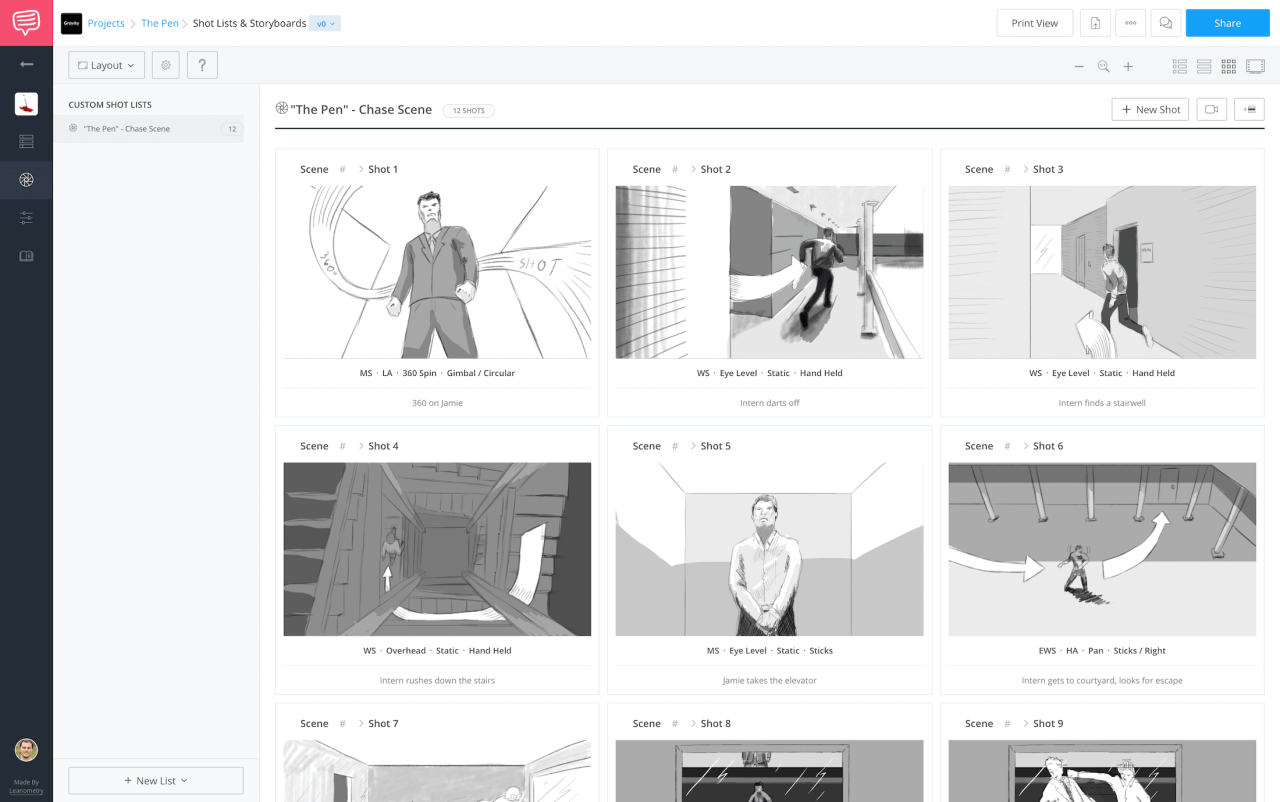
Integrating narration, dialogues, and sound elements into storyboards is a vital step in creating a comprehensive and effective visual plan for a video project. Properly embedding these audio cues ensures clarity in communication among team members and facilitates a seamless transition from planning to production. It also helps in visualizing how sound will enhance the storytelling and emotional impact of each scene, making the final product more engaging and immersive.Embedding audio cues and dialogue notes directly into storyboards provides a clear roadmap for voice actors, sound designers, and editors.
This practice ensures that every element of sound aligns perfectly with the visual narrative, avoiding mismatched timing or missed cues. By including these details, creators can anticipate how audio will complement visuals, ultimately strengthening the overall storytelling experience.
Embedding Audio Cues and Dialogue Notes
Effective storyboarding integrates specific sections or placeholders dedicated to dialogue and sound instructions. This can be accomplished through structured table layouts or dedicated text annotations within each scene cell. Clear labeling of dialogue lines, sound effects, background music cues, and narration ensures that everyone involved understands precisely when and how these elements should be applied.To maintain clarity, utilize a consistent format for noting dialogue and sound cues.
For example, dialogue lines can be placed within quotation marks or in designated dialogue boxes, while sound effects are described explicitly to guide sound designers. Using distinct symbols or color coding can further improve readability and facilitate quick reference during production.
Aligning Audio Elements with Visual Storytelling
Aligning sound elements with the visual narrative requires careful planning and synchronization. Strategies include pre-planning key moments where sound enhances emotional beats or emphasizes important visual cues. For instance, a dramatic scene may benefit from a well-timed sound effect that amplifies tension, while narration can provide context or internal thoughts to deepen viewer engagement.Utilizing placeholders within storyboards allows for visual and audio synchronization.
Positioning dialogue and sound cues precisely within the timeline of each scene ensures that audio complements the visual flow. Coordinating with the editing team during the post-production stage aids in refining timing, ensuring that sound enhances the storytelling without overwhelming or distracting from the visuals.
Utilizing Placeholders in Storyboard Layouts
Structured placeholders within HTML table layouts serve as effective tools for organizing dialogue and sound descriptions. These placeholders act as designated zones where creators can input specific audio cues, character dialogues, or narration notes, streamlining the process of story development and production.A typical layout might include columns such as “Scene Number,” “Visual Description,” “Dialogue/Narration,” and “Sound Effects.” For example, the “Dialogue/Narration” cell can contain text like, “Character A: ‘We must act now,'” while the “Sound Effects” cell might note, “door creaking as character enters.” This structured approach helps ensure that all audio elements are considered and coordinated with visual actions.
Using well-organized placeholders for dialogue and sound cues within storyboards enhances communication, improves synchronization, and streamlines the production process, resulting in a more cohesive and polished final video.
Enhancing Storyboards with Visual and Textual Details
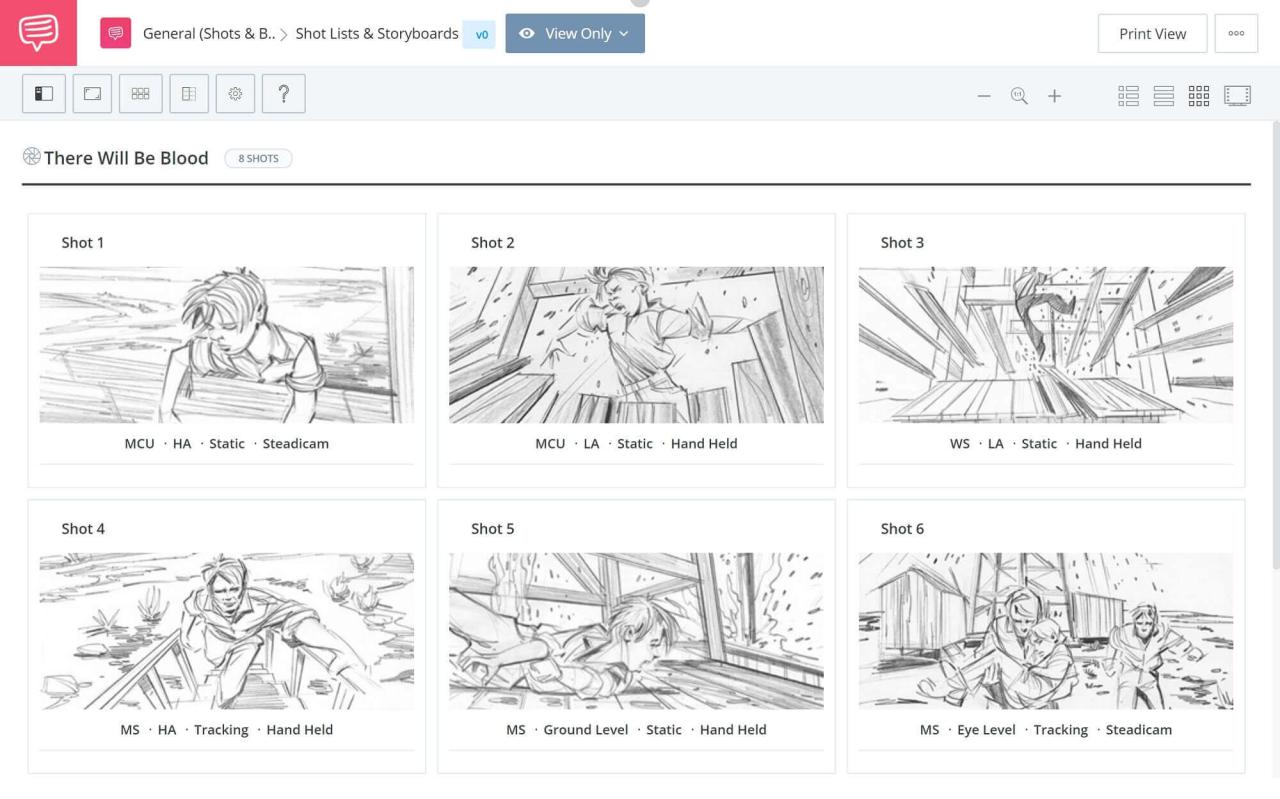
Creating a compelling storyboard extends beyond simple sketches and descriptions; it involves enriching each frame with detailed visual cues and annotations that communicate the intended mood, character expressions, background elements, and special effects. These enhancements ensure that everyone involved in the production interprets the storyboard accurately and that the final video aligns with the original vision. Incorporating vibrant colors, nuanced character expressions, and detailed backgrounds helps to convey atmosphere and narrative tone effectively.
Additionally, precise annotations regarding emotion, tone, and effects guide animators, editors, and sound designers in realizing the story’s full potential with clarity and consistency.
Adding Color, Character Expressions, and Background Elements
A key approach to elevating storyboards is the strategic use of color and detailed visual elements. Color coding can differentiate scenes, highlight emotional states, or emphasize thematic elements. For example, cool tones such as blues and greens often evoke calmness or sadness, while warm tones like reds and oranges convey warmth, excitement, or danger. Character expressions should be meticulously illustrated to reflect emotions such as surprise, anger, or joy, which can be achieved through facial cues, body language, and posture.
Background elements should be detailed enough to establish the setting, whether it’s a bustling city street or a serene natural landscape, providing context and depth to each shot. These visual enhancements facilitate a more immersive and emotionally resonant storytelling experience.
Annotating Emotion, Tone, and Special Effects
Effective storyboards incorporate annotations that specify the emotional tone, narrative intent, and technical effects. These notes serve as a guide for subsequent production stages, ensuring that the visual storytelling aligns with the director’s vision. To annotate emotion and tone, use descriptive phrases like “Character shows anxious expression” or “Scene exudes a somber mood.” For special effects, specify techniques such as “apply slow zoom-in with a lens flare” or “add subtle motion blur to emphasize speed.” Utilizing structured annotations helps maintain clarity across teams and ensures that nuances such as lighting, color grading, and sound effects support the story’s emotional impact.
Structured Notes and Examples
Clear, organized notes enhance understanding and execution. For instance, a storyboard panel might include a table or blockquote with detailed instructions:
| Scene | Description | Visual Elements | Notes |
|---|---|---|---|
| Scene 3 | Hero faces antagonist at sunset |
|
|
| Scene 5 | Escape through a forest during rain |
|
|
These structured notes serve as precise references, allowing team members to interpret visual cues and technical instructions accurately, ensuring a cohesive production process.
Reviewing and Refining Video Storyboards
Creating an effective video storyboard is a dynamic process that benefits greatly from thorough review and continuous refinement. This stage ensures that the visual narrative aligns with the original concept, maintains clarity, and effectively communicates the intended message. Engaging in iterative review cycles allows creators to identify and address potential issues early, leading to a polished and coherent final product.
Emphasizing the importance of feedback, collaboration, and meticulous revision enhances the overall quality of the storyboard and, consequently, the finished video.Effective review and refinement are integral to the storytelling process, as initial ideas are often improved through critical assessment and constructive feedback. By systematically analyzing each aspect of the storyboard, creators can uncover inconsistencies, improve visual flow, and clarify textual information, ensuring that the story remains engaging and easy to follow.
This process not only leads to a more professional presentation but also optimizes resource use by reducing costly revisions during production.
Assessing Clarity, Flow, and Completeness
A comprehensive review process involves evaluating the storyboard against specific criteria that ensure its effectiveness as a communication tool. The following checklist provides a structured approach:
- Clarity of Visuals and Annotations: Are the illustrations clear and representative of the intended scenes? Are notes and descriptions easy to understand without ambiguity?
- Logical Flow: Does the sequence of scenes follow a coherent narrative structure? Are transitions smooth and logical?
- Completeness of Content: Are all key scenes, actions, and dialogues accounted for? Is there sufficient detail to guide production?
- Consistency in Style and Formatting: Are visual and textual elements consistent throughout the storyboard, maintaining a uniform style?
- Alignment with Objectives: Does the storyboard effectively support the overarching message and purpose of the video?
Organizing the Revision Process
Implementing an organized approach to revising storyboards ensures efficient and productive outcomes. This process typically involves multiple steps:
- Gathering Feedback: Solicit input from team members, stakeholders, or target audiences to identify potential improvements.
- Prioritizing Revisions: Categorize suggestions based on their impact on clarity, flow, and content completeness, addressing high-priority changes first.
- Making Visual Adjustments: Update sketches or images to better represent scenes, enhance clarity, or correct inaccuracies. Use annotations to clarify complex visuals.
- Refining Textual Elements: Edit dialogues, narration, and descriptions to improve readability and alignment with visual cues.
- Iterative Review Cycles: Repeat the review process after revisions, ensuring each iteration improves the storyboard’s effectiveness. Document changes systematically for transparency and consistency.
“Effective storyboarding is an iterative process that transforms initial ideas into compelling visual narratives through continuous evaluation and refinement.”
Adopting a disciplined review and revision methodology significantly enhances the final quality of the video, ensuring that every scene contributes meaningfully to the overall story and resonates with the intended audience.
Tools and Resources for Storyboarding
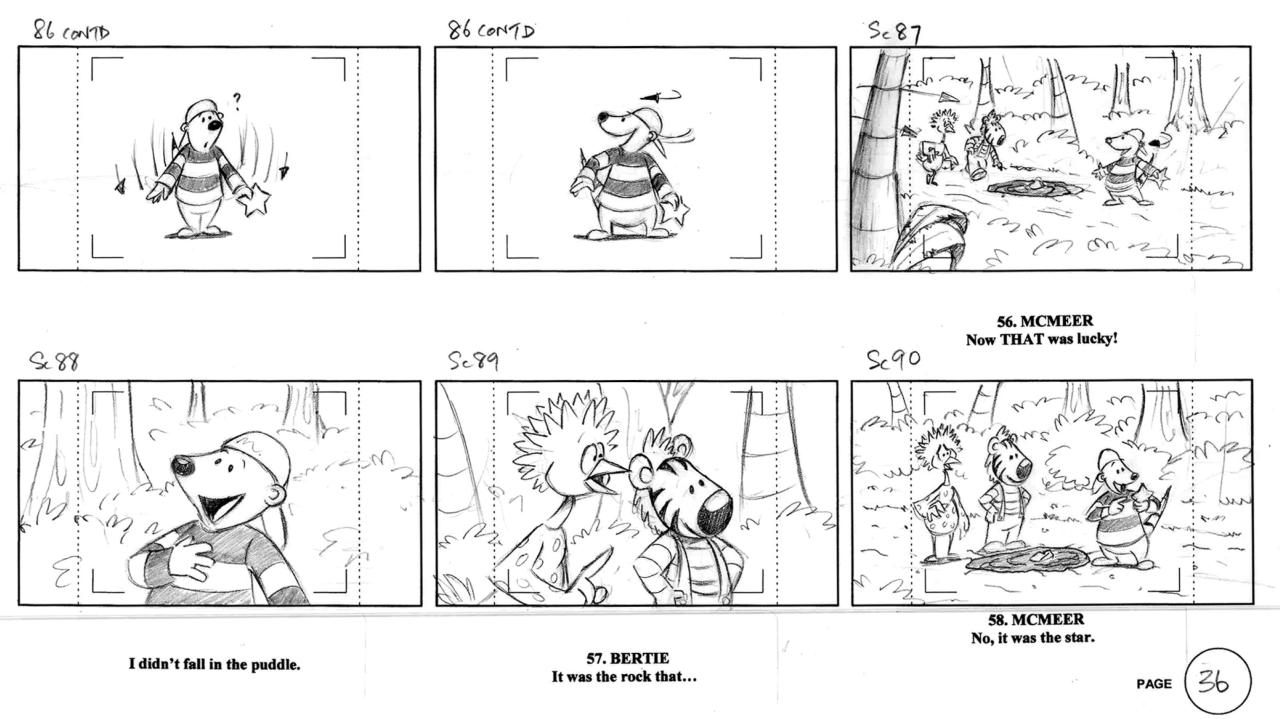
Effective storyboarding relies heavily on choosing the right tools and resources that facilitate clarity, collaboration, and creativity. In today’s digital age, a variety of platforms and software options are available to streamline the storyboarding process, alongside traditional methods that remain valuable for certain workflows. Selecting appropriate tools enhances the efficiency of visual planning and allows for better sharing and revision of storyboards across teams.
Understanding the features to look for in storyboarding tools is essential to optimize workflow and ensure compatibility with project requirements. Some tools excel in export capabilities, allowing easy sharing in formats suitable for presentation or further editing. Others emphasize collaborative functionalities, enabling multiple users to work simultaneously, comment, and make revisions in real-time. Additionally, customization options, such as creating templates tailored to specific project needs, can significantly improve consistency and productivity.
Comparison of Digital Platforms, Software, and Traditional Methods
Digital storyboarding platforms and software options offer numerous advantages over traditional methods such as paper sketches or physical boards. Digital tools provide features like easy editing, version control, and multimedia integration, which streamline the creative process and facilitate remote collaboration. They often include pre-designed templates, drag-and-drop interfaces, and integration with editing or animation software, making them suitable for complex or multimedia-rich projects.
Popular digital options include software like Adobe Creative Cloud (Photoshop, Illustrator, and After Effects), Toon Boom Storyboard Pro, and free platforms such as Canva and Storyboard That. These allow for detailed scene planning, annotations, and sharing with team members seamlessly. Traditional methods, including hand-drawn sketches or physical boards, remain useful for initial brainstorming, quick ideas, or when digital access is limited.
They foster spontaneity and tactile engagement but may lack flexibility for revisions and collaboration.
Features to Look for in Storyboarding Tools
Selecting the right storyboarding tool involves evaluating a range of features that support creative and logistical needs. Essential features include:
- Export Options: The ability to export storyboards in multiple formats such as PDF, JPEG, MP4, or interactive HTML files ensures compatibility with presentation and editing workflows.
- Collaboration Capabilities: Real-time editing, commenting, and version history enable teams to work cohesively regardless of geographical location.
- Template Customization: Tools that allow creating and saving custom templates help standardize scene planning and streamline repetitive tasks.
- Ease of Use: An intuitive interface with drag-and-drop features reduces the learning curve for new users and accelerates the storyboarding process.
- Multimedia Integration: Support for importing images, audio, and video clips allows for comprehensive scene visualization.
- Layer and Annotation Support: Multiple layers and annotation tools help add detailed notes, camera directions, and special effects.
Choosing tools with export flexibility and collaborative features ensures a smooth transition from concept to presentation, fostering team synergy and creative clarity.
Creating Custom Templates Using HTML Tables for Standardized Scene Planning
Custom templates enhance consistency and efficiency in storyboarding, especially for recurring projects or teams with specific requirements. Using HTML tables offers a straightforward way to design standardized scene planning sheets that can be embedded in digital documents or shared online.
When creating HTML table templates, consider including columns for crucial scene details such as scene number, description, camera angles, dialogue, sound effects, and visual notes. This structure helps maintain uniformity across storyboards and simplifies the review process.
For example, a basic table structure might look like this:
<table border="1">
  <tr>
    <th>Scene Number</th>
    <th>Description</th>
    <th>Visual Notes</th>
    <th>Audio/Sound</th>
    <th>Remarks</th>
  </tr>
  <tr>
    <td>1</td>
    <td>Introduction of main character</td>
    <td>Close-up shot, bright lighting</td>
    <td>Faint background music</td>
    <td>Emphasize facial expressions</td>
  </tr>
  <!-- Additional rows for each scene -->
</table>
Using such templates ensures that every scene adheres to a predetermined format, allowing for easier editing, sharing, and review.
These templates can be customized further to include specific project tags or notes, and saved as reusable files for future projects, saving time and maintaining consistency across multiple storyboards.
Ending Remarks
In conclusion, mastering how to storyboard video ideas empowers creators to produce engaging and polished videos. Through careful planning, visualization, and iterative refinement, storytellers can ensure their vision is accurately conveyed and impactful. Embracing these techniques will lead to more compelling and successful video projects.