Understanding how to use shutter speed in video is essential for achieving the desired visual effects and ensuring high-quality footage. Proper manipulation of shutter speed allows videographers to control motion blur, exposure, and overall image clarity, making it a vital component in creating professional-looking videos.
This guide explores fundamental concepts, selection tips for different shooting scenarios, step-by-step adjustment procedures across various camera types, and creative techniques that enhance storytelling through shutter speed manipulation. Mastering these elements will enable you to produce visually compelling videos tailored to your artistic vision.
Fundamentals of Shutter Speed in Video Production
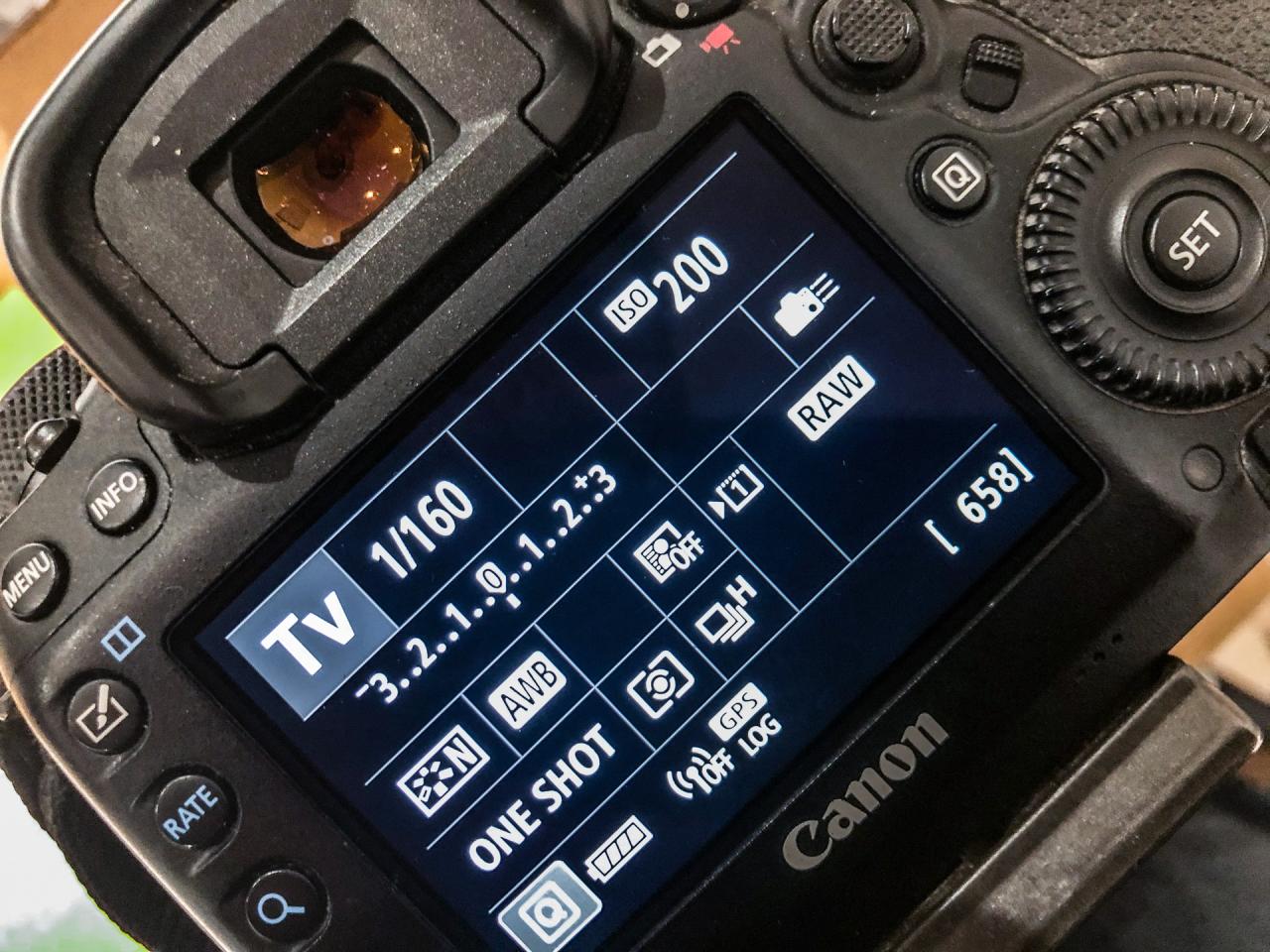
Understanding the core principles of shutter speed is essential for achieving desired visual effects and maintaining proper exposure in video production. Shutter speed directly influences how motion is captured, impacting the overall aesthetic and clarity of the footage. Mastery of this setting allows videographers to craft videos that convey motion accurately and artistically, whether aiming for a natural look or a stylized effect.
In video recording, shutter speed determines the length of time the camera’s sensor is exposed to light during each frame. This parameter plays a vital role in controlling motion portrayal, exposure levels, and the amount of motion blur present in each shot. Striking the right balance between shutter speed and other camera settings ensures the footage’s quality aligns with the desired outcome, whether it involves a smooth, cinematic feel or a sharp, dynamic presentation.
Understanding Shutter Speed and Its Impact on Motion
Shutter speed is measured in fractions of a second (e.g., 1/50, 1/100) and signifies how long the camera’s shutter remains open when capturing each frame. This duration influences the clarity or blurriness of moving subjects within a shot, making it a critical factor for capturing motion in video production.
Shutter speed affects motion blur: faster speeds (e.g., 1/1000) produce crisper images with minimal blur, ideal for fast-paced action, while slower speeds (e.g., 1/30) create more blur, emphasizing movement and conveying a sense of speed or dynamism.
Choosing an appropriate shutter speed depends on the desired visual outcome and the nature of the scene. For instance, slow shutter speeds can exaggerate movement, giving a dreamy or fluid appearance, whereas fast shutter speeds freeze motion, delivering sharp and detailed images. Understanding these effects helps videographers craft scenes that effectively communicate the intended mood or narrative.
Shutter Speed and Exposure Relationship
Shutter speed directly influences exposure levels in video footage. A slower shutter speed allows more light to reach the sensor, resulting in a brighter image, while a faster shutter speed limits light intake, leading to darker footage. Proper adjustment of shutter speed in conjunction with aperture and ISO ensures optimal exposure without sacrificing motion quality.
For example, shooting in a dimly lit environment with a slow shutter speed can increase brightness but may introduce unwanted motion blur or camera shake. Conversely, shooting in bright conditions with a fast shutter speed can prevent overexposure but may result in overly sharp, unnatural motion portrayal. Balancing shutter speed with other settings is key to achieving consistent and professional-looking results.
Visual Effects of Different Shutter Speeds
To illustrate the impact of various shutter speeds, consider the following comparative table showcasing their typical visual effects in video footage:
| Shutter Speed | Visual Effect | Common Use Cases |
|---|---|---|
| 1/1000 | Extremely sharp with minimal motion blur, crisp details even in fast motion. | Fast action sports, high-speed vehicle shots, extreme sports. |
| 1/500 | Very sharp with slight motion blur, suitable for fast-paced scenes. | Concerts, dynamic street scenes, fast moving objects. |
| 1/250 | Moderate motion blur, retains a sense of motion without sacrificing clarity. | Everyday action sequences, dance performances. |
| 1/125 | Noticeable motion blur, conveying smooth movement and fluidity. | Slow-motion effects, cinematic scenes with gentle motion. |
| 1/60 | More pronounced motion blur, emphasizing speed or movement. | Creative shots, stylized footage, handheld camera work. |
| 1/30 | Strong motion blur, producing a soft and fluid look, often associated with cinematic style. | Dreamy landscapes, artistic visuals, vlogging in low light. |
| 1/15 or slower | Very high motion blur, creating abstract or surreal effects, often used intentionally for artistic purposes. | Experimental video, artistic installations, conveying chaos or energy. |
How to choose the right shutter speed for different filming scenarios
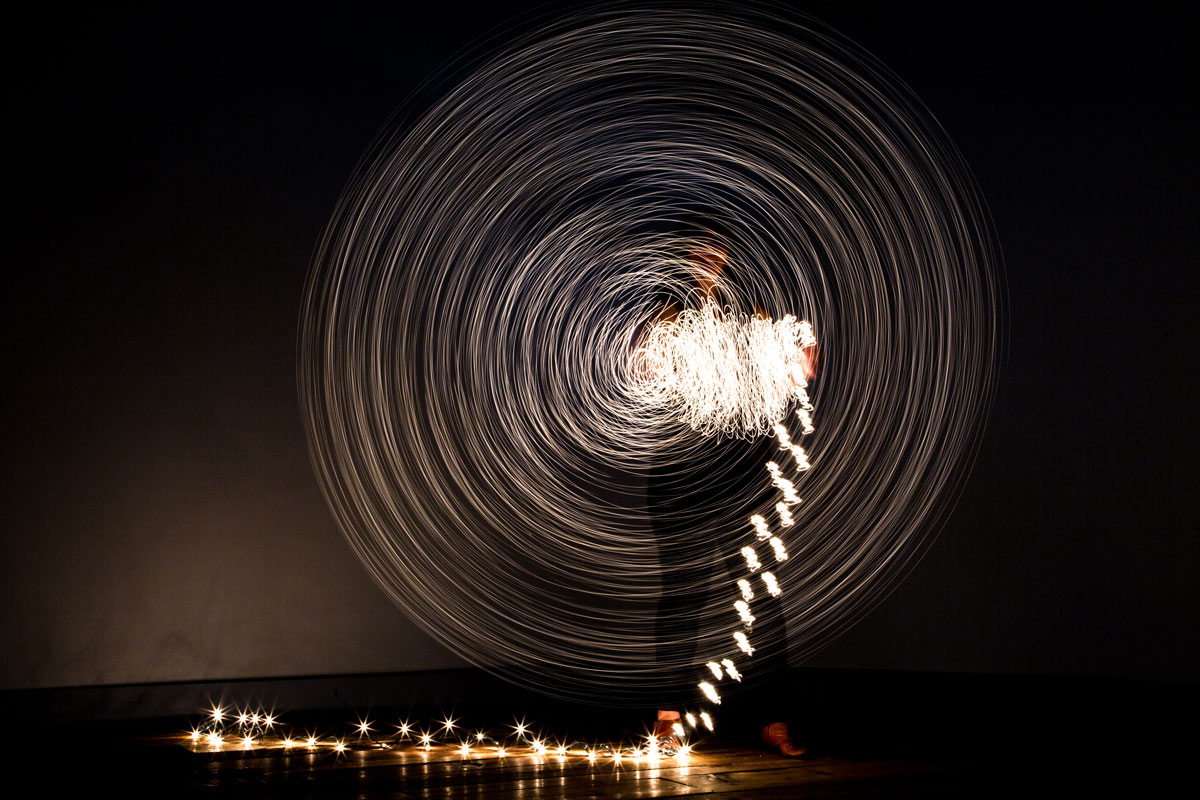
Selecting an appropriate shutter speed is crucial for achieving the desired visual effect and ensuring footage looks natural or stylistically consistent. Different filming situations demand tailored shutter speeds to convey motion accurately, enhance cinematic quality, or emphasize slow-motion effects. Understanding how to adapt shutter speed to various scenarios enables filmmakers to optimize image clarity, motion portrayal, and overall aesthetic.
Choosing the correct shutter speed involves considering the type of scene being shot, the motion intensity, lighting conditions, and the intended visual style. Balancing these factors ensures that footage remains sharp, smooth, and visually appealing, whether capturing fast-paced sports, cinematic storytelling, or slow-motion sequences. A strategic selection of shutter speed enhances storytelling by aligning motion perception with the mood and context of the scene.
Fast-paced sports and action scenes
Fast-moving sports and action sequences require higher shutter speeds to freeze rapid motion and prevent motion blur that can obscure important details. Achieving sharp, clear images in these scenarios ensures viewers can follow quick movements and appreciate the dynamic energy of the scene.
Recommended shutter speeds for such scenarios typically range from
1/1000 to 1/2000 seconds
. These speeds effectively capture swift motions like a sprinter’s stride, a soccer ball in mid-air, or a fast break in basketball. Adequate lighting is often a consideration, as higher shutter speeds require sufficient light or higher ISO settings to maintain proper exposure.
Cinematic scenes and storytelling
Cinematic visuals prioritize a natural motion blur that mimics human eye perception, creating a sense of immersion and realism. For standard cinematic footage, shutter speeds are often set at double the frame rate to produce smooth, aesthetically pleasing motion.
For example, with a frame rate of 24 fps, a shutter speed of
1/48 seconds
(or approximately 1/50 seconds) is typical. This ensures a balanced motion blur that enhances narrative flow without appearing choppy. Adjustments can be made based on lighting conditions or artistic intent, such as slightly slower speeds for a dreamy look or faster speeds to increase clarity and intensity.
Slow-motion footage and artistic effects
Slow-motion sequences demand higher shutter speeds to maximize motion clarity and reduce blur, allowing detailed examination of fast movements. This effect emphasizes motion and can heighten emotional impact or showcase technical details.
Typically, shutter speeds of
1/1000 seconds or faster
are used when shooting at high frame rates (e.g., 120 fps or higher). These speeds deliver crisp, detailed images that, when played back at normal speed, produce smooth slow-motion effects. Lighting conditions must be carefully managed, as higher shutter speeds diminish exposure, often necessitating additional lighting or increased ISO sensitivity.
Relationship between shutter speed and frame rate
The interplay between shutter speed and frame rate fundamentally affects how motion appears in video footage. The general guideline, known as the 180-degree shutter rule, suggests setting shutter speed at approximately twice the frame rate to achieve natural motion blur. This balance ensures the motion looks realistic and avoids the choppy or overly smooth appearance that can result from inappropriate settings.
For example, when shooting at 24 fps, a shutter speed of 1/48 seconds approximates this rule. For higher frame rates like 60 fps, a shutter speed of around 1/120 seconds maintains consistency in motion portrayal. Deviating significantly from these recommendations can lead to unnatural motion effects: too slow results in excessive blur, while too fast creates a staccato, hyper-real look.
Recommended shutter speeds for specific video styles and lighting conditions
Matching shutter speeds to the stylistic intent and lighting environment ensures optimal footage quality. The following list provides guidelines based on common scenarios:
| Video Style | Lighting Condition | Shutter Speed Recommendation | Notes |
|---|---|---|---|
| Fast-paced sports/action | Bright daylight or well-lit environments | 1/1000 to 1/2000 seconds | Capture quick motion sharply; consider higher ISO if lighting is limited |
| Cinematic storytelling | Indoor or controlled lighting | 1/48 to 1/50 seconds at 24 fps | Maintain natural motion blur; adjust for artistic preferences |
| Slow-motion sequences | Studio lighting or high-light environments | 1/1000 seconds or faster at high frame rates | Ensure detailed clarity; may require additional lighting sources |
| Low-light conditions or night scenes | Limited lighting | Slow shutter speeds (e.g., 1/50 seconds at 24 fps) with higher ISO | Risk of motion blur; balance with noise levels for optimal results |
By carefully selecting shutter speeds aligned with the scene’s motion, lighting, and stylistic goals, videographers can produce footage that is both technically sound and visually compelling. Recognizing the relationship between shutter speed and frame rate further ensures consistent and natural motion portrayal across diverse filming scenarios.
Step-by-step procedures for adjusting shutter speed on various cameras

Mastering the adjustment of shutter speed across different camera types is crucial for achieving optimal video quality under varying shooting conditions. Whether you are using a DSLR, mirrorless, or camcorder, understanding how to access and modify shutter speed settings empowers you to adapt swiftly to changing scenes and lighting environments. The following guide offers clear, step-by-step instructions tailored for each device type, ensuring you can confidently control your camera’s shutter speed during video production.
Adjusting shutter speed correctly involves not only knowing where the settings are but also how to do so without compromising image quality. Proper technique prevents issues such as overexposure, underexposure, or motion artifacts, which can detract from the professional appearance of your footage.
Camera-specific procedures for adjusting shutter speed
| Camera Type | Adjustment Steps | Common Pitfalls |
|---|---|---|
| DSLR Cameras |
|
|
| Mirrorless Cameras |
|
|
| Camcorders |
|
|
Tips for maintaining proper exposure when changing shutter speed
Altering shutter speed impacts the exposure of your footage; thus, it is essential to compensate for these changes to prevent undesirable outcomes. The key is to balance your shutter speed adjustments with aperture and ISO settings to achieve a well-exposed shot while maintaining desired motion effects.
When increasing shutter speed to reduce motion blur, consider increasing ISO or opening the aperture to allow more light into the sensor. Conversely, if you decrease shutter speed, lowering ISO or narrowing the aperture can help prevent overexposure. Monitoring the exposure meter or histogram during filming can provide real-time feedback and help you fine-tune your settings effectively.
Remember: “Proper exposure is a balance between shutter speed, aperture, and ISO.” Adjusting one parameter necessitates compensating with the others to preserve image quality and artistic intent.
Creative Effects Achieved Through Shutter Speed Manipulation
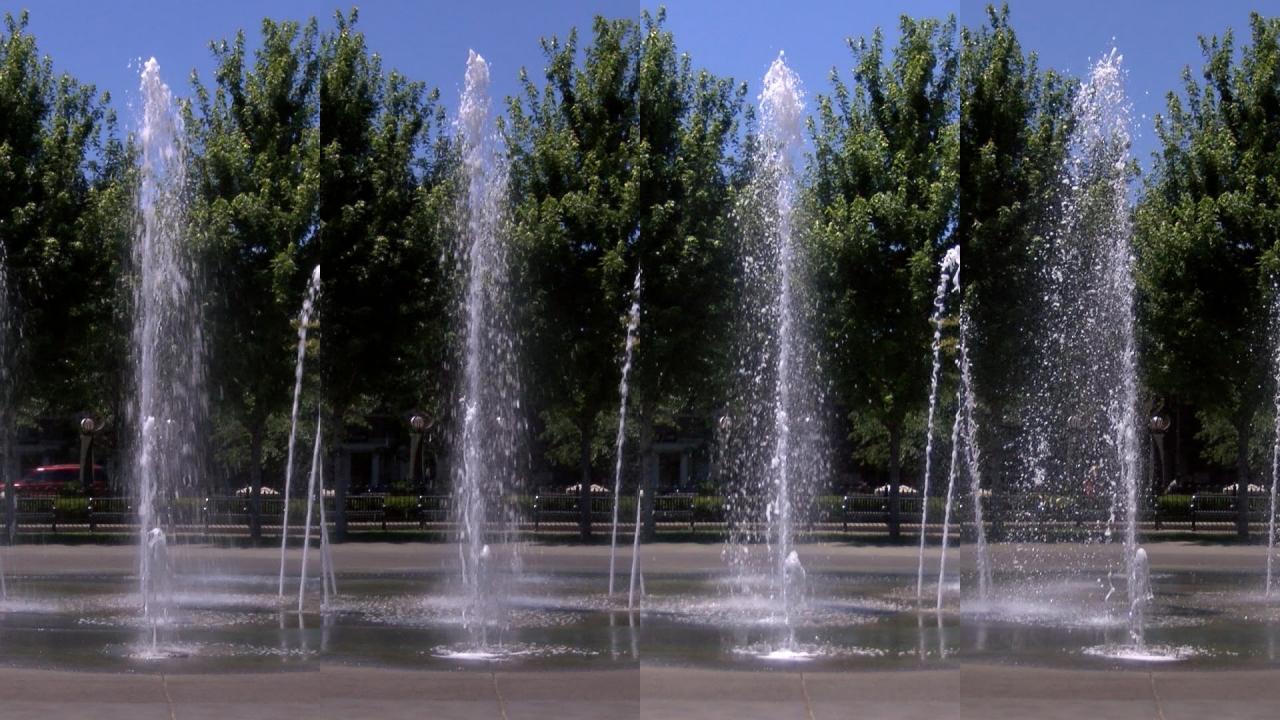
Adjusting shutter speed in video production opens a world of creative possibilities, allowing filmmakers to communicate mood, emphasize motion, or create surreal visuals. Mastery of shutter speed not only influences the technical quality of footage but also serves as a powerful storytelling tool that can evoke emotion, highlight action, or establish atmospheric tone. Understanding how to leverage these effects enables videographers to craft compelling narratives and visually stunning scenes.
Through deliberate manipulation of shutter speed, creators can transform ordinary footage into expressive works of art, adding depth and dynamism to their storytelling. Whether aiming for a dreamy, blurred motion effect or crisp, frozen action, the choice of shutter speed significantly impacts the viewer’s perception and emotional response. Below are key creative effects attainable through shutter speed adjustment, along with illustrative scenarios demonstrating their impact.
Motion Blur for Artistic and Expressive Effects
Using slow shutter speeds introduces motion blur, which can add a sense of fluidity, speed, or dreamlike quality to the footage. This effect occurs because the camera’s sensor captures movement over a longer period, resulting in streaks or smears that visually communicate motion and energy. Filmmakers often employ this technique to evoke emotions, depict passing time, or create abstract visuals.
For example, a scene capturing bustling city streets at night with a slow shutter speed will produce streaks of car lights, emphasizing the city’s vibrant, dynamic atmosphere. Similarly, slow shutter speeds can create a sense of surrealism when filming waterfalls or moving clouds, transforming natural motion into soft, flowing visuals that evoke tranquility or grandeur.
Freezing Motion for Clarity and Impact
Fast shutter speeds are essential for capturing sharp, detailed images of fast-moving subjects. By reducing the exposure time, they minimize motion artifacts such as blur, ensuring that each frame is crisp and precise. This technique is crucial in high-speed action scenes, sports coverage, or any scenario where clarity of motion is paramount.
For instance, a sports filmmaker might use a shutter speed of 1/2000 seconds to freeze a sprinter mid-stride, highlighting muscle tension and facial expressions that convey intensity. Similarly, filmmakers capturing fast-moving objects such as flying debris or rapid weapon fire in action sequences rely on high shutter speeds to maintain visual integrity and impact.
Creative Scenarios Where Shutter Speed Enhances Storytelling
Adjusting shutter speed creatively can dramatically influence narrative style and viewer engagement. Here are some scenarios where deliberate shutter speed choices heighten storytelling:
- Conveying Speed and Motion: Using slow shutter speeds during high-speed chase scenes to emphasize velocity through motion trails.
- Creating Dreamlike or Surreal Atmospheres: Employing slow shutter speeds to produce soft, blurred backgrounds while maintaining sharp foreground subjects, evoking a sense of otherworldliness.
- Enhancing Tension or Anxiety: Rapid shutter speeds can capture frantic movements sharply, heightening the sense of chaos or urgency.
- Depicting Passage of Time: Combining slow shutter speeds with stable camera positions to produce streaks of light or blurred scenes, illustrating the flow of time or changing environments.
- Highlighting Artistic Motion: Artistic dance or performance videos often utilize deliberate motion blur to convey grace, rhythm, and emotion.
By thoughtfully selecting shutter speeds tailored to each scene’s emotional and narrative intent, filmmakers can craft visually compelling stories that resonate more deeply with viewers.
Troubleshooting Common Issues Related to Shutter Speed in Video
Properly managing shutter speed during video production is critical for achieving high-quality footage. However, filmmakers often encounter challenges such as unwanted motion blur or strobing artifacts that can compromise the visual integrity of their videos. Understanding the root causes of these issues and implementing effective solutions ensures smoother workflow and better results. This section explores common problems associated with shutter speed settings, their causes, and practical methods to resolve them, especially when dealing with lighting constraints or creative effects.Unwanted motion artifacts and exposure inconsistencies frequently occur due to improper shutter speed adjustments.
These issues can be exacerbated by inconsistent lighting environments or camera settings that do not align with the scene’s demands. Addressing these challenges involves a combination of technical adjustments, lighting management, and understanding the interaction between shutter speed and other camera parameters.
Causes of Unwanted Motion Blur and Strobing Artifacts
Motion blur and strobing are visual artifacts that can diminish the quality of video footage. Motion blur appears when the shutter speed is too slow relative to the subject’s movement, resulting in smeared or blurry motion. Conversely, strobing or flickering often occurs under artificial lighting, especially when the shutter speed is too high, causing the lights to flicker in the recorded footage.Unwanted motion blur is commonly caused by shutter speeds slower than double the frame rate, violating the “180-degree rule” for natural motion portrayal.
For example, a shutter speed of 1/50s at 24 fps produces natural motion blur, whereas slower speeds like 1/30s may produce excessive blur. Strobing artifacts are particularly problematic under fluorescent or LED lights that flicker at specific frequencies (e.g., 50Hz or 60Hz), which can become visible when shutter speed settings do not synchronize with the lighting frequency.
Methods for Compensating Lighting Challenges When Adjusting Shutter Speed
Lighting conditions significantly influence the choice of shutter speed. When faced with insufficient or flickering lighting, adjustments must be made to maintain proper exposure without introducing artifacts. Proper compensation involves balancing shutter speed with aperture and ISO settings, as well as employing auxiliary lighting when possible.The key strategies include:
- Using neutral density (ND) filters to reduce light intake when a higher shutter speed is desired in bright environments, preventing overexposure.
- Adjusting ISO settings to compensate for reduced light entering the sensor, ensuring proper exposure when shutter speed is increased.
- Implementing flicker reduction modes available in many modern cameras, which help mitigate flickering caused by artificial lighting at certain frequencies.
- In low-light scenarios, increasing the camera’s gain or ISO can help, but care must be taken to avoid excessive noise.
- When shooting under flickering lights, selecting a shutter speed that is a multiple or fraction of the flicker frequency—such as 1/60s under 60Hz lighting—can significantly reduce flickering artifacts.
Solutions for Common Problems with Shutter Speed Settings
The following table summarizes typical issues encountered with shutter speed adjustments, their causes, and recommended solutions, providing a quick reference for troubleshooting during shoots.
| Problem | Cause | Solution |
|---|---|---|
| Excessive motion blur | Shutter speed too slow relative to subject movement or frame rate | Increase shutter speed to at least double the frame rate (e.g., 1/50s for 24 fps); consider using higher ISO or ND filters for proper exposure |
| Strobing or flickering artifacts | Shutter speed incompatible with artificial lighting frequency | Select shutter speed matching light flicker cycles (e.g., 1/60s under 60Hz lighting); enable flicker reduction features |
| Overexposure in bright conditions | Shutter speed too slow or insufficient light reduction | Use ND filters; increase shutter speed; lower ISO; control aperture |
| Underexposure in low-light environments | Shutter speed too high, limiting light intake | Increase ISO; widen aperture; add external lighting; reduce shutter speed cautiously if motion blur is acceptable |
| Unwanted motion artifacts in fast-moving scenes | Shutter speed not optimized for fast motion | Use higher shutter speeds; consider frame rate adjustments; stabilize camera to reduce unintended shake |
Note: Consistently monitor exposure and motion characteristics during filming to promptly identify and rectify issues related to shutter speed. Accurate synchronization with lighting conditions and scene dynamics is essential for professional-quality video production.
Combining Shutter Speed with Other Camera Settings for Optimal Video Quality

Efficiently balancing shutter speed with ISO and aperture is essential for achieving high-quality video footage. These three settings work synergistically to control exposure, motion portrayal, and image clarity. Adjusting them thoughtfully ensures footage remains clear, well-lit, and visually appealing across various filming conditions. Understanding their interaction enables videographers to make informed decisions that enhance overall video quality and meet creative intentions.
When combining shutter speed with ISO and aperture, it is crucial to recognize how each influences exposure and image characteristics. Shutter speed primarily affects motion blur and sharpness, while ISO and aperture control the brightness and depth of field. Mismanaging these settings can lead to overexposed or underexposed footage, excessive noise, or loss of detail. Achieving the right balance requires a comprehensive understanding of these interactions and how to adapt settings dynamically during filming.
Interaction Between Shutter Speed, ISO, and Aperture
Shutter speed, ISO, and aperture form a triangle of exposure control, where adjusting one parameter impacts the others. Each setting must be optimized according to lighting conditions and the desired visual effect to produce professional-quality videos.
- Shutter Speed: Dictates the amount of motion blur present, with faster speeds capturing crisp motion and slower speeds creating a sense of motion or blur. For smooth, realistic motion, a common guideline is to set shutter speed at double the frame rate (e.g., 1/50s for 24fps).
- ISO: Controls the camera sensor’s sensitivity to light. Higher ISO settings increase brightness but also introduce noise, especially in low-light conditions. Selecting the lowest ISO possible while maintaining proper exposure helps preserve image clarity.
- Aperture: Regulates the amount of light entering through the lens and affects depth of field. Wider apertures (smaller f-number) allow more light, which can compensate for faster shutter speeds in low-light scenarios, but may reduce depth of field.
Balancing these settings involves considering the scene’s lighting environment, motion requirements, and desired aesthetic. For example, in bright daylight, a faster shutter speed combined with a narrow aperture and low ISO can prevent overexposure and maintain sharpness. Conversely, in low light, opening the aperture and raising ISO while adjusting shutter speed ensures proper exposure without sacrificing motion clarity.
Best Practices for Balancing Exposure, Motion Clarity, and Image Quality
To achieve optimal video quality, maintain a balanced exposure with minimal noise and appropriate motion portrayal by carefully adjusting shutter speed, ISO, and aperture according to lighting conditions and creative goals.
- Prioritize shutter speed settings that suit the desired motion effect, generally keeping it at double the frame rate for natural motion.
- Keep ISO as low as possible to reduce noise, increasing only when necessary in low-light situations.
- Adjust aperture to control exposure and depth of field, balancing brightness with the foreground and background focus requirements.
- Use neutral density (ND) filters in bright environments to reduce light intake without altering other settings, allowing the use of optimal shutter speed and aperture combinations.
- Regularly review exposure levels using camera histograms or zebras to ensure footage is neither overexposed nor underexposed.
Adapting Shutter Speed in Different Lighting Environments
Adapting shutter speed dynamically based on lighting conditions is key to maintaining consistent image quality across various filming environments. In brightly lit scenarios, such as outdoor daylight, faster shutter speeds prevent overexposure and help achieve crisp image sharpness. Using ND filters can further assist in controlling light intake, enabling the use of optimal shutter speeds without compromising aperture or ISO.
In low-light environments, slowing down the shutter speed allows more light to reach the sensor, reducing the need for excessively high ISO settings that introduce noise. However, slower shutter speeds can cause motion blur if the subject or camera moves, so employing stabilization equipment or careful planning is vital. For indoor or night shoots, increasing ISO may be necessary, but it should be balanced with noise reduction techniques in post-production to preserve image quality.
In scenarios where fast motion needs to be captured sharply, such as sports or fast-paced action, faster shutter speeds are essential regardless of lighting, which may require supplementing with additional lighting or using high-sensitivity sensors. Conversely, for cinematic effects emphasizing motion blur, slower shutter speeds can be employed, particularly in controlled lighting setups.
Last Word
In conclusion, mastering how to use shutter speed in video empowers you to craft stunning visuals that effectively convey motion and mood. By understanding its principles and experimenting with different settings, you can elevate the quality of your videos and bring your creative ideas to life with precision and flair.