Mastering how to script video content is essential for creating engaging and impactful videos that resonate with viewers. A well-crafted script serves as the foundation for clear messaging, smooth flow, and compelling storytelling, ensuring your content stands out in a crowded media landscape.
This guide offers a comprehensive overview of developing effective video scripts, from understanding core components and techniques to structuring content for various video formats and integrating visual and audio cues. It also covers tools for scriptwriting and methods for refining your work to achieve maximum engagement.
Understanding the Foundations of Video Scripting
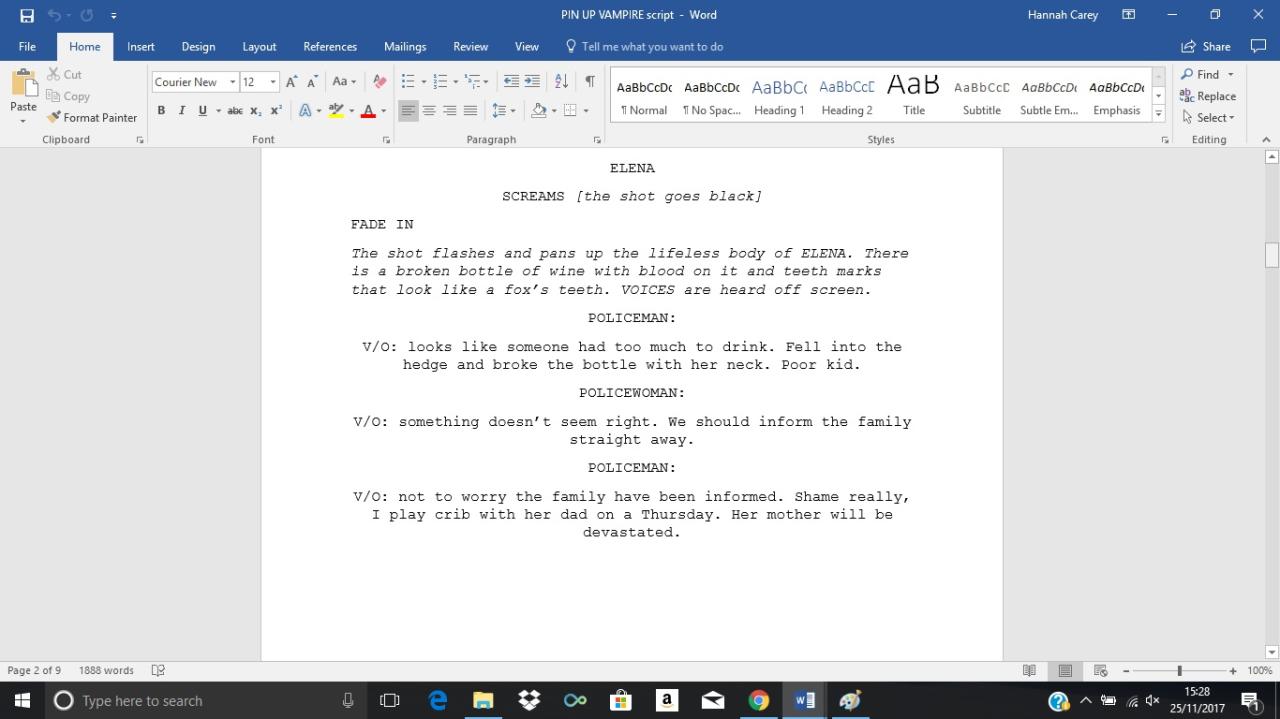
Creating an effective video begins with a well-structured script that guides the narrative, visuals, and timing of the content. Understanding the core components of video scripting is essential for producing engaging and coherent videos that resonate with viewers. A solid foundation ensures that every element—from dialogue to visuals—is purposefully aligned to communicate the intended message successfully.
Developing a comprehensive script involves meticulous planning and organization. It transforms a core idea or concept into a detailed blueprint that guides the filming and editing process. This structured approach minimizes errors, streamlines production, and enhances the overall quality of the final video. By following a clear step-by-step process—from initial concept to final script—content creators can produce videos that are not only informative but also compelling and visually appealing.
Essential Components of a Successful Video Script
Each successful video script incorporates several fundamental elements that work together to create a cohesive narrative. These components include a clear introduction, a well-organized body, and a compelling conclusion. Additionally, the script must specify dialogue, visuals, and timing to ensure synchronization during production.
- Introduction: Sets the tone, introduces the topic, and captures viewer interest right from the start.
- Main Content: Delivers the core message through organized ideas, supporting visuals, and engaging dialogue.
- Call to Action or Conclusion: Reinforces the message, summarizes key points, and prompts viewer engagement or response.
Incorporating these elements ensures that the video is comprehensive, engaging, and easy to follow. The script acts as a roadmap, providing clear guidance on what should be shown and spoken at each stage.
Step-by-Step Process of Planning a Video Script
Effective planning transforms initial ideas into a detailed script ready for production. The process involves several stages:
- Concept Development: Define the core message, target audience, and purpose of the video.
- Research and Content Gathering: Collect relevant information, examples, and visual ideas to support the narrative.
- Artikel Creation: Draft a rough structure that highlights key points, scene progression, and visual cues.
- Script Drafting: Write the detailed dialogue, narration, and scene descriptions, incorporating timing and visual cues.
- Review and Refinement: Edit the script for clarity, flow, and engagement. Ensure alignment with the intended message and visuals.
- Finalization: Prepare the finalized script, including a detailed scene breakdown, ready for filming and editing.
Organizing Key Ideas into a Structured Flow Using HTML Table
To ensure clarity and consistency, organizing the script’s key ideas into a structured flow facilitates better visualization and execution during production. An HTML table can serve as an effective tool for this purpose, clearly delineating scenes, dialogue, visuals, and timing.
“A well-organized script acts as a blueprint, guiding every stage of production from filming to editing.”
| Scene | Dialogue | Visuals | Timing |
|---|---|---|---|
| Intro | Welcome viewers to the channel. Today, we explore video scripting essentials. | Host standing in a well-lit studio with on-screen title graphics. | 0:00 – 0:15 |
| Main Content – Part 1 | Understanding the key components: introduction, body, conclusion. | Animated icons representing each component appear sequentially. | 0:16 – 0:45 |
| Main Content – Part 2 | Step-by-step planning process from concept to final script. | Flowchart illustrating each step, with animated arrows guiding the viewer. | 0:46 – 1:30 |
| Conclusion | Summarize the importance of structured scripting for successful videos. | Host back on-screen with bullet points summarizing key ideas. | 1:31 – 1:45 |
This structured approach ensures each element of the script is clearly mapped out, enabling smooth execution during production. Organizing your ideas visually helps maintain focus and coherence throughout the creation process.
Structuring Content for Different Video Types
Effective script structuring is crucial for engaging viewers and delivering content seamlessly across various video formats. Each type of video—whether it’s a tutorial, vlog, promotional piece, or educational content—has unique characteristics and audience expectations. Adapting scripting techniques to suit these formats ensures clarity, engagement, and the achievement of the video’s purpose.Understanding how to organize scripts for different video genres involves recognizing their specific goals, pacing, and presentation style.
Proper structuring not only aids in delivering information effectively but also enhances viewer retention and overall production quality.
Scripting Techniques for Tutorials
Tutorial videos aim to instruct viewers step-by-step on performing a task or understanding a concept. The scripting approach should prioritize clarity, logical flow, and detailed instructions. Scripts often include explicit cues for visuals, demonstrations, and callouts to emphasize critical points.Content organization for tutorials typically follows a straightforward sequence:
- Introduction to the task or concept with a brief overview
- Materials or prerequisites needed for the process
- Step-by-step instructions, often segmented into clear sections
- Visual cues for demonstrations, such as “Show how to connect the cables”
- Summary or troubleshooting tips at the end
Sample structure variations:
“Start with an engaging introduction, proceed with detailed steps accompanied by visual demonstrations, then conclude with key takeaways or common pitfalls to avoid.”
Scripting for Vlogs
Vlog scripts tend to be more personal and conversational, reflecting the personality of the creator while maintaining viewer engagement. The scripting should balance prepared content with spontaneous elements, allowing for natural storytelling.Organizing vlogs involves:
- Opening hook or teaser to capture attention immediately
- Introduction of the day’s theme or topic with personal insights
- Narrative segments that follow a chronological or thematic order
- Incorporation of anecdotes or interactions to foster connection with viewers
- Closing remarks, call-to-action, or tease for future videos
Sample structure variations:
“Begin with a compelling story or question, share experiences in a relaxed tone, include spontaneous reactions, and end with a friendly sign-off encouraging viewer interaction.”
Scripting Promotional Videos
Promotional videos are designed to persuade viewers to take action, such as purchasing a product or subscribing to a service. Scripts should be concise, persuasive, and focused on highlighting benefits and unique selling points.Content organization for promos typically includes:
- Attention-grabbing opening statement or question
- Description of the product or service and its key features
- Demonstrations or visuals that support claims
- Testimonials or social proof, if applicable
- Clear call-to-action with contact or purchase instructions
Sample structure variations:
“Lead with a compelling benefit statement, showcase the product in use, address potential objections with testimonials, and close with a strong call-to-action.”
Scripting Educational Content
Educational videos aim to inform and instruct, often requiring well-organized, comprehensive scripts that facilitate understanding and retention. Clarity, logical progression, and supporting visuals or examples are essential.Organizing educational scripts involves:
- Introduction of the topic with context and relevance
- Definitions and foundational concepts
- Detailed explanations, supported by diagrams, charts, or examples
- Periodic summaries or checkpoints to reinforce learning
- Conclusion with key takeaways or further resources
Sample structure variations:
“Start with an overview, break down complex ideas into digestible parts, incorporate visual aids, and conclude with summary points to consolidate learning.”
Incorporating Visual and Audio Cues
Effective video scripting extends beyond dialogue and narration; it profoundly involves the strategic integration of visual elements and audio cues to enhance storytelling, clarify instructions, and maintain viewer engagement. Properly scripted cues enable seamless coordination between the on-screen actions, camera work, and sound design, resulting in a cohesive and professional final product. This section explores methods to embed visual and audio instructions within a script, ensuring clarity for production teams and consistency in the viewer’s experience.Integrating visual and audio cues requires precise notation within the script to guide camera operators, actors, and sound technicians.
Clear and detailed cues help to visualize the scene’s dynamics, specify camera angles, gestures, lighting, and visual effects, as well as orchestrate sound effects, background music, and voice modulation. When these cues are systematically incorporated, they serve as a blueprint that aligns creative vision with technical execution, reducing miscommunication and streamlining the production process.
Integrating Camera Angles, Gestures, and Visual Effects
Incorporating visual cues involves explicitly detailing how scenes should be shot, including camera angles, movements, actor gestures, and visual effects. The script should act as a comprehensive map that communicates these elements precisely to ensure visual storytelling aligns with narrative intent.To effectively include these elements:
- Describe camera angles explicitly, such as “Close-up on the speaker’s face to capture emotion” or “Wide shot of the entire scene to establish context.”
- Specify camera movements like pans, tilts, or tracking shots, e.g., “Slow pan from left to right as the subject walks across the room.”
- Artikel gestures and facial expressions for actors to enhance emotional tone, such as “Actor raises hand to emphasize a point” or “Actor looks away contemplatively.”
- Indicate visual effects or transitions, like fade-ins, overlays, or animations, with detailed descriptions, e.g., “Apply a fade-in effect to introduce the title” or “Overlay animated graphics illustrating data trends.”
This detailed guidance ensures camera operators and visual effects teams interpret the director’s vision accurately, resulting in a cohesive visual narrative that complements the spoken content.
Including Sound Effects, Background Music, and Voice Modulation
Sound plays a pivotal role in setting mood, emphasizing key points, and guiding audience reactions. Embedding sound cues within the script provides clarity on the intended audio landscape, facilitating synchronized production.Methods for integrating audio cues include:
- Sound Effects: Clearly specify moments when sound effects should be introduced, such as “Door slams as the character enters” or “Notification ping sounds when a message appears.”
- Background Music: Indicate music cues and transitions, e.g., “Soft piano music begins during the reflective segment” or “Music fades out as dialogue resumes.”
- Voice Modulation: Detail vocal tone shifts, e.g., “Speaker adopts a more serious tone when discussing risks” or “Use a brighter, energetic voice during promotional pitches.”
Embedding these cues ensures sound technicians and voice actors understand the desired auditory effect, enriching the viewer’s experience and reinforcing the message.
“Visual and audio cues should be embedded within the script with precise descriptions, enabling the production team to execute the intended atmosphere and focus seamlessly.”
This approach minimizes ambiguity and promotes cohesive integration of visual and auditory elements, ultimately elevating the quality and clarity of the final video content.
Using Formatting and Notation for Clarity
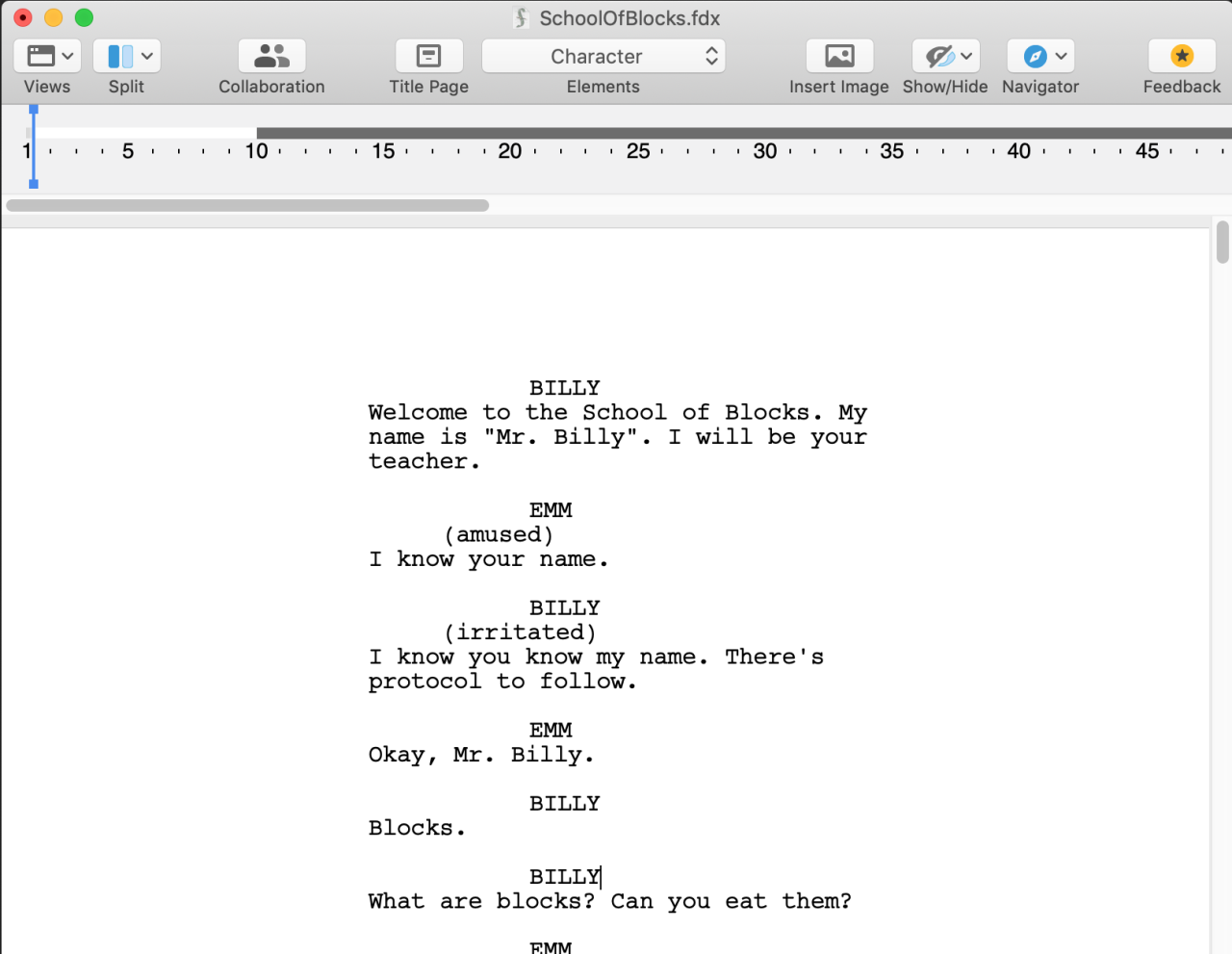
Effective scripting for video content relies heavily on clear communication and precise notation to ensure that every element of the presentation is coherent and seamlessly delivered. Utilizing proper formatting and notation within scripts helps writers, directors, and performers understand the emphasis, timing, and transitions necessary for a polished final product. This approach minimizes misunderstandings and streamlines the production process, leading to more engaging and professional videos.
Employing HTML tags such as strong, em, and code provides a structured way to highlight key aspects of the script, making it easier to distinguish between dialogue, emphasis, and technical cues. These markers serve as visual cues during rehearsals and editing, ensuring that every participant is aligned on the intended tone and delivery. Additionally, annotating scripts with detailed timing, emphasis, and transition notes facilitates smooth delivery and editing, resulting in a cohesive viewer experience.
Utilizing HTML Tags for Emphasis and Clarity
HTML tags like strong, em, and code are invaluable tools for emphasizing specific script elements. The strong tag indicates important words or phrases that require emphasis, such as key points or calls to action. The em tag is used to denote stressed or nuanced words, conveying tone or mood shifts. The code tag can be employed to specify technical instructions or scripts for cues, such as sound effects or visual transitions.
For example, a line like, “Remember to strongspeak clearly/strong during this segment,” clearly highlights the importance of enunciation. Similarly, emphasizing a word with em — “He emreally/em needs to see this” — guides performers to deliver with the appropriate tone. Using code around technical instructions, such as codefade in at 00:05/code, provides clarity for editing and production teams.
Annotating Scripts with Timing, Emphasis, and Transitions
Precise annotations are crucial for ensuring smooth delivery and editing. Timing notes specify the exact duration or moment at which a line or action should occur, aiding in synchronization with visuals or audio cues. Emphasis notes indicate where a performer should increase volume, change pitch, or convey emotion. Transition notes guide scene changes, camera movements, or graphic insertions, establishing a natural flow.
For example, an annotated script might include: “Pause for 2 seconds pause 2s,” or “Emphasize strongthis point/strong with a slight pause afterward.” Transition cues such as “fade to black at 00:15” or “slide in from right during this segment” ensure that visual shifts complement dialogue and narration effectively. This level of detail supports a cohesive and professional production, reducing ambiguity during filming and editing.
Organizing Complex Scripts with Responsive 4-Column Tables
Managing intricate scripts with multiple components can be efficiently achieved through organized tables. A responsive 4-column HTML table featuring the headings: Scene, Dialogue, Visuals, Notes, allows for a comprehensive overview of each segment. This format facilitates quick referencing, easy updates, and better coordination among team members.
For example, a scene might be detailed as:
| Scene | Dialogue | Visuals | Notes |
|---|---|---|---|
| Scene 1 | “Welcome to the tutorial.” | Close-up of presenter with a background graphic | Highlight the text visually with boldtext overlay/bold |
| Scene 2 | “Let’s explore the features.” | Transition to screen recording showing features | Use fade in transition at 00:10 for smooth entry |
| Scene 3 | “Notice how we emphasize clarity.” | Split-screen with presenter and visual annotations | Apply ememphasized/em tone during narration |
This approach ensures that every aspect of complex scripts is documented clearly, enabling seamless communication between writers, directors, and editors, ultimately leading to a polished final product.
Tools and Software for Script Writing
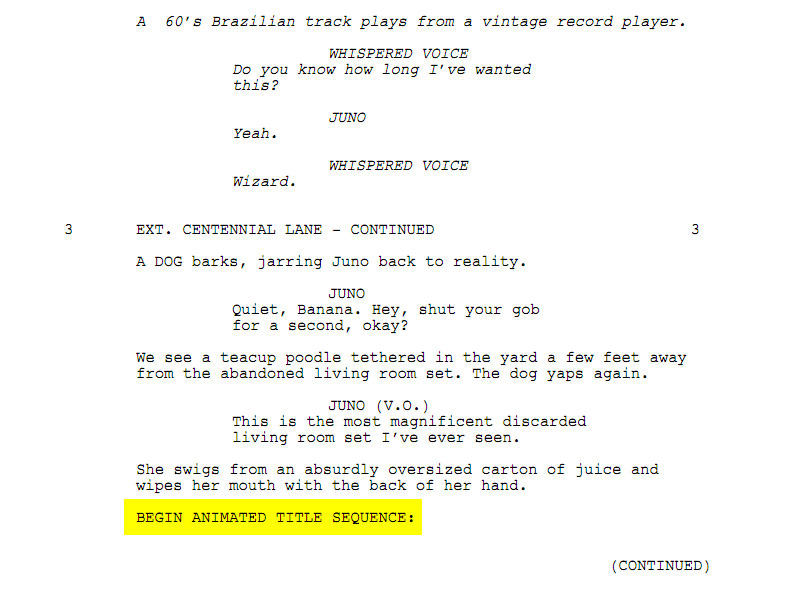
Effective scriptwriting for video content relies heavily on the choice of appropriate tools and software. These resources facilitate the process of drafting, editing, organizing, and exporting scripts in formats suitable for production teams, voice actors, and editors. Utilizing specialized software can streamline your workflow, improve collaboration, and ensure your scripts are well-structured and easily accessible throughout the production cycle.Choosing the right scriptwriting tools depends on your specific needs, the complexity of your projects, and your familiarity with various software options.
Many programs offer features that support real-time collaboration, version control, and integration with other production tools. Additionally, compatibility with common formats such as PDF, Final Draft, Celtx, or plain text files enhances flexibility in sharing and revising scripts across different teams and stages of production.
Popular Scriptwriting Tools and Their Features
Several software options have gained popularity among video producers and scriptwriters for their robust features and user-friendly interfaces. Here are some of the most widely used tools in the industry:
- Final Draft: Renowned as the industry standard for screenwriting, Final Draft offers comprehensive formatting tools, story mapping, collaboration features, and compatibility with various export formats like PDF, Fountain, and RTF. It supports extensive formatting options that adhere to industry standards, making it ideal for professional video scripts.
- Celtx: A versatile platform suited for collaborative scriptwriting and pre-production management. Celtx includes features for outlining, storyboarding, and scheduling, alongside script editing tools. It allows importing/exporting scripts in formats such as PDF, Final Draft, and FDX, facilitating seamless integration into larger production workflows.
- WriterDuet: A cloud-based scriptwriting application designed for real-time collaboration. It boasts features like version history, commenting, and multi-user editing. WriterDuet supports exporting scripts to PDF, Fountain, Final Draft, and plain text, making it a flexible choice for remote teams.
- Fade In: An affordable alternative to Final Draft with powerful formatting tools, scene management, and cloud sync. Fade In enables importing and exporting in multiple formats including Final Draft, Fountain, and RTF, allowing for easy sharing and editing across platforms.
- StudioBinder: Primarily focused on production management, StudioBinder also offers scriptwriting capabilities that integrate tightly with scheduling, call sheets, and shot lists. It supports exporting scripts in PDF and other formats suitable for production use.
Methods for Importing, Editing, and Exporting Scripts
Efficient scriptwriting tools provide streamlined methods for managing scripts across various formats, ensuring smooth transitions from drafting to production. The process typically involves importing existing content, editing within an intuitive interface, and exporting completed scripts to formats compatible with team members and production tools.Most software allows importing scripts from formats such as plain text (.txt), Rich Text Format (.rtf), Final Draft (.fdx), or Fountain (.fountain).
Once imported, users can utilize formatting features, scene management, and collaborative editing tools to refine their content. Editing functions include spell check, style adjustments, scene reordering, and commenting for team feedback.Export options are equally vital for sharing final versions or drafts. Common export formats include PDF for print-ready scripts, Final Draft (.fdx) for professional screenplays, Fountain text files for plain-text compatibility, and RTF for general editing.
Some tools also support exporting to formats compatible with teleprompters or storyboarding applications, facilitating seamless integration into the production pipeline.
“Choosing the right combination of import/export formats ensures your scripts remain versatile and accessible throughout all stages of video production, from initial concept to final cut.”
Reviewing and Refining the Script
Creating a polished and effective video script is a crucial step in the production process. After drafting the initial version, reviewing and refining the script ensures clarity, improves pacing, and enhances overall engagement. It is an iterative process that involves critical evaluation, feedback incorporation, and meticulous editing to produce a seamless final product that resonates with the target audience.A well-structured review process helps identify inconsistencies, awkward phrasing, or areas where the message could be clarified or made more compelling.
Systematic refinement not only improves the quality of the script but also streamlines subsequent production stages, saving time and resources.
Techniques for Editing Scripts to Improve Clarity, Pacing, and Engagement
Effective editing techniques focus on sharpening language, balancing information flow, and maintaining viewer interest throughout the video. Key strategies include:
- Removing redundant or overly complex sentences to enhance clarity and facilitate understanding, especially for audiences unfamiliar with technical jargon.
- Breaking long passages into shorter, digestible segments to improve pacing and prevent viewer fatigue. For example, dividing a lengthy explanation into sequential points maintains viewer attention.
- Inserting pauses or emphasizing key points through verbal cues or visual cues to enhance engagement. This can involve strategic placement of rhetorical questions or calls to action.
- Varying sentence structure and length to create rhythm and prevent monotony, thereby keeping viewers intrigued.
- Ensuring the tone aligns with the target audience, whether formal, conversational, or persuasive, to foster a connection and enhance credibility.
Incorporating feedback from peers or stakeholders is vital to uncover blind spots and gather diverse perspectives. Listening to a fresh set of ears can reveal ambiguities or pacing issues that might be overlooked during initial editing stages.
Organizing Feedback and Revisions Systematically
A structured approach to feedback management ensures that revisions are clear, traceable, and efficiently implemented. Maintaining an organized revision history prevents confusion and guarantees that all suggestions are appropriately addressed.
| Version | Changes Made | Reviewer Comments | Date |
|---|---|---|---|
| 1.0 | Initial draft with basic structure and content | Well-organized, but some sections need simplification for clarity | 2024-04-10 |
| 1.1 | Revised introduction, condensed lengthy explanations, added engaging transitions | Improved flow and viewer engagement; consider further emphasizing key points in the conclusion | 2024-04-12 |
| 1.2 | Addressed feedback, corrected grammatical errors, integrated visual cues | Script is clearer; suggested adding more specific visual instructions for animations | 2024-04-14 |
Maintaining a revision log with details about each version, changes, feedback, and dates facilitates efficient tracking of improvements. This systematic documentation ensures transparency and accountability, enabling writers and editors to collaborate effectively and produce a refined, impactful script.
Final Summary

In conclusion, developing strong skills in how to script video content empowers creators to produce captivating videos that communicate effectively and leave lasting impressions. By applying structured techniques, utilizing the right tools, and continuously refining your scripts, you can elevate your video production to new levels of professionalism and creativity.